Eskil Seter - The laptop-based live bass and guitar rig

I found a post from Naigewron (Eskil Seter), a Gig Performer user from Norway, on the TalkBass forum. I’m sharing it here.

It’s 2025 - How many have abandoned physical rigs, amps, floorboards and pedals and moved to the ultra-digital realm of using a laptop rig live (and elsewhere)?

Let’s share experiences, tips and tricks.

I’m just getting into this world permanently now, but it’s been moving this way for a few years.

My rig has gotten more and more digital over the past decade, with fewer and fewer individual pedals and components.

Last year I ended up with a Helix Floor straight to FoH as my entire rig, moving up from an HX Stomp with external pedals and an optional amp, and this year I finally made the last step and went for a full laptop-based rig.

So now I have the exact same setup and tones available in my home studio (using the laptop as my studio machine) as I do when playing live or recording in other studios (routing my audio interface straight to the desk), and as a bonus my studio is now super portable as well.

Side note: I’ve already used plugins for my live synth rig for 1-2 years, so from that perspective it made even more sense to just adapt my bass and guitar rig to that setup, to minimize the amount of gear I have to maintain and lug around. The Helix is huge and heavy.

The biggest part of making this transition seamless was that Line6 offers the Helix as a full-featured plugin, which no other modeler does. So I was up and running with all my core tones straight out of the box; I just had to set up the laptop.

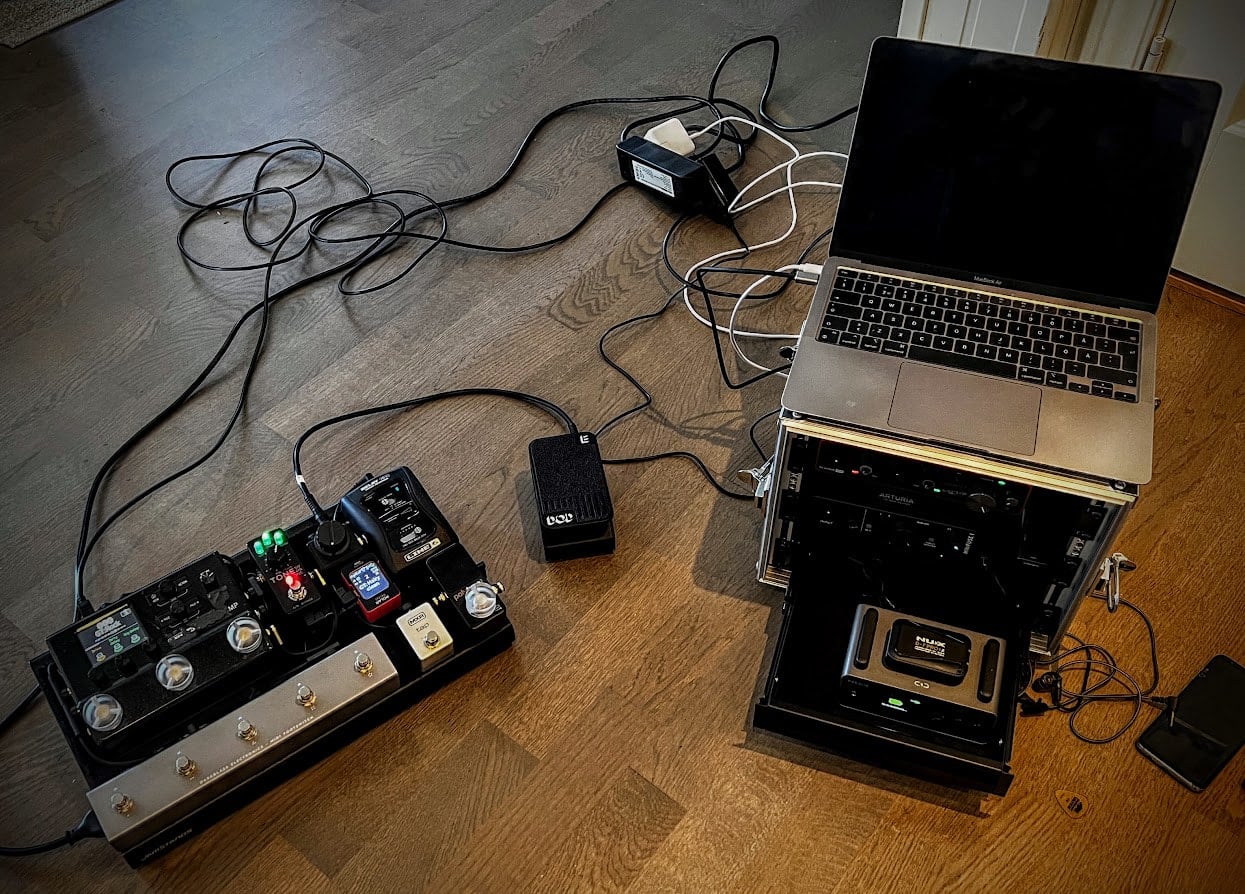
I’m using Gig Performer as my VST host and virtual rack, and a simple Arturia interface for traveling (leaving my main one at home).

The rig had its first real test yesterday in a studio session, and it performed flawlessly.

Very eager to test it out live once I get it even more properly set up, and get a MIDI footswitch added to the setup.

Looking at one of the Morningstar MIDI footswitches, preferably the MC6 Pro, but that’s not decided yet. I figure I’ll let the rig live like this for a little while and see what my needs are, since I don’t have any gigs lines up at the moment.

Current specs:

  • Laptop: MacBook Air M1 (16GB RAM, 512GB SSD)
  • Travel interface: Arturia Minifuse 1
  • Keyboard controller: Arturia Minilab 3
  • Plugin host: Gig Performer 5
  • Main bass/guitar tone plugin: Line6 Helix Native

4 Likes

People asked questions, and Naigewron answered in masterfully. Here are some answers.

Q: One word - LATENCY. I can’t stand it. What is your latency?

A: That has stopped being a problem many years ago. My buffer size is at 16 samples, and I’m getting a round-trip latency of 1.5-2ms on this rig. Sound travels roughly one foot per millisecond, so if you’re standing more than 2 feet away from your amp you’re getting more latency than I am.

Q: I’ve seen shows stopped because of laptop issues. What are stability concerns?

That is definitely always a potential hazard, for sure. But then again, I’ve also seen amps break down, modelers stop working and require a restart, pedalboards get beer spilled on them, cables breaking, and so on. Any rig is prone to some sort of breaking down.

Having an emergency backup solution is the key to any live rig; in my case that’s an Atomic Ampli-Firebox, which is a very compact amp modeler with a few basic effects. It’s up and running to FoH in no time with a couple of cable swaps, and it will get me through a gig.

4 Likes

Chris Wicked - Wicked Game - Guitar and bass playthrough

A guitar and bass playthrough covering the Chris Isaac classic “Wicked Game” in a moodier, heavier version.

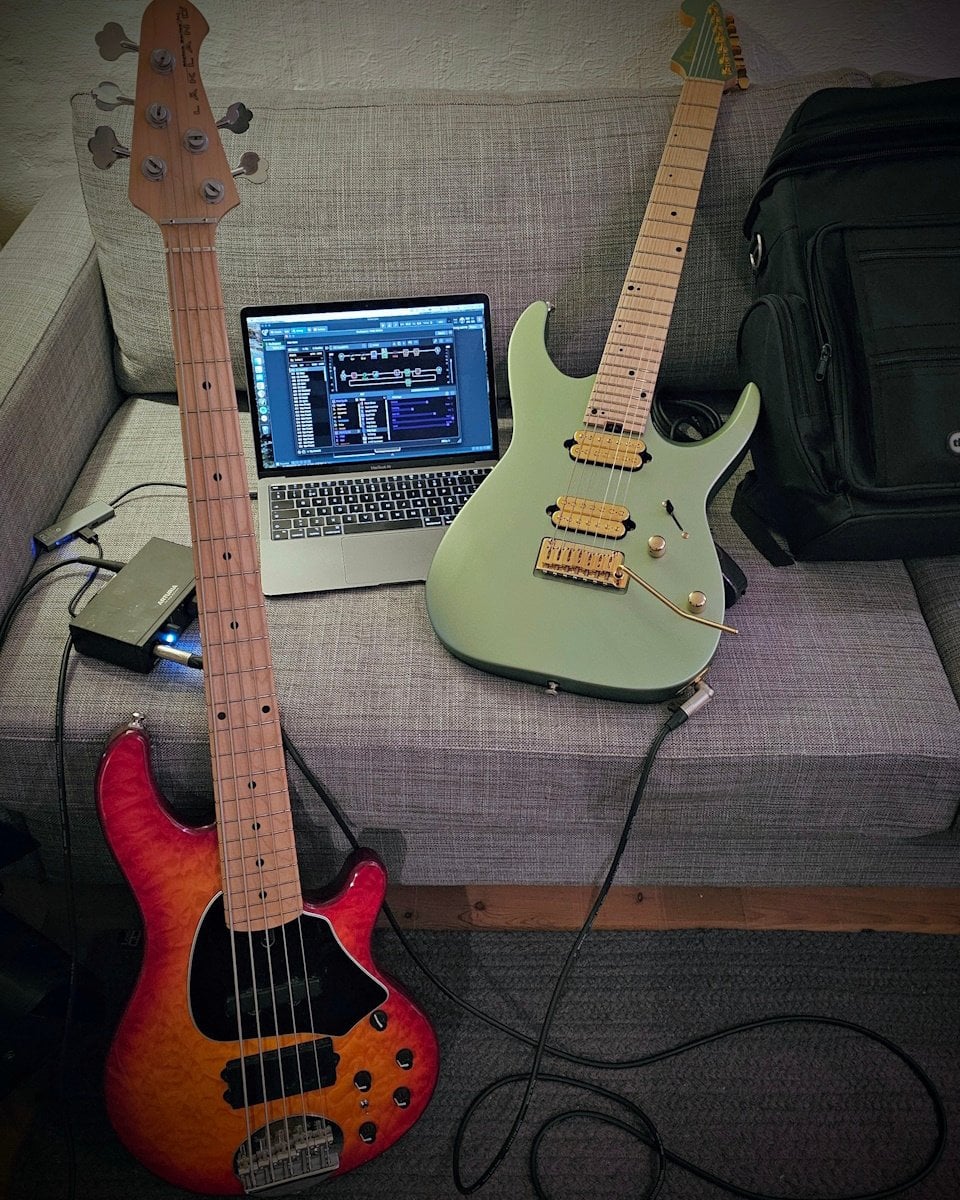
Guitar and bass are plugged straight into an Arturia Minifuse 1, via the Gig Performer VST host and then into Logic Pro.

Bass is Lakland Skyline 55-02, and tones are achieved using Line6 Helix Native.

Guitar is Charvel Nova 7 Angel Vivaldi signature, and tones are achieved using Neural DSP Archetype: Rabea with a couple of David Maxim Micic’s impulse responses (mainly Heartbeat).

2 Likes

Hi! Just came across this thread that @npudar created about my experiences :slight_smile:

To expand a bit about my recording setup in the last post (the playthrough video): I use GigPerformer as almost an outboard guitar rig even when recording, to avoid having to have an instance of my guitar/bass plugins on every track in Logic. To do this, I use the loopback function on my interface, which means that the interface creates two virtual tracks that I can output to from GigPerformer, and use as inputs in Logic.

I tried using the audio route plugin that GigPerformer offers (can’t remember what it’s called; the one where you can pass audio between a send plugin and a recever plugin), but the latency was considerably higher than using loopbacks. It was definitely usable, but loopback ports worked a lot better for me specifically, and it also doesn’t require me to load a plugin on my Logic tracks - I just set my input to port 5 (my loopback port) and it will magically record anything that I output from GigPerformer.

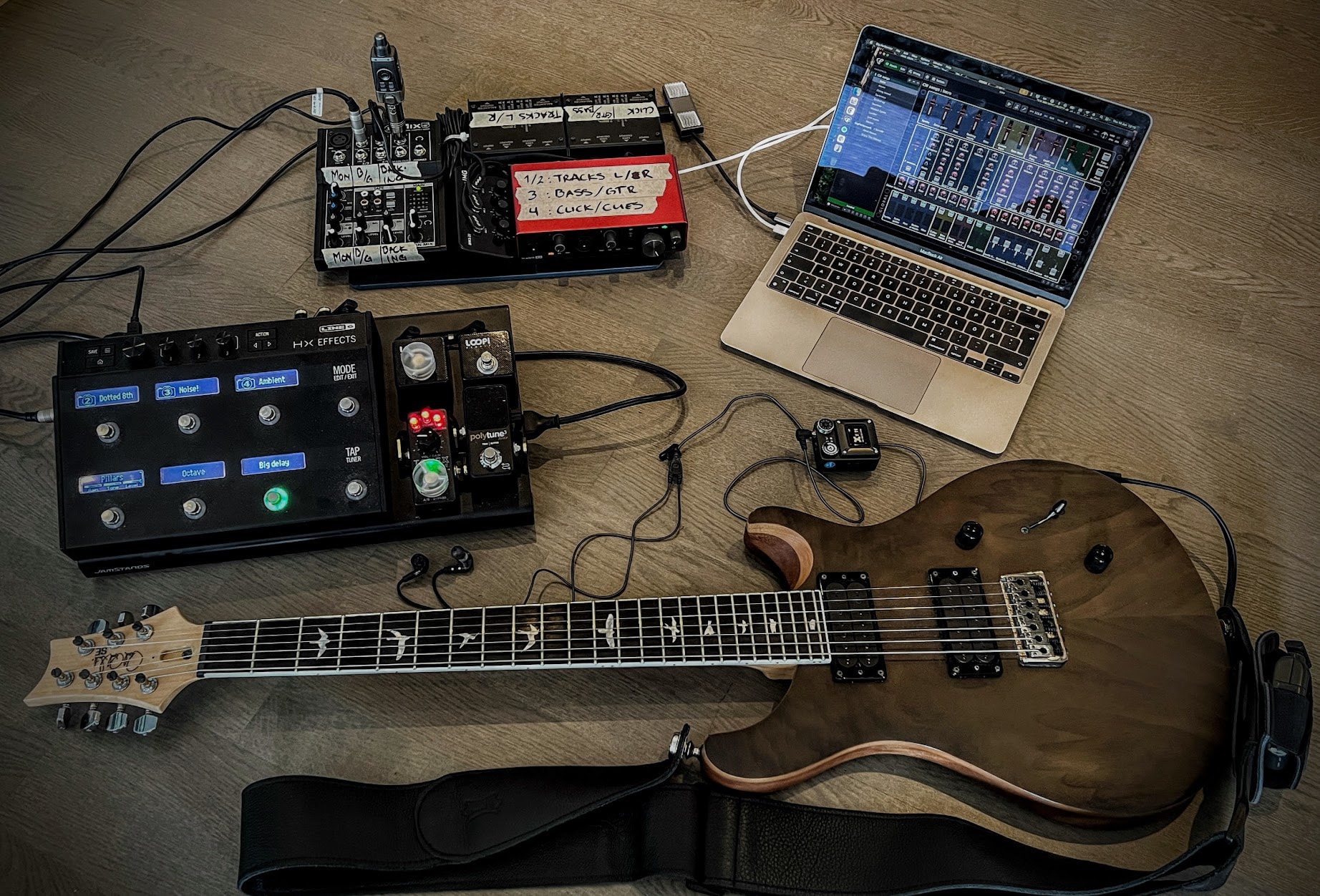
To control the setup in a live/rehearsal setting, I’ve bought a Harley Benton MP-100 MIDI footswitch, and loaded it with a 3rd party firmware from harvie256. This allows me to have a bit more control over the messages passed from the controller to GP than the default firmware does. I’ve just set it up super simple with momentary CC messages on each switch, and then I’ve got a visualiser on the screen that mirrors the MIDI controller switch layout and shows me the appropriate labels for each switch, along with its toggle status. This is using the global rackspace, and I’ve got a script that loads and displays different switch labels for each rackspace and variation.

You can just make out the switch mirroring panel at the bottom of the laptop screen in this picture:

https://www.instagram.com/p/DIi57yGsbqJ/

Currently struggling with some weird glitches where GP widgets suddenly just stop controlling the plugin parameter they’re programmed to control. My only workaround so far is to make a copy of the widget, map it to the same parameter, and just delete the original one. Hopefully this won’t happen at a gig. Other than that very specific niggle, this setup is working exceptionally well for both recording, jamming and playing.

Thanks for providing the additional information! :slight_smile:

The GP Relayer plugin.

As for the widgets, please create a new thread and describe what is an issue.

Done :+1: