When analyzing my current gigfile I realized that I am using, in different rackspaces, different versions of the same plugin. Specifically, I am using KONTAKT 6.5.2 (AU) in certain rackspaces and in others I am using KONTAKT 6.7.1 (VST3).
Since I’m working on a Mac system, should I replace the vst3 plugins with AU, or should I do the opposite, since vst3 is from a newer version of kontakt?
I prefer to use VST over AU whenever possible.
One reason is because (I believe) VST plugins are tested in more hosts than are AUs, the latter really only relevant for Apple’s own product (Logic, Garageband, MS). So everyone HAS to provide their plugins in AU format but most likely only test them with Apple hosts. VST plugins get tested on a much wider selection of hosts so are more likely to be reliable.
That said, watch out for Kontakt 7 — apparently it is quite buggy in general. I am personally staying with Kontakt 6
Just my two dents.
3 Likes
I also prefer the VST version.
I only use AU if there is a problem with VST or if I can’t install the VST.
An other important topic for me: With VST I’m more compatible to windows systems.
1 Like
One thing I noticed recently was that after adding the Sampletank 4 vst to my global backspace for my drummer’s drum triggers, my cpu utilisation rose to about 20% at idle. Changing that to AU halved that.
In practice there may be implementation differences and one format can work better than another in terms of stability, performance or even features.
Lots of examples are across the community forum, this is one of them: Gig Performer | Gig Performer and JamOrigin's MIDI Guitar 2 plugin
Avoid using different formats of the same plugin in the complete gig file.
2 Likes
I will soon begin converting my plugins from AU to VST. Is it sufficient to simply deactivate the formats that are no longer to be used in the Plugin Manager?
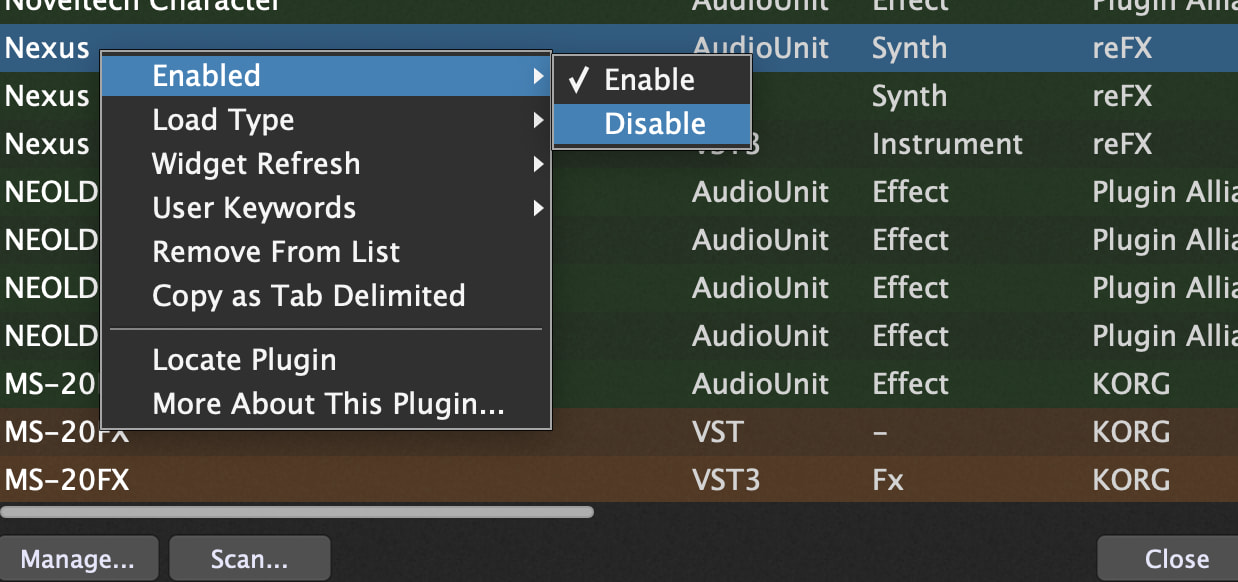
Yes, disabling in the Plugin Manager will remove that listing from available plugins when you go to add them in Wiring view. The plugin files aren’t deleted from your system–they just won’t show up for use in GP (unless/until you re-enable them).
2 Likes
I’ve now tried it as a test. Yes, it works. However, I have to painstakingly copy all the AU plug-ins into the new VST. Simply replacing the plug-in doesn’t work – it loses the instruments.
To a host app(not just GP but any plugin host), different formats of the same plugin are treated as different plugins altogether. Sometimes plugins allow you to copy/paste settings inside the plugin UI from one format to another. It’s nice when they do, more tedious when they don’t.
I thought so. That will be a nice way to spend my free time…
If it’s a plugin where you can save the settings as a preset within the plugin, you may be able to access those same presets from the other version.
1 Like
I tried Kontakt. It has a snapshot function.
Since I’m switching my plugins from AU to VST anyway, I’m wondering whether I should use Kontakt 8 Player instead of Kontakt 7. The advantage would be that this version receives even better updates. What do you think?
I hate kontakt 8. They’ve made it so difficult to handle your own instruments. I’m still using Kontakt 6
You’re probably right. At first glance, it was confusing for me too. I’ll stick with 7.