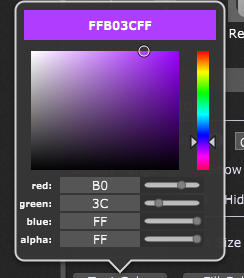
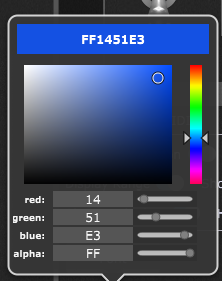
Ok… this issue actually kept me a bit busy. 
I wrote two user functions to help script users to set a widget’s (fill) color.
The script can easily be adapted for other color-set functions.
This is the script:
var
myLabel : widget

//user function to convert single hex byte values to double values 0-1.0
//example: SetWidgetFillColor(myLabel, RGBToColor(HexToDouble(0x00), HexToDouble(0xff), HexToDouble(0x00), HexToDouble(0xFF)))
function HexToDouble(HexValue : Integer) returns double
    result = Scale(IntToFloat(HexValue), 0.0, 256.0, 0.0, 1.0)
End

//user function to set a widget's fill color according to a RGBA-Hex string
// the RGBA-Hex string must have 8 digits - one byte for R/G/B/Alpha - no separators allowed
function SetRGBAHexWidgetFillColor (tgtWidget: widget, RGBAString : string)
var
index : integer //just a counter
hexDbl : double //variable to hold the current byte value in double type
hexSingleL, hexSingleU : integer //variables to get the lower and upper digit of a byte
dblR, dblG, dblB, dblA : double //variables to hold the R/G/B/A values in double type


if Length(RGBAString)==8 then//checke if the HEX-String has 8 digits
    for index=1; index<8; index = index +2 Do //step through the whole string by pairs
        hexSingleU=StringToInt(StringToHexString(CopySubstring(RGBAString, index-1, 1)))-30//upper byte digit
        hexSingleL=StringToInt(StringToHexString(CopySubstring(RGBAString, index, 1)))-30//lower byte digit
        hexDbl = hexSingleL + hexSingleU*15//calculate the whole byte value as double

        Select//according to the string position extract the R/G/B/A values into separate variables, scaled to double type (0-1.0)
            index==1 do dblR=Scale(IntToFloat(hexDbl), 0.0, 256.0, 0.0, 1.0)
            index==3 do dblG=Scale(IntToFloat(hexDbl), 0.0, 256.0, 0.0, 1.0)
            index==5 do dblB=Scale(IntToFloat(hexDbl), 0.0, 256.0, 0.0, 1.0)
            index==7 do dblA=Scale(IntToFloat(hexDbl), 0.0, 256.0, 0.0, 1.0)
        end
    end

    SetWidgetFillColor(tgtWidget, RGBToColor(dblR, dblG, dblB, dblA))//set the target widget's fill color according to the analyzed hex-string
end

End

// Called automatically after script is loaded
Initialization
//set the widget's fill color by using the byte wise conversion
//SetWidgetFillColor(myLabel, RGBToColor(HexToDouble(0x00), HexToDouble(0xff), HexToDouble(0x00), HexToDouble(0xFF)))

//set the widget's fill color by using the "complete package" :-)
SetRGBAHexWidgetFillColor(myLabel,"FFFFAABB")
End
I guess the comments in the code will be self-explanatory.
Here is the corresponding gig file to see how it works:
widget_color-user_functions.gig (27.5 KB)
Maybe this is useful for other users as well…