Maybe this could give you some ideas…
- Pass the notes from your controller to the ‘Local GP Port’
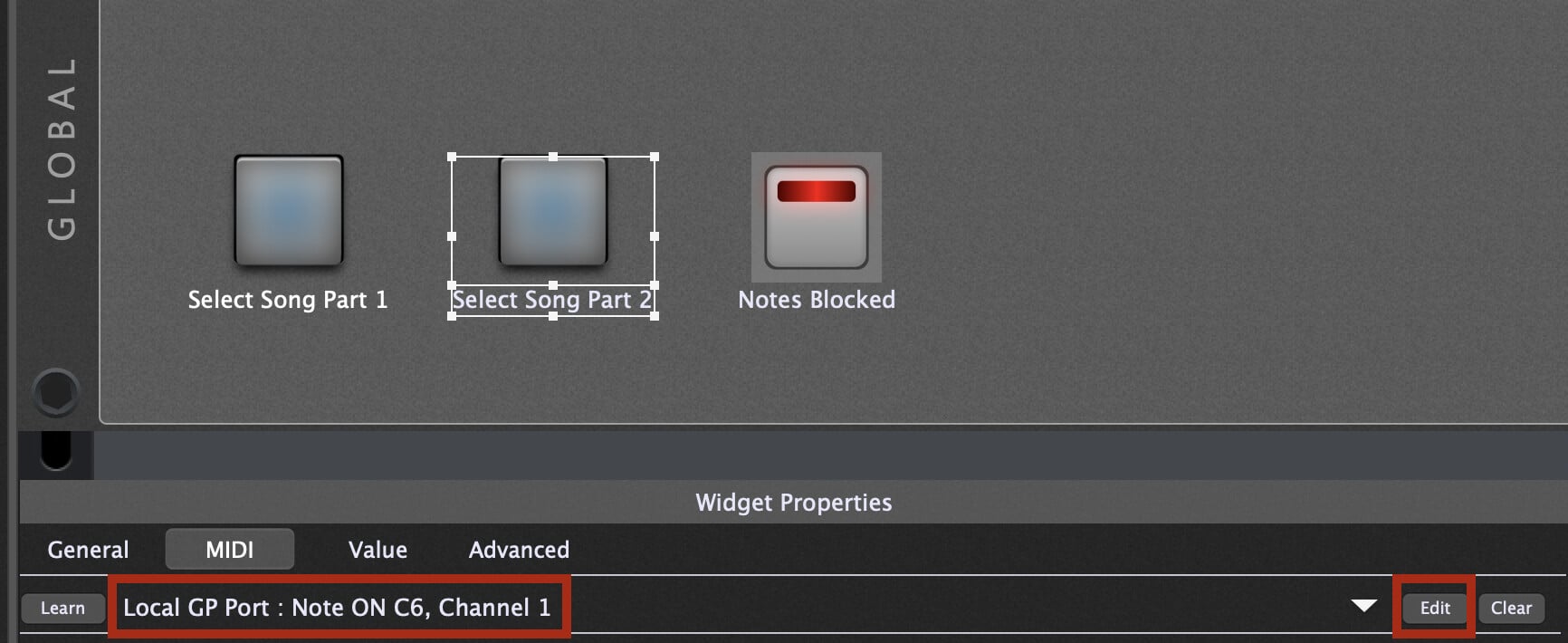
- The widget you have mapped to the song part selection will learn the note message from the GP Local Port, and not directly from your controller.
- The MIDI filter plugin will block notes from being passed to the Local GP Port after the first time you press your note.
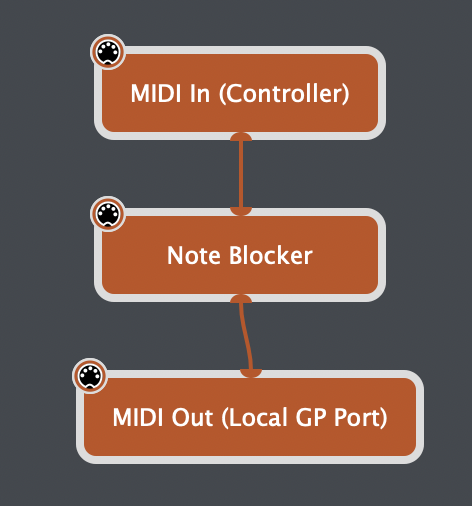
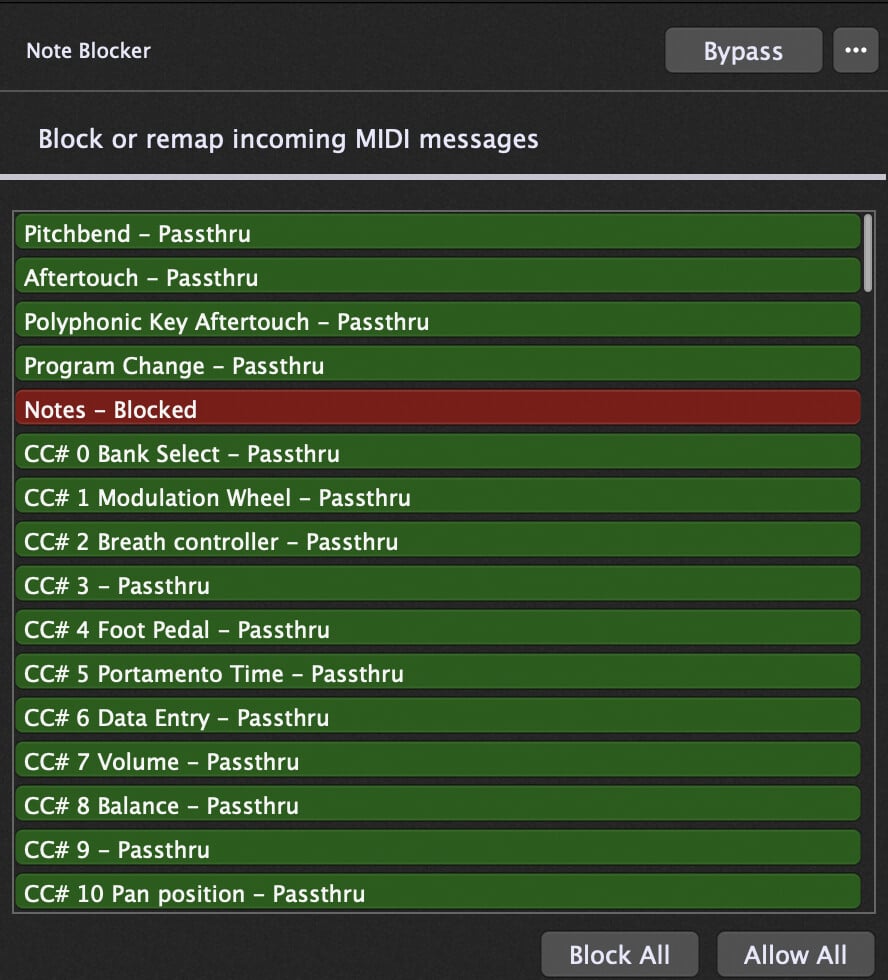
- In the Global panel, I have widgets mapped to System Actions to select the song part. I used the ‘Edit’ button for the midi mapping and selected the GP Local Port
-
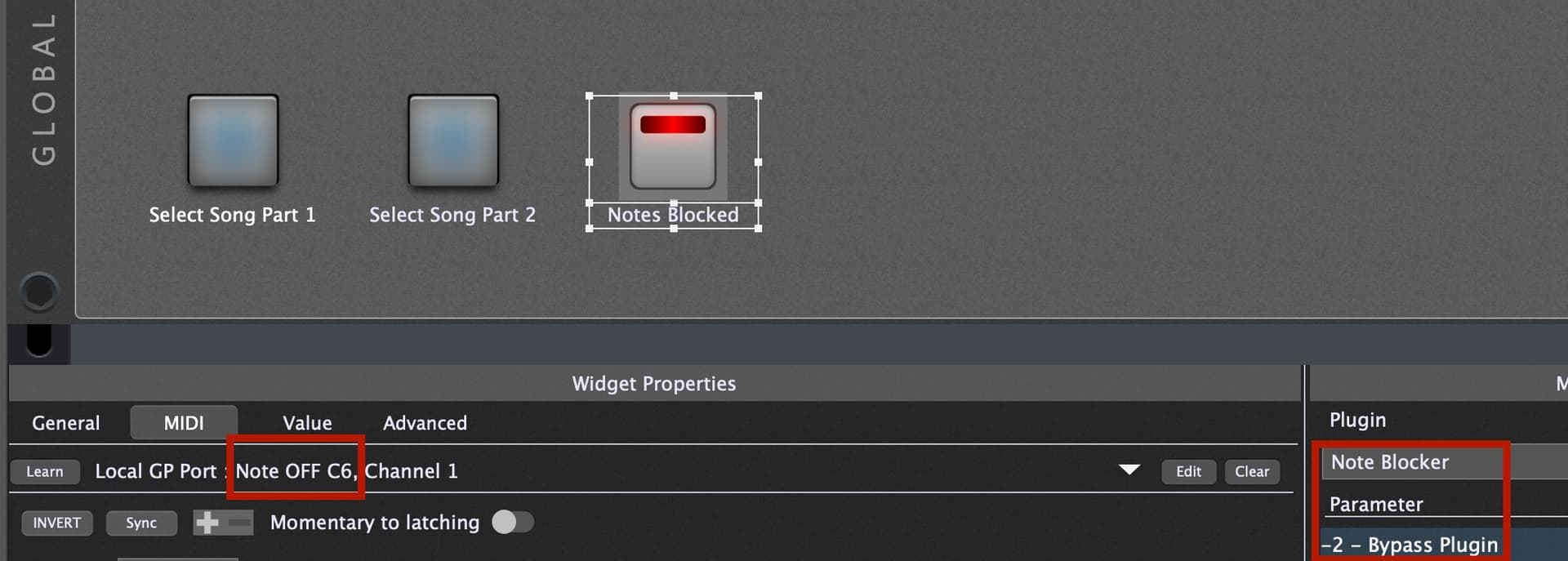
The ‘Notes Blocked’ widget is mapped to the bypass of the MIDI Filter (which is blocking all notes). I have the scaling reversed so that the widget is lit when the filter is active.
-
This is MIDI learned to the Note Off of the same note you are using to select the song part
-
The result of this is that the first time you press the note to switch song parts, it will activate the filter when you release the note, and any subsequent notes will be blocked until you manually press the Note Blocked widget to bypass the filter.