I have a PolyChrome DSP HyperTune plugin that allows me to change the transposition from -24 to +24. That’s 49 total positions (including zero for no transposition). I’m trying to figure out a way to use one of the widgets to allow me to select the value as -24 to 24 but the default algorithm is really set to 0 to 100. It would be great to have the horizontal slider bar set to -24 when far left, zero at center, and 24 far right. There’s so much customizability in Gig Performer especially with GPScript that I’m sure there’s a way to do it and I’m very comfortable scripting a solution of that’s the only way. BTW, I’m very new to Gig Performer so apologies if there’s an obvious way to do this that didn’t occur to me. I did search the forums for an answer before posting this.
Either the widget value rescaling (setting the min/max in widget value properties) or scripting.
Thanks for the reply. I tried scaling the values into 49 steps but it creates the steps starting at zero and ending at 0.49. I would like for it to display whole numbers from -24 to 24 with zero at dead center using a horizontal slider. I would be willing to script that but I’m not sure if that’s the best approach.
That’s exactly how it is by default for me.
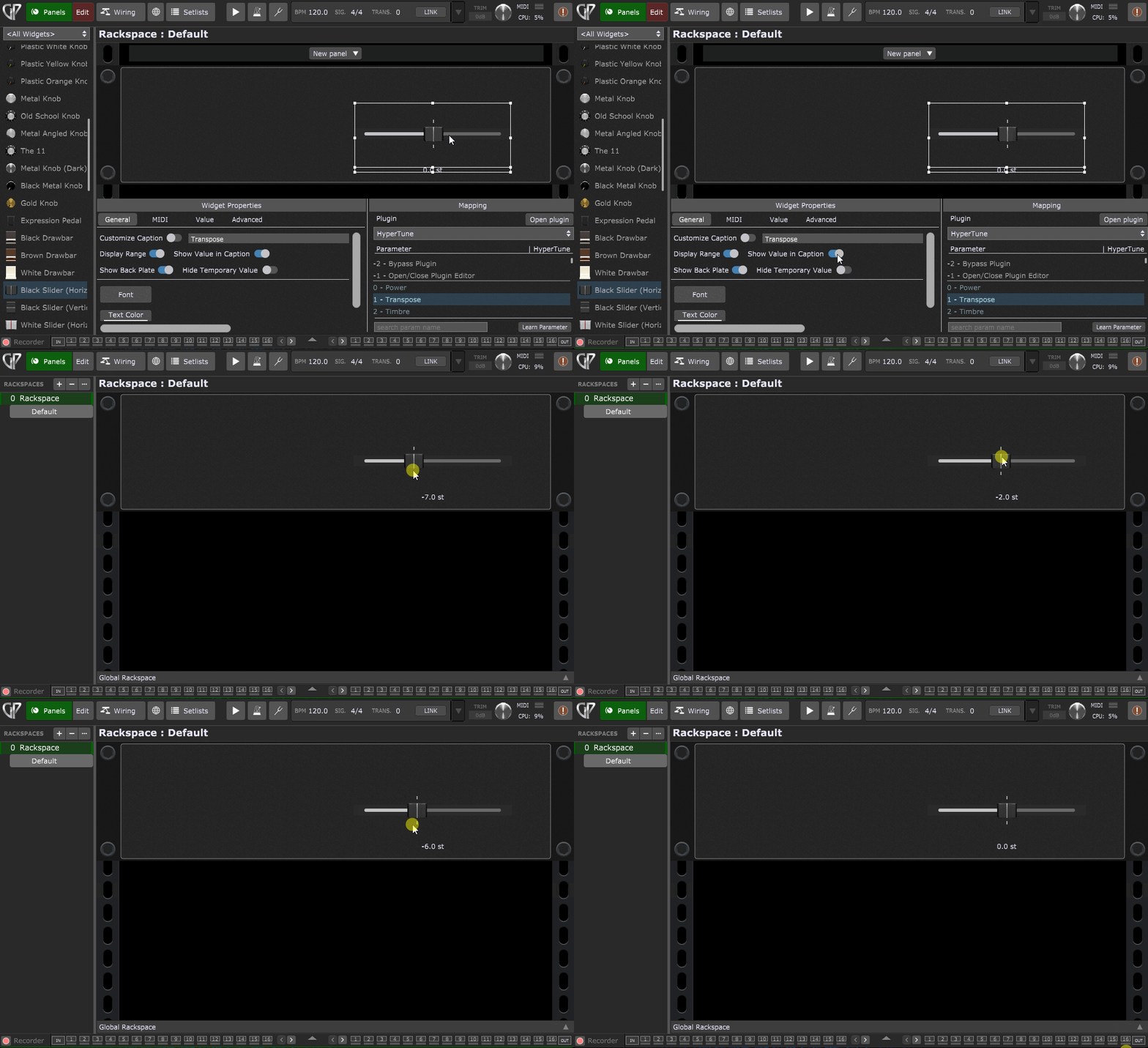
I don’t understand the issue. Assuming your plugin uses host automation to set the transpose amount, then the range -24 .. 24 should map to the normalized parameter range of 0.0 to 1.0 for that transpose host automation parameter which (in Widget speak) is 0.0 to 100.0 (values just get divided by 100 under the covers)
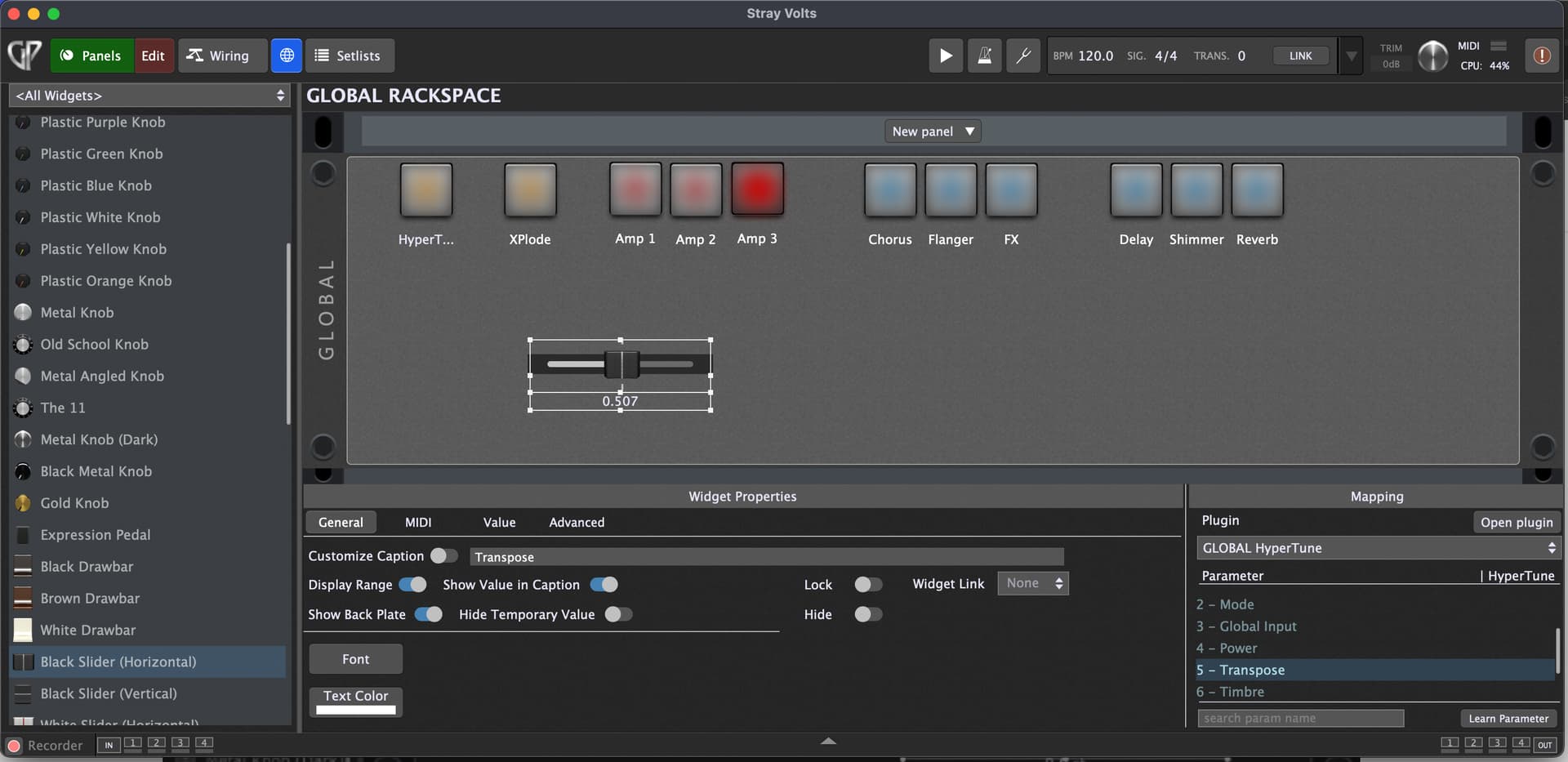
OK - what you see on the widget depends 100% on what data the plugin makes available to the host
Can you confirm that the transpose value in the actual plugin goes from -24 to +24 as you move that widget from full left to full right?
Edit: I see that @edm11 shows the correct values - that makes me suspect that either your plugin is out of date or one of the plugin formats is not returning the correct info. Are you using an AU, VST or VST3?
It’s AU and it is the latest plugin. I can confirm the plugin shows -24 to 24 when I move the slider.
I can try the VST tomorrow to see if it’s an AU bug.
I suspect this is the case. I was using the vst3 version on Windows.
This issue has been resolved and is due to a bug in the AU version of that plugin. The VST version on a Mac works just fine.