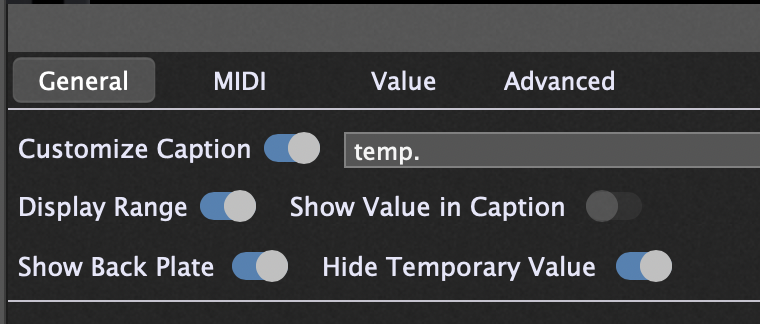
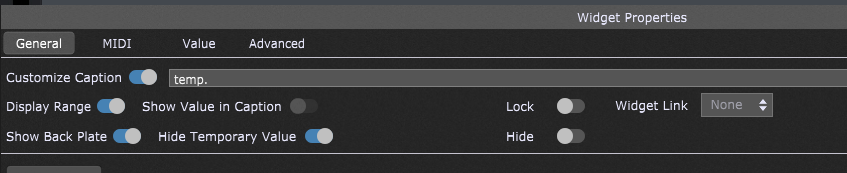
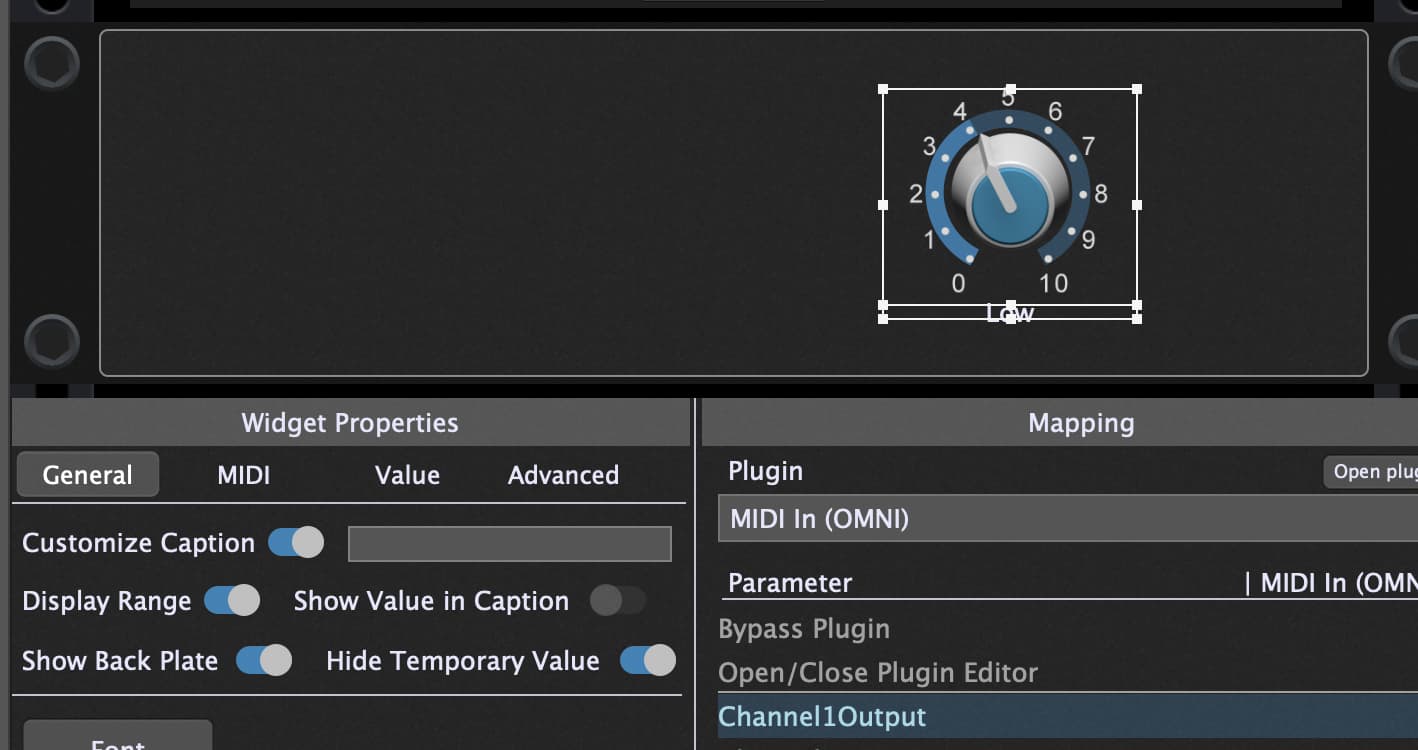
Widgets assigned to plugin parameter will display the parameter value when changed. But they return to either a Custom Caption or the Plugin Parameter Name.
I would like it to always display a Label that I control via a script to translate values (0-1.0) to words. In this case, I’m using a slider to control a step function with 4 settings. I’m changing a GP Mixer Output to switch between different reverb plugins treating the mixer as an assignable “Effects Buss”
select
newValue == 0.0 do
SetWidgetLabel (GtrReverbSelect, “Plate”)
newValue == 0.33 do
SetWidgetLabel (GtrReverbSelect, “Vintage”)
…
That works, but the display only flashes to “Plate” it then returns to either Customize Caption value or if that is “off” then the plugin param name.
I want to it show “Plate” until the script sets the next value of the label.
Is this possible?
I can’t find a function for setting a widget Customize Caption (as the UX calls it).
Hm, then set the caption of the knob to blank, add a text label widget to your rackspace and use this. I use dedicated text label, e.g. to show up Leslie speed or Chorus names. With text label widget you are slightly more flexible to change font and size
thanks. I did that already as a work around, but I would really not like the extra overhead of managing an extra widget and scriptNames to just replace an existing widget label.
@dlwhite66 Maybe it’s because you test for exact values in your select statement…
I used value intervals and it works perfectly as it should.
In my script, i packed the test-operation for the widget into a user function, so it can be called easier on various situations (Initialization, Variation change, activation…).
This prevents the script from running into undefined states which would not be handled otherwise.
Also it might make it easier to maintain/extend the code if needed.
var
knbTest1 : widget

//user function to read the target widget's value and return a corresponding string
function testKnobCondition (testObject : widget) returns string
var
tVal : double = GetWidgetValue (testObject)
strCondition : string

Select
   tVal>=0 and tVal<=0.25 do strCondition = "Condition 1"
   tVal>0.25 and tVal<=0.5 do strCondition = "Condition 2"
   tVal>0.5 and tVal<=0.75 do strCondition = "Condition 3"
   tVal>0.75 and tVal<=1.0 do strCondition = "Condition 4"
end
result = strCondition
End

// Called automatically after script is loaded
Initialization
    SetWidgetLabel (knbTest1, testKnobCondition(knbTest1))
End

// Called when rackspace is activated
On Activate
    SetWidgetLabel (knbTest1, testKnobCondition(knbTest1))
End

// Called when you switch variations
On Variation(oldVariation : integer, newVariation : integer)
    SetWidgetLabel (knbTest1, testKnobCondition(knbTest1))
End

// Called whenever the value of the knob knbTest1 changes
On WidgetValueChanged (kVal : double) from knbTest1
    SetWidgetLabel (knbTest1, testKnobCondition(knbTest1))
End
thanks, but it is not because of testing for precise values. I get the behavior I want regarding the state label displaying briefly. But I can not get the state label to NOT be replaced with the caption or plugin param name.
I figured out what caused the issue, but not sure why.
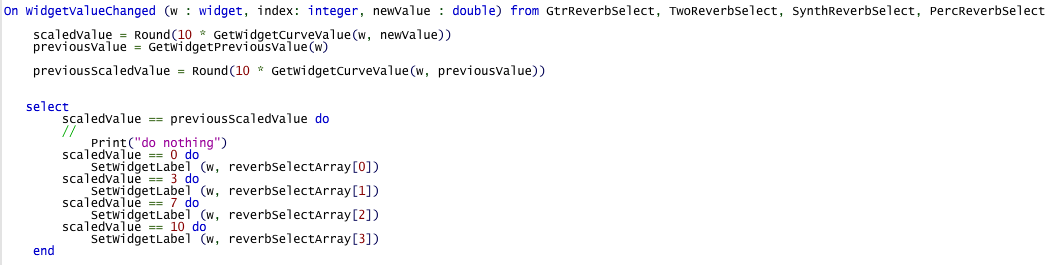
The offending line is “scaledValue == previousScaledValue do Print(…)”
Effectively an “if the scaledValue hasn’t changed, then do nothing” statement.
With it, the text changes only when the scaledValue changes (a 4 position switch), but what ever is in the Customized Caption field replaces my script set label value.
If I remove it, the label stays set by the script, but the text flashes for every change of widget rather than only changing at the scaledValue break points.
It would be great if there was a Callback for onWidgetScaledvalueChanged
So for stepped scaled value, the callback was only triggered with the scaled value changed.
@pianopaul yes that’s true for the current callback. I was requesting a new callback … that is definitely possible, but only if the developer thinks its as useful as I do. Given the number of effects and sound source plugins that have limited, but multi-value (more than 2 less than 100) parameter states. For a parameter that has, for example, 4 states. having a scaledvalue callback would prevent 96 unnecessary event triggers.