I’m new to Gig Performer and to this forum. I’m really impressed by the software and how stable and feature rich is really amazing. I work mostly in producing, mixing and mastering for delivery in Dolby Atmos and so my setup always requires dealing with a lot of audio channels and routing of audio for delivery and monitoring.
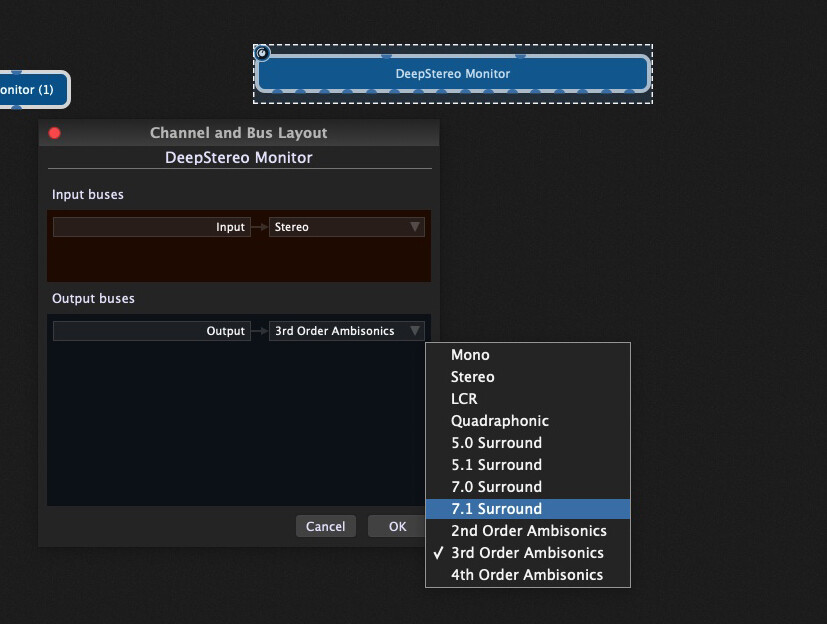
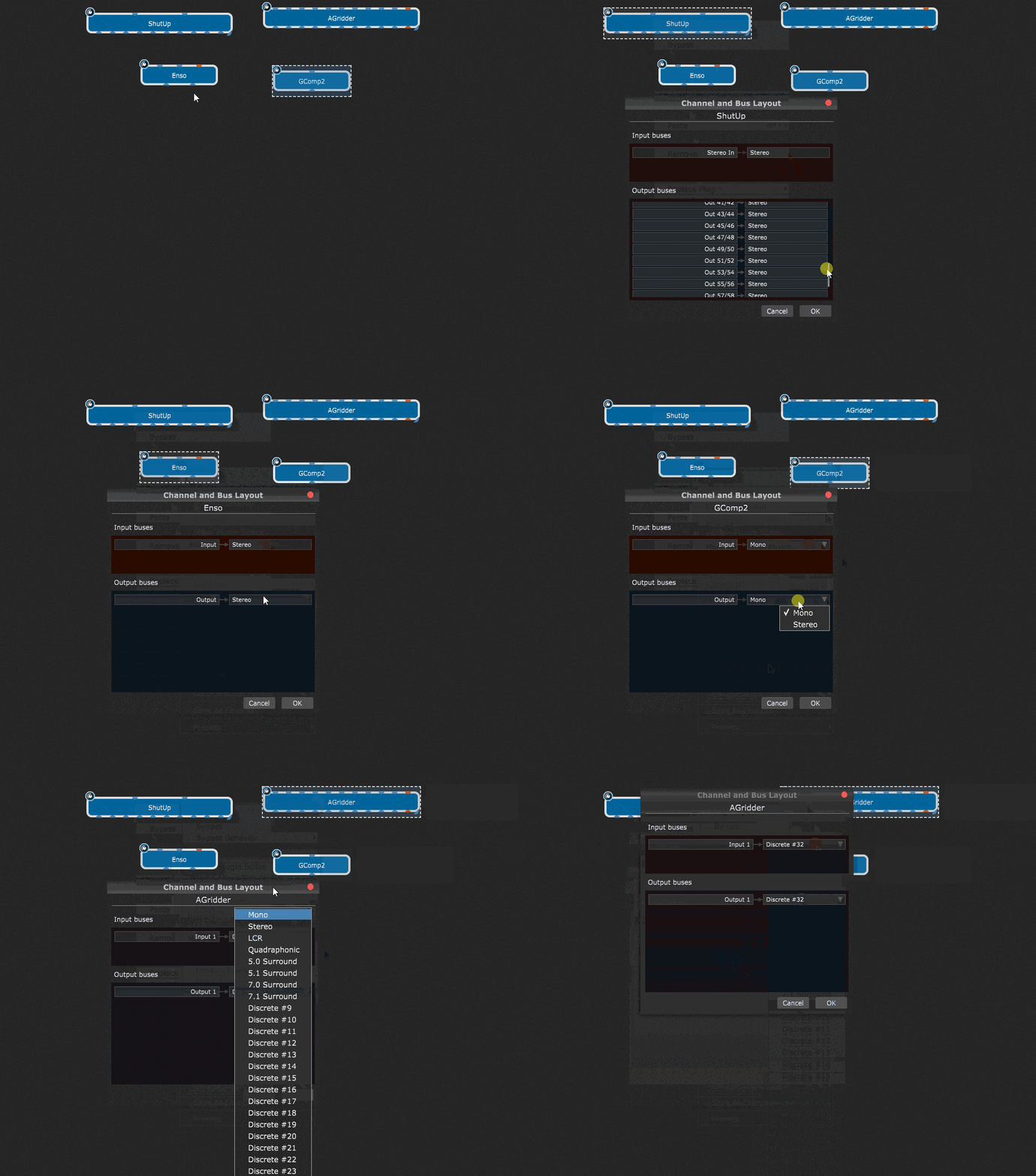
One thing I notices in Gig Performer that it does not have any Dolby Atmos support and specifically for Plugin blocks Bus Layout (right-clicking on a Plugin block and choosing Bus Layout). I mean it has already support for Quadraphonic to 5.0 to 7.1 surround as well as support for 2nd, 3rd and 4th order Ambisonic. However there are no options for standard Dolby Atmos channel layouts like 7.1.2, 7.1.4, 9.1.4, and 9.1.6!!
I know and I do use Ambisonic layouts (up to 16 channels) to get support for the number of channels needed for Dolby Atmos, but some plugins require that the exact number of channels for a setup (i.e. 7.1.4 for instance) in order for the plugin to work, and this is the main issue.
Therefore, I would really suggest to add the Dolby Atmos channel layouts in the Bus Layout options and I would assume that this should be not so much a difficult task.
If anyone knows any tips or tricks to implement that in Gig Performer or knows if this option is already available, I would appreciate your feedback and sharing.
3- Binauralizer Studio 2 by NoiseMakers (you can search for this cannot put more links).
These three I know do not use iLock. However note that I have more than 30 plugins that supports Dolby Atmos channel layouts but almost all do use iLock.
Forgive my ignorance, as I don’t personally use any, but I wouldn’t think they would behave or act differently, or route any differently, than any other plugin with the same number of inputs and outputs.
What is different about a 9.1.6 layout from any other 16 channel layout? Is it not just nine mono channels, one mono channel, and six mono channels? Thus 16 mono channels?
Good question - I don’t know anything about Atmos (except that people seem to like it ) but out of curiosity I downloaded the Deep Stereo Monitor trial. I observed that there were several bus layouts whose names mean nothing to me but when I selected 3rd Order Ambisonics, the plugin block showed 16 output ports. Is that a 9.1.6 layout?
I just asked myself the same question…
I guess, maybe it’s just about “naming conventions” of the particular channels for a given Dolby Atmos layout/format? But i also could be wrong…
You are partially right. GP supports 2nd (9 Channels), 3rd (16 channels) and 4th (25 Channels) order Ambisonics. In comparison to Dolby Atmos which has many channel layouts, the 5.1.2 is 8 channels, the 5.1.4 and 7.1.2 are 10 channels, 7.1.4 is 12 channels, 9.1.4 is 14 channels and finally 9.1.6 is 16 channels.
Therefore, the Dolby Atmos channel layouts for the following setups are not provided in GP as the exact number of channels required: 5.1.4 + 7.1.2 + 7.1.4 + 9.1.2 + 9.1.4 and as for 5.1.2 can be presented by the 7.1 as both are 8 channels.
One more thing that I should have mentioned in my previous post is that you’re right about the 9.1.6 being a 16 channel setup when using 3rd order Ambisonics which I’m now currently using, the issue is my setup is a 9.1.4 so my monitoring is not accurate anymore.
As I mentioned, the plugins define the configuration options. You should contact the manufacturer of those plugins and request they handle their I/O config differently.
All I’m saying that if GP already included layouts as defaults for Ambisonics, it should not take any time or too much effort to add the Dolby Atmos channel layouts as well as defaults!!! This would make 100% more sense.
There are only a few plugins that I have which show the discrete numbers (up to 32). That doesn’t mean the others have an issue—most plugins have no need to provide support for that many channels. The ones that do though should have those options available. If those plugins aren’t providing the correct number of I/O then there’s nothing the host can do.
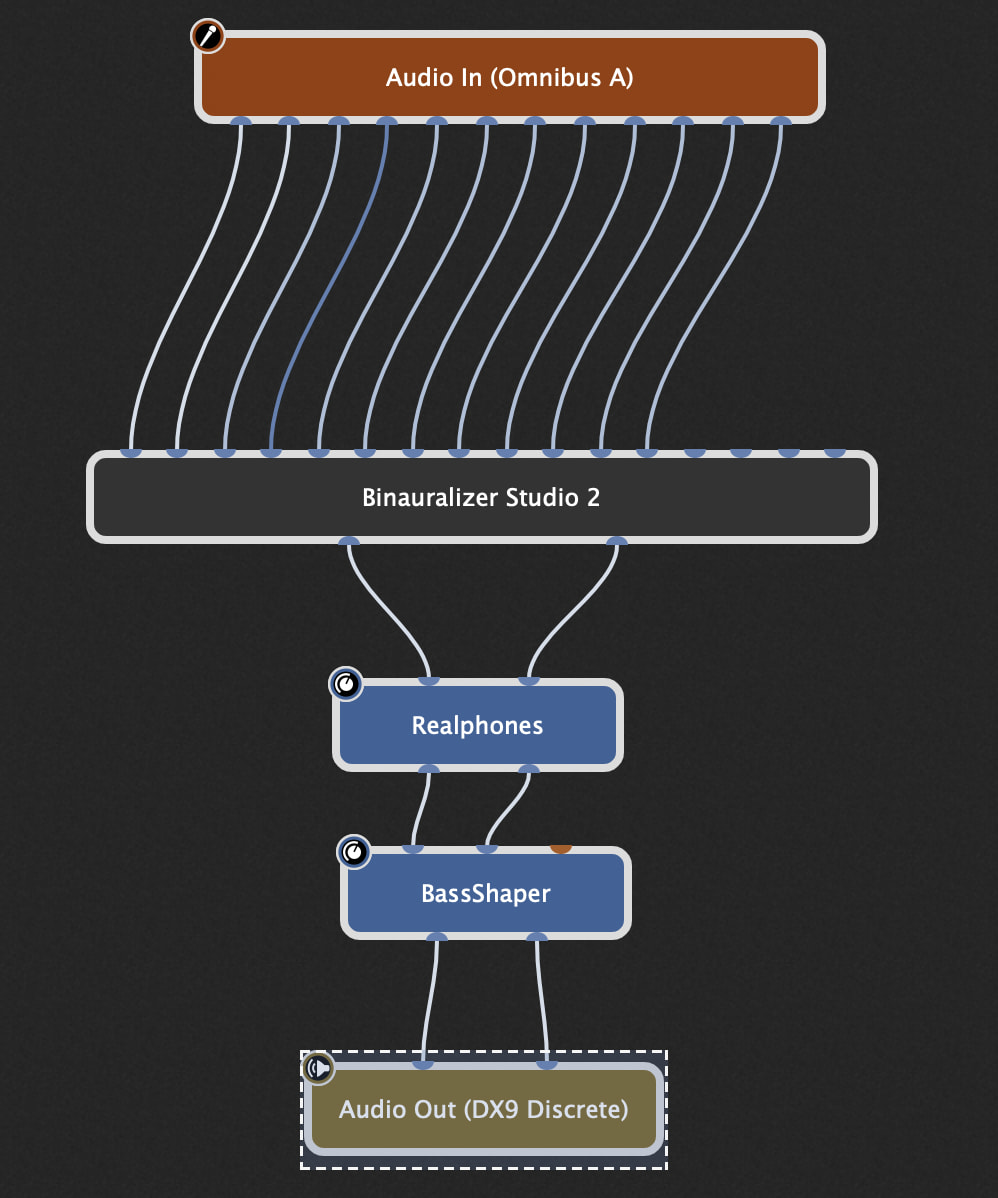
The Binauralizer Studio 2 plugin is setup with 16 input channels, however I used only 12 channels that is actually connected, and this works with no issues as inside the plugin I can choose the layout freely. But not all plugins works in that way and some only will default to 9.1.6 in such setup and will not allow the user to change as it is based on the number of input channels configured. I guess that is the issue with the Plugin itself as you mentioned.
 ) but out of curiosity I downloaded the Deep Stereo Monitor trial. I observed that there were several bus layouts whose names mean nothing to me but when I selected 3rd Order Ambisonics, the plugin block showed 16 output ports. Is that a 9.1.6 layout?