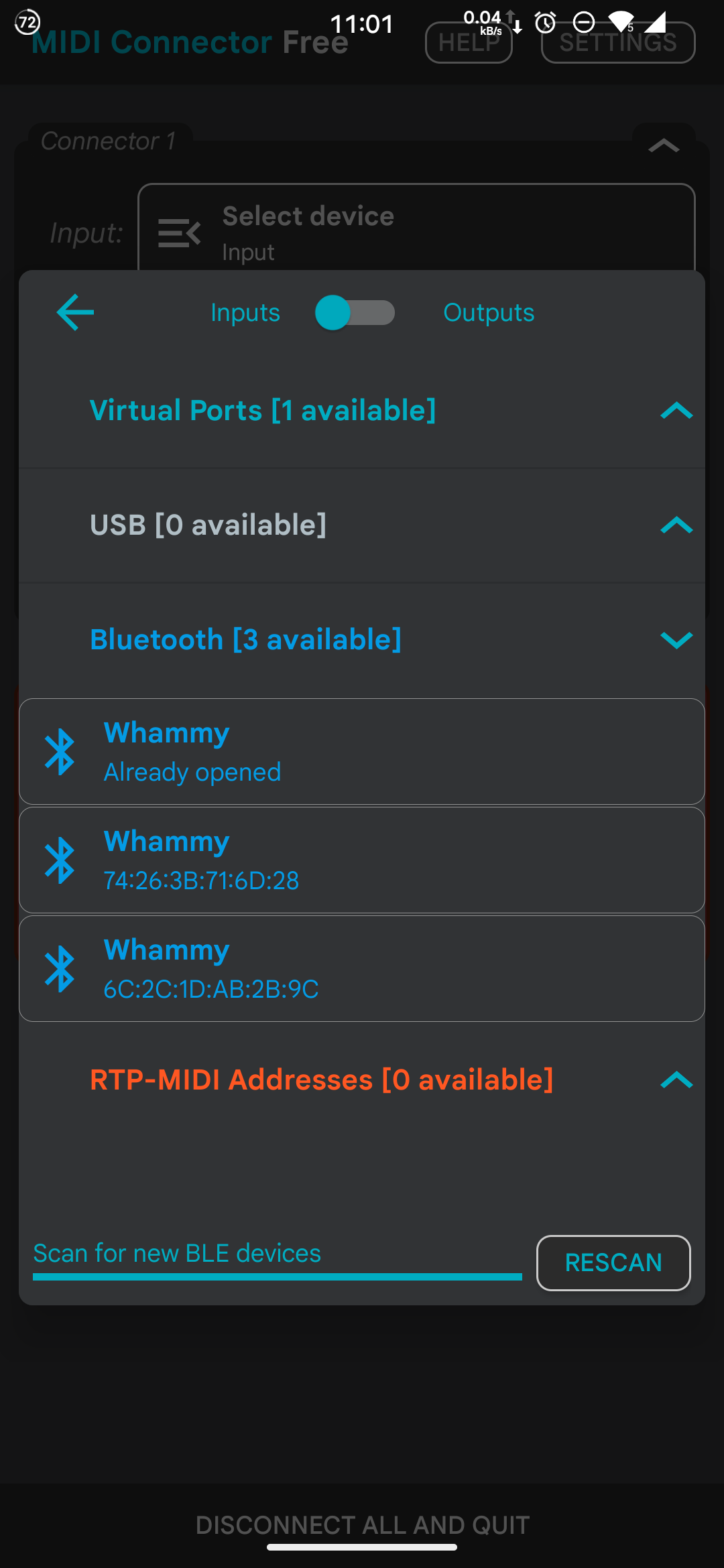
Not a gig performer per se question but, wondering if someone has had the same situation
I have 2 BLE MIDI controllers done with arduino, similar code but different ESP32 microcontrollers
When i go to MIDI studio and after connecting both of them, i have noticed that once the controllers are rebooted, only one is keeping the Added HW on the MIDI studio window. ( i am. refering to this window MIDI Studio 2026-01-18 at 3... ) The other one is always adding a new one after the a reconnection.
I am not sure if this is coming from my arduino code, or maybe a memory issue on the board (for Bluetooth bonding for example), or maybe a Mac os issue/bug.
What i noticed is that the affected device (called “whammy” on this case) has the description “Midi input/midi output” greyed out as seen on this attachment: Bluetooth Configuration 202...
So, i am looking for someone who could bring some light
Another scenario is, if i reboot the MacBook, but keeping the BLE Devices on, and then checking the midi studio device list, the affected one does not need to be readded to the list, so i assume now that is a microcontroller/code issue.
I’m not sure how you’re system is setup: but this I know: If you use 2 Arduino’s with the same program, the USB MIDI connections to your computer from both Arduino’s are indistinguishable (if you use the stock version of the Arduino libraries). You can, however, change a few things (but not at runtime, only at compile time).
This is for Teensy controllers, but they use the Arduino libraries, as far as I know, so possibly it applies to Arduino (scroll to the bottom):
Well, on this case i am not using USB MIDI but bluetooth LE MIDI. And while technically the arduino program is very similar (with the well known “control surface” library) there are some minor chnages such as the device name.
I am not sure if there is something else that i need to change in the code so that they can be more different, some kind of “bonding” device identifier, but i assume there is also some MAC address that makes the devices unique, and this could satisfy, in a low level way, a different device. I will remove the devices in studio MIDI and try again, But thanks for the advice!
That’s the part that’s I’m missing: are you doing: device ← ble-> Arduino ← → computer or Arduino ← ble → computer. In the latter case, I assume you use a kind of bridge program, because GP on Windows doesn’t support MIDI ble.
Assuming you’re using Windows. If not, then I think, (but don’t know for sure) on mac, ble is supported (which you already know in that case). And yes, my comment is useless. Sorry.
I am using a MacBook, thats why i am using the “midi studio” configuration in the laptop to connect my Arduino BLE as a client to the laptop (host) so the midi information that is converted from my potentiometer (pitch bend position) is sent to the laptop as midi data
I mean, the connection is successful and it the controller is working as intended. The only thing that is bothering is the fact to have a new Bluetooth device with the same in the “midi studio” in my mac everytime i need to connect it via Bluetooth
I will have to eventually remove duplicated devices once that small window starts to fullfil
I already found that either is the board or the code (Bluetooth backend), or probably some kind of bug ln Arduino core/framework
The mac address look like is changing on my ble device every time I restart it as seen on the attached screenshot
I have a esp32 (old model) and the other one is esp32-s3 (newer) so I would need to do more testing but i believe is a bug affecting only the old one..i saw a similar post or Arduino forum but no one mentioned about a solution.