Hi, just had a look to the latest episode of GP backstage and figured out some differences in the OSC options (never used OSC so far):
Video:
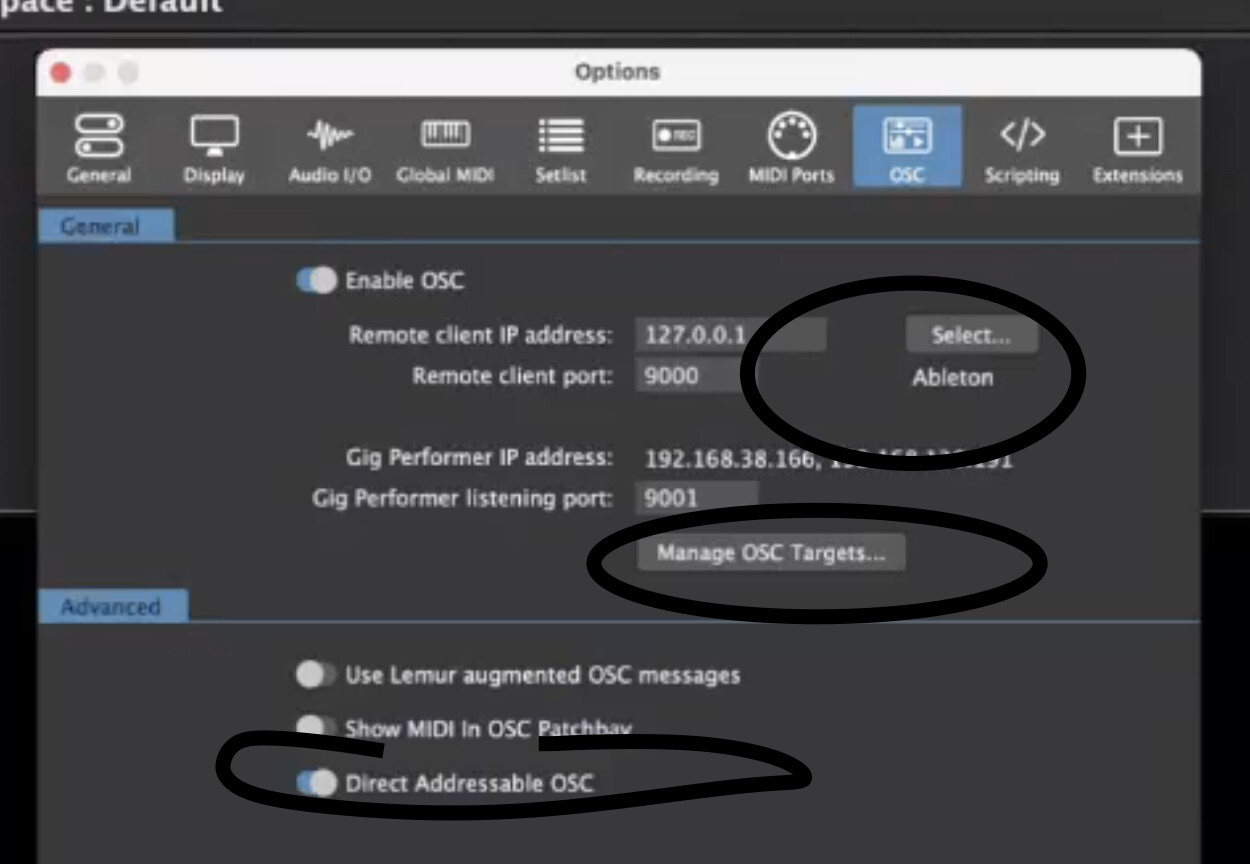
My 4.1.5 installation
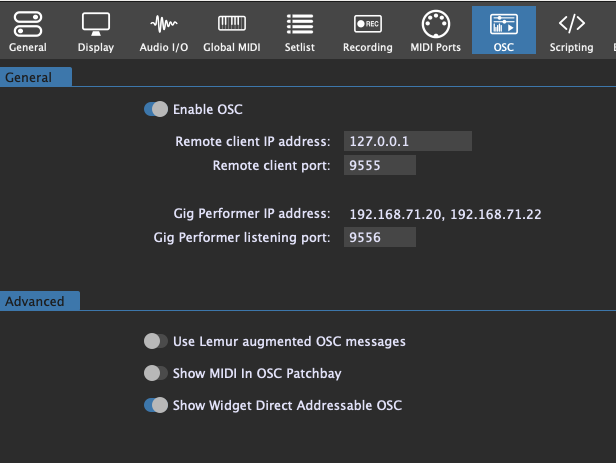
Are these upcoming features /w version 4.5, or do I need to enable these functions somewhere else?
BBB
These are 4.5 features 
P.S.
The Direct addressable OSC option is just renamed.
I Watched the video of PianoPaul and Brett today how to set up the communicaiton between GP and Ableton, it looks very promiding. However - I strictly followed the instructions, implemented the M4L-script, set the ports but can’t get the script running. It looks like GP and Ableton have no connection. The IP-address is set to 127.0.0.1 (both are on the same machine), Ableton was set via the “Manage OSC Targets” and selected, ports inside GP set to 9000 (sending) and 9001 (listening), “Show Direct Adressable OSC” is active. Inside Ableton the “Select_Scene” script is in the Main Section, listening port is 9000, sending port is 9001. I have no idea what the root cause is. Is there anything I missed out? Best regards Jan
can you upload the used Ableton Live set and the gig file?
Joe Cocker Reloaded Playlist.gig (7.3 MB)
Sorry, Can’t load up the *.als file…
When you switch songs in setlist mode do you see this in the m4l patch?
how looks your osc setting?
I could load the live set and gig file.
in setlist mode when I switch songs the corresponding scene in Ableton live is selected
Good morning, those are my OSC settings inside GP:
OK, you have to enable OSC, it is not enabled
Omg, stupid me… Thanks very much! 