Does anyone know if there is a way to set the default location for the audio file player,
for opening a file?

There is no dedicated setting for the default location in this plugin.
Possible solution: Bookmark (or “pin”) or create a shortcut to the desired folder in Windows Explorer and then drop the file(s) onto the plugin (using the drag and drop method).
1 Like
Would it be hard to create an option to set a default location for this plugin?
@Charles For Windows: You can create a shortcut in the GP folder it opens as the default view so you only have one folder/link (or others defined if needed, but desired by you) to click on to get to the place you store your streaming/audio files. I use my Audacity folder as the default organizer in my particular case, so I created a shortcut to the Audacity folder - which in my case resides in my OneDrive - the moral being it works with network locations as well as physical locations on your local drive(s). See my screenshot below. It does save lots of click-through effort in my case.
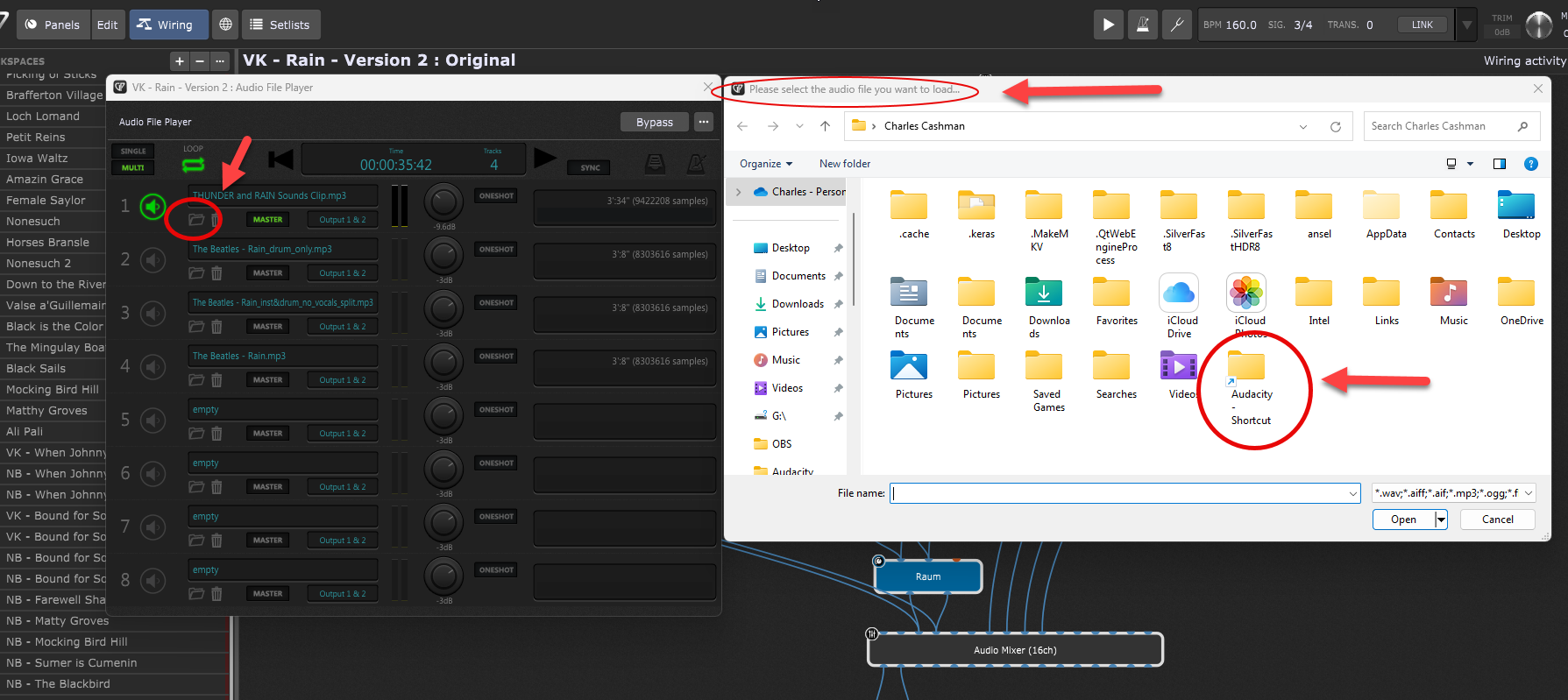
1 Like
This is a great idea. Thanks!