I have an old laptop running Windows 10, which has been easily sending GP audio through the headphone-out port to my TASCAM recorder for years. I just bought a new laptop running Windows 11, and that no longer works. Other sources, such as Media Player and Sound test tones still channel out through the headphone-out port successfully to the recorder. The only audio source that does not is from Gig Performer.
I’ve checked in Options/Audio Setup/Audio I/O and Recording, but haven’t found a setting that corrects the problem. So it appears that changes in W11 are the cause…?
Has anyone else seen this issue, and if so how was it resolved?
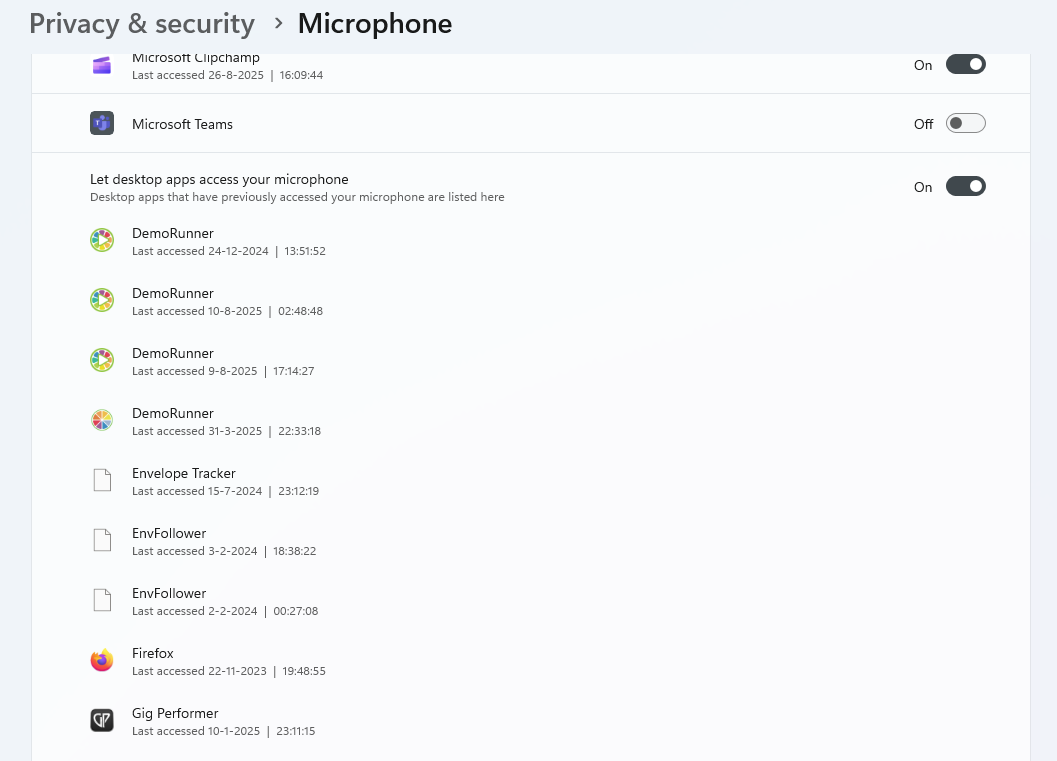
I guess you are using Windows Audio (not ASIO). If you use Windows audio, did you grant permission to desktop apps to use the audio devices? I’m not sure if that’s the case out-of-the-box.
Btw, a picture of your audio settings in GP could be helpful
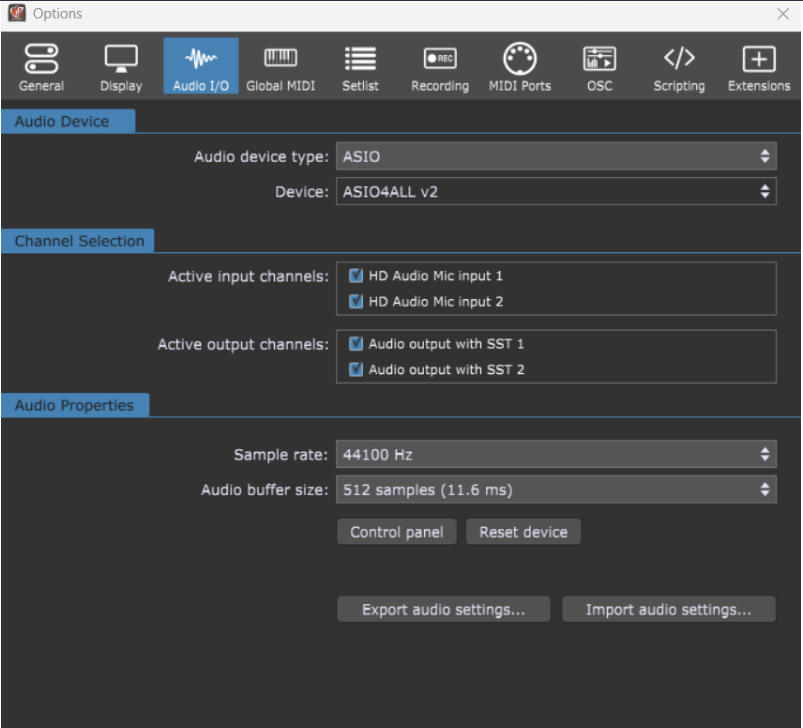
Here are my GP4 Audio settings. They match the settings in my old laptop.
Because you’re using ASIO4ALL, the config of ASIO4ALL is needed. But I think you’ve activated the ‘wrong’ outputs in ASIO4ALL. With some onboard audio devices it can be really confusing. ‘Advanced’ in ASIO4ALL is almost always needed
To access the settings you click on ‘Control Panel’
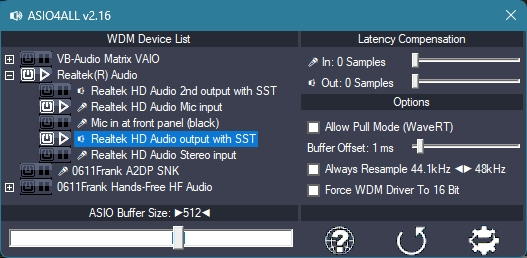
My settings to get it working (without checking whether the buffer sizes, etc, are feasible. Just focussing on getting some sound):
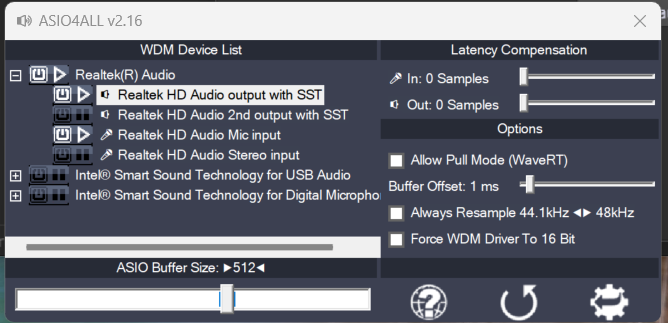
My settings appear to be the same as yours:
Also - not sure how significant this is, but the audio from GP is coming out of the laptop’s onboard speakers. The other audio sources don’t.
Maybe I should try the intel smart sound technology for USB audio setting? I have a USB C to Dual 6.35mm 1/4 inch Stereo Splitter Y Cable.
Did you try both outputs? Sometimes one out out is used for the internal speakers and the other for headphone/line. I would not try to use them simultaneously, because sometime they can’t be used at the same time. (You can choose the outputs in the ASIO4ALL control panel using the small ‘power’ button next to each device)
Of course you can also try the intel USB, but the inbuilt card might give better results…
I think you’re right about selecting the Realtek HD Audio 2nd output. That seems to direct the audio to the headphone out and recorder. But I’m also battling installs of my keyboard Plugins, so I haven’t been able to really verify yet…
I was able to verify the fix. Thank you for your help, Frank.