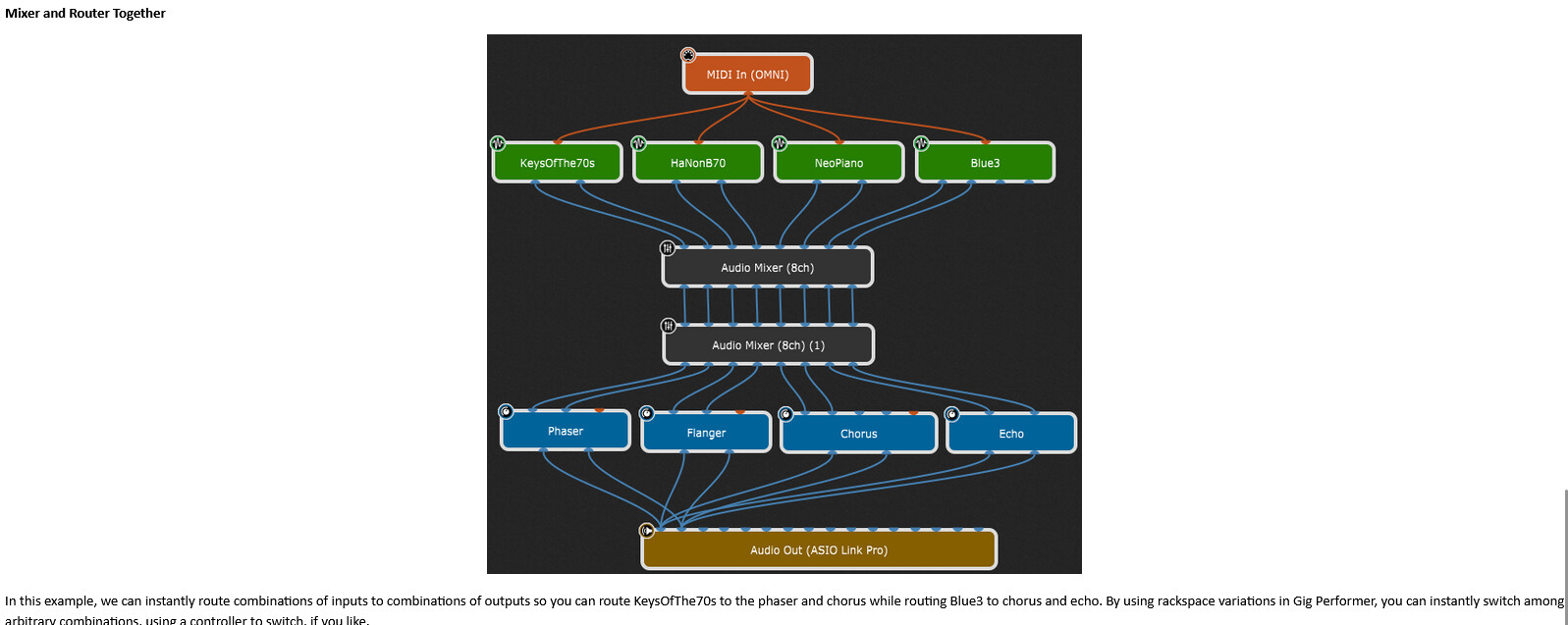
Greetings. The manual shows a configuration of 2 mixers wired to each other, and claims I can route my piano to 2 different effects (plus some other stuff). This is the last image in the section of the 3.x manual labeled “The Audio Mixer/Router”.
I don’t see any way for one stereo input pair to go anywhere other than one selected output pair. If that’s true, then the only way to get a signal to two output pairs is to route it thru both corresponding input pairs, right? (I don’t care about the numbering of the channels..)
My conclusion is that the configuration described in the manual doesn’t do what the text implies, at least with the “wires” positioned as shown in the image. If 2 pairs went somewhere from the piano, then I see how it could be done. Or if an output pair from a mixer went both to the two different effects units’ inputs, I see how it could be done.
The text implies to me a “matrix mixer”, where (for example) 4 stereo input pairs and 4 stereo output pairs can be combined and mixed arbitrarily. That would take 16 knobs or faders.
I hope I’m confused, and someone can 'splain how it really works. Thanks in advance!
You could also use a Gain control plugin and use wiring cables to route however you want.
In the mixer plugins you can route an input channel to 1 output channel.
And as you already mentioned you can route the input signal to different input channels and this way route the signal to different output channels.
And with gain controls and individual routings you can emulate a matrix mixer.
But there is no dedicated matrix mixer.
That was 6 years ago — we’re at version 5 now — GP3 is seriously legacy and not supported any more.
Well, conceptually you wire output pairs to input pairs not the other way around
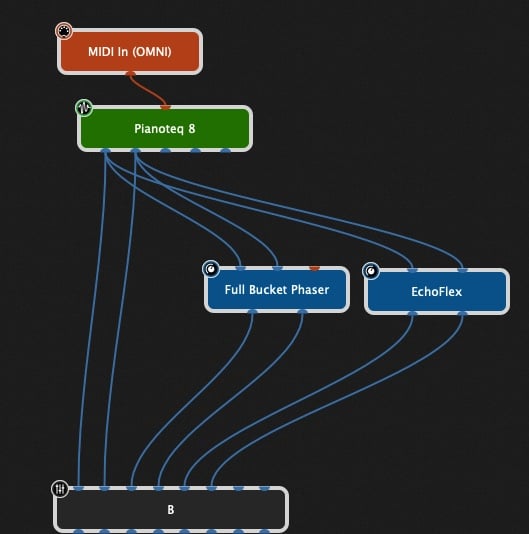
Not sure what you’re trying to do — @pianopaul gave you some suggestions. Here is a piano plugin with connections directly to a mixer but also going to phaser and echo plugins which then go to the mixer as well on separate channels
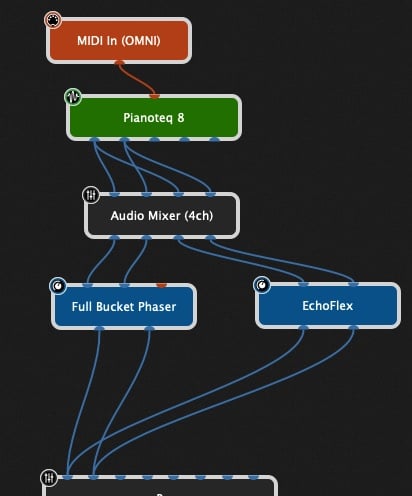
On the other hand, if you want to just send a portion of the signal to each effect then you could just do this. Lots of other possibilities but you can basically have an arbitrary number of output connects to an arbitrary number of inputs
Version 5 manual has this same image. I still don’t see how to use a Mixer as a 1-in, multi-out router. But I’m ok, since there are other ways to accomplish the scenario described in the text. Thanks for all the comments. Happy music making!