I use a reverb in the Global Rackspace for multiple Rackspaces with multiple VST. How can I change the volume of the effect to match the plug-in. For example, if the plug-in is very quiet, the wet signal will still be heard. Does anyone have a solution for me?
The ‘normal’ way to keep the ratio between dry and wet constant, is to send the audio (after it has been processed to be quiet) to the reverb. In the reverb plugin you determine the amount of reverb. Quiet signals then get less reverb, louder signals more.
When you want the reverb louder for lower signals, you can send the louder signal before it is processed to be quieter to the reverb and mix the reverb output and plugins chain output. In this setup you set the reverb to 100% wet. The plugin chain and the reverb are then in parallel.
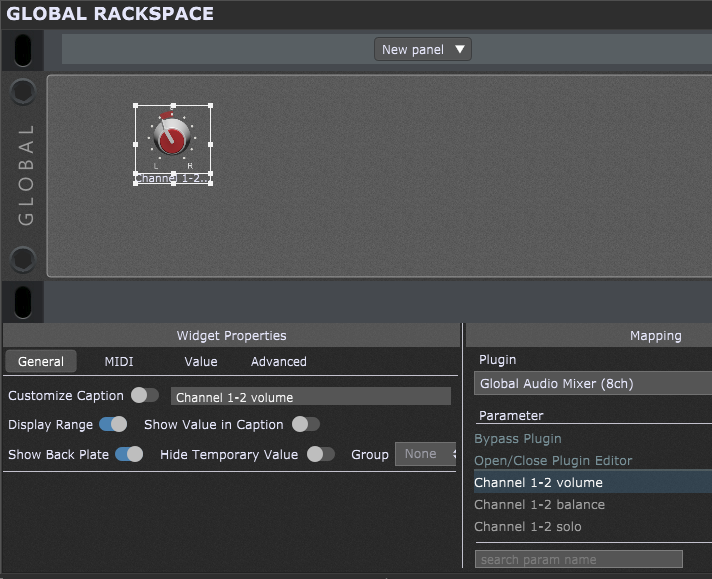
Of course, you can also use a widget in a normal rackspace to control the volume of the reverb in the global rackspace. This works when using multiple rackspaces and/or variations
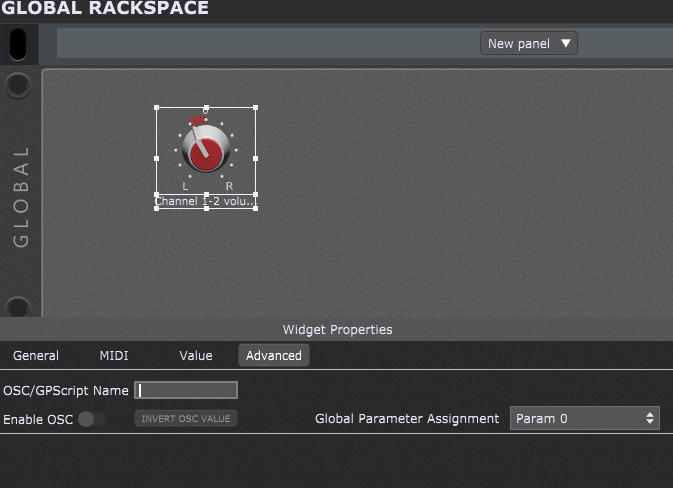
Then, in ‘advanced’ assign a global parameter number (I used ‘0’):
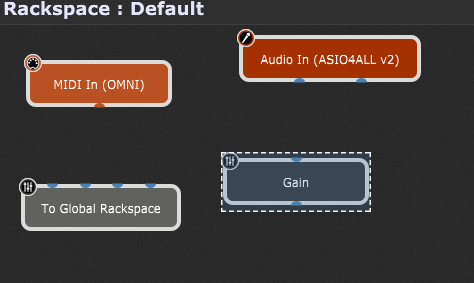
In the wiring of the normal rackspace add the plugin ‘To Global Rackspace’:
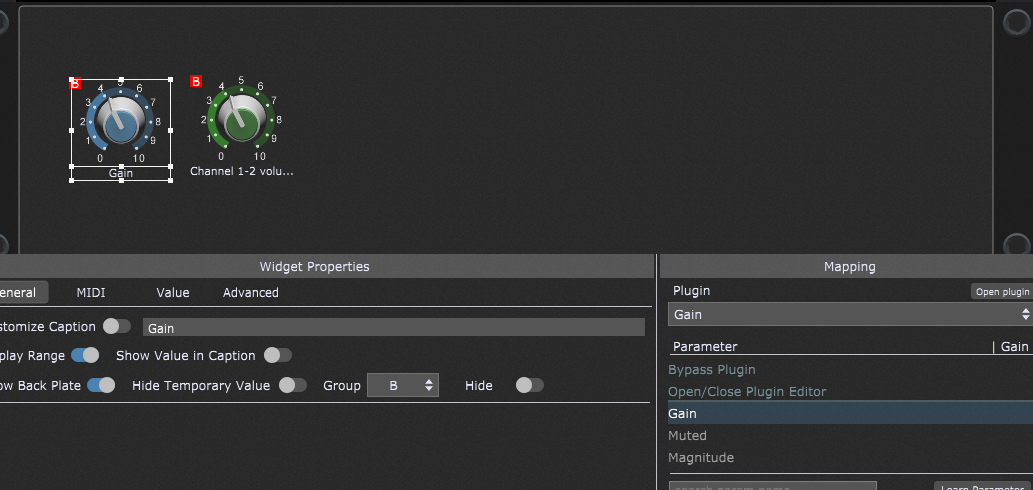
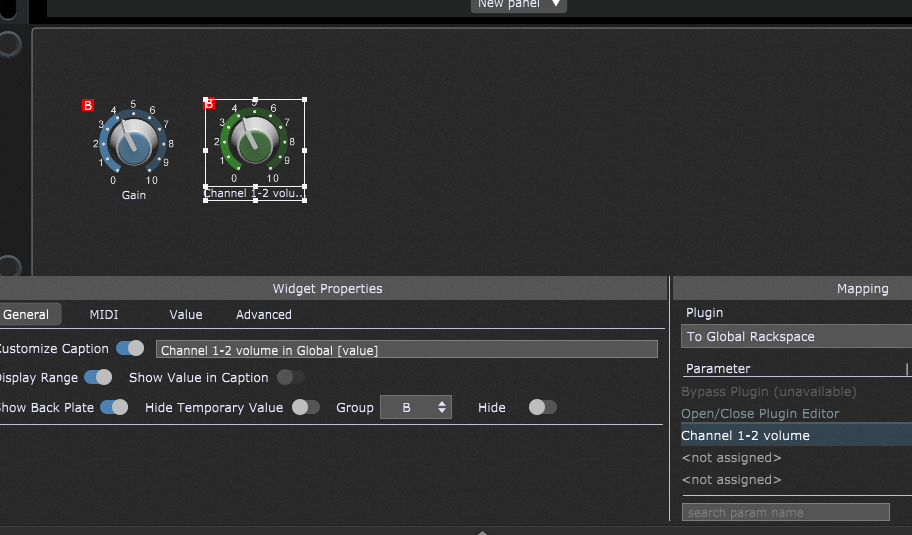
Also in the normal rackspace, add 2 widgets and place them in the same group. The second widget you can hide, but do that not at this moment, to make the way it works more clear:
Assign a plugin parameter to the first widget (in the above example ‘Gain’ of a Gain plugin).
To the other widget assign the ‘To Global Rackspace’ plugin, the first parameter (remember, I assigned global parameter 0 to the widget in the global rackspace). It has the name of the parameter of the plugin in the global rackspace.
When in panel mode: This together results (in the normal rackspace) in moving the two widgets in unison. The first widget controls the Gain of the Gain plugin in the normal rackspace, while the second widget controls the widget in the global rackspace.
The widget in the global rackspace controls the channel 1-2 volume of Audio mixer plugin (in the global rackspace of course)