Thanks, I will try that when I return later today
If I’m understanding your question correctly…I want to be able to trigger the sample from either the external controller or from the widget. But when I trigger from the external controller, I would like to see the widget respond (light up) when the external pad is pressed. I have no problems getting this to work with other widgets and controller buttons/dials. I will try your suggestion from your previous reply and see if that resolves this issue. Thanks again.
I do not get it.
the widget triggers the sound.
the controller triggers the widget and therefore the sound is triggered.
why trigger the sound from the controller?
Gig Performer uses widgets as intermediates between the “outer world” (midi coming in from your controller) and the “inner world” (midi and automation messages produced by the widgets, going to plugins and or midi blocks, etc…).
This works exactly as Pianopaul explained.
Again - with pictures:
-
in the wiring view, connect a MidiIn block with Sitala
Notice that Sitalas Pad#1 (Kick) is triggered by the note message “C1” -
Place a pad widget on your panel and edit it as follows:
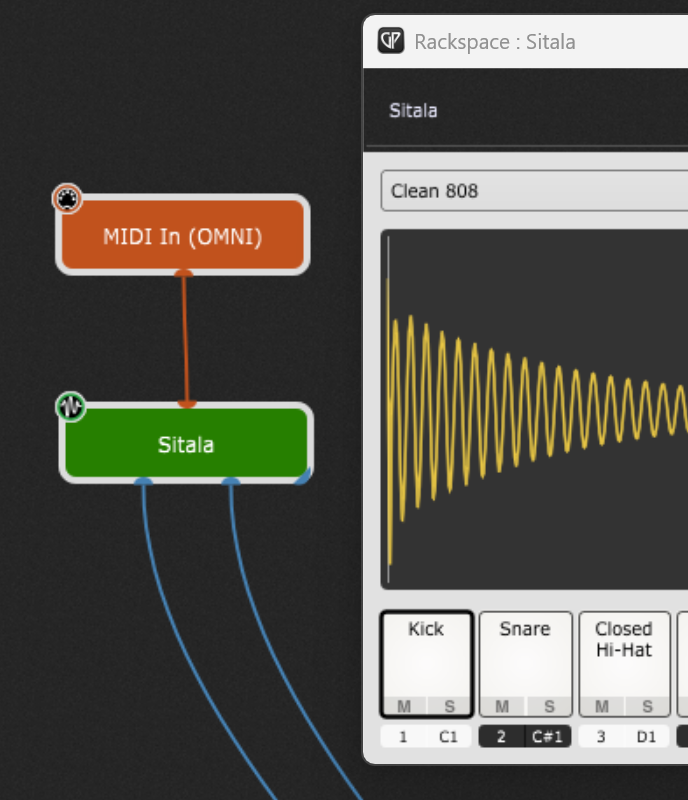
-
must be of “momentary” type (widget/edit/general tab)
-
map it plugin-wise to the MidiIn block
-
choose “C1_NoteOn_36” from the parameters list
-
then switch to the widget/edit/MIDI tab
-
press “learn” to activate the midi learning for the widget (it will listen to incoming midi signals from the outside then)
-
press the desired pad on your controller AND HOLD IT! (The learned midi message should be a “NoteOn” message!)
-
(still holding the controller’s pad!) press the “Learn” button again to leave learning mode
-
THEN release the pad of your controller! (Else the widget would have learned a “NoteOff”, since this is the last message it gets from your controller!)
-
leave the widget edit mode and play!

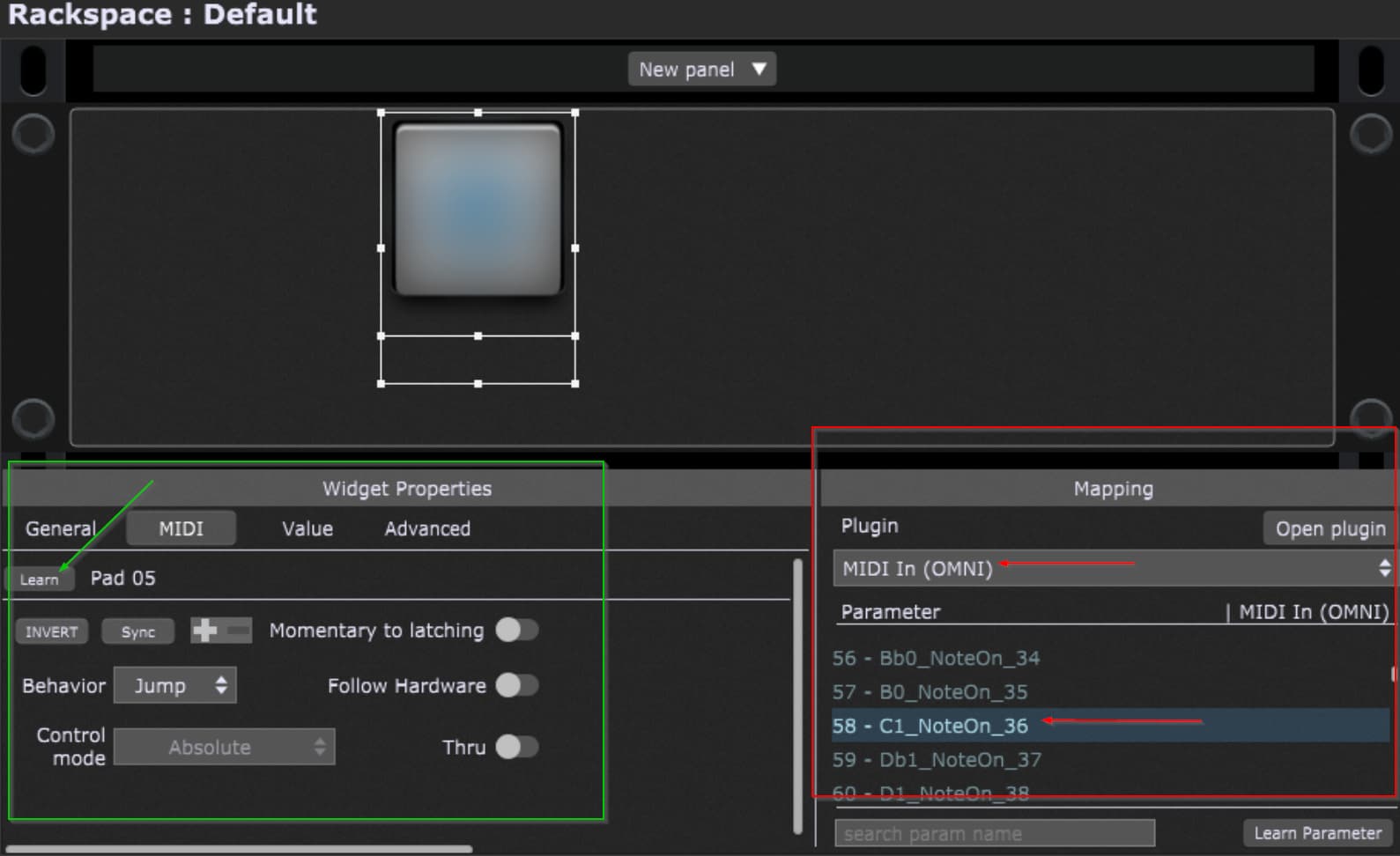
Now it shouldn’t matter wether the widget is pressed by mouse or triggered from your controller - it will either way send the needed Note message to Sitala, causing the sound to be played!
Thank you so much for your response and the detailed instructions. After reviewing what you wrote, my setup was just as you described. It turns out that the screenshot that Paul provided showed the thru switch turned on in the widget properties; after activating that setting, it resolved the issue.
Thanks again for your help!
Thank you again for your help in confirming that my fundamental configuration was correct.
Paul, thanks again for your help and suggestions. After turning on the “thru” switch in the widget MIDI setting, it resolved this issue.
Thanks again for your help!