Solved, with the help of @dhj.
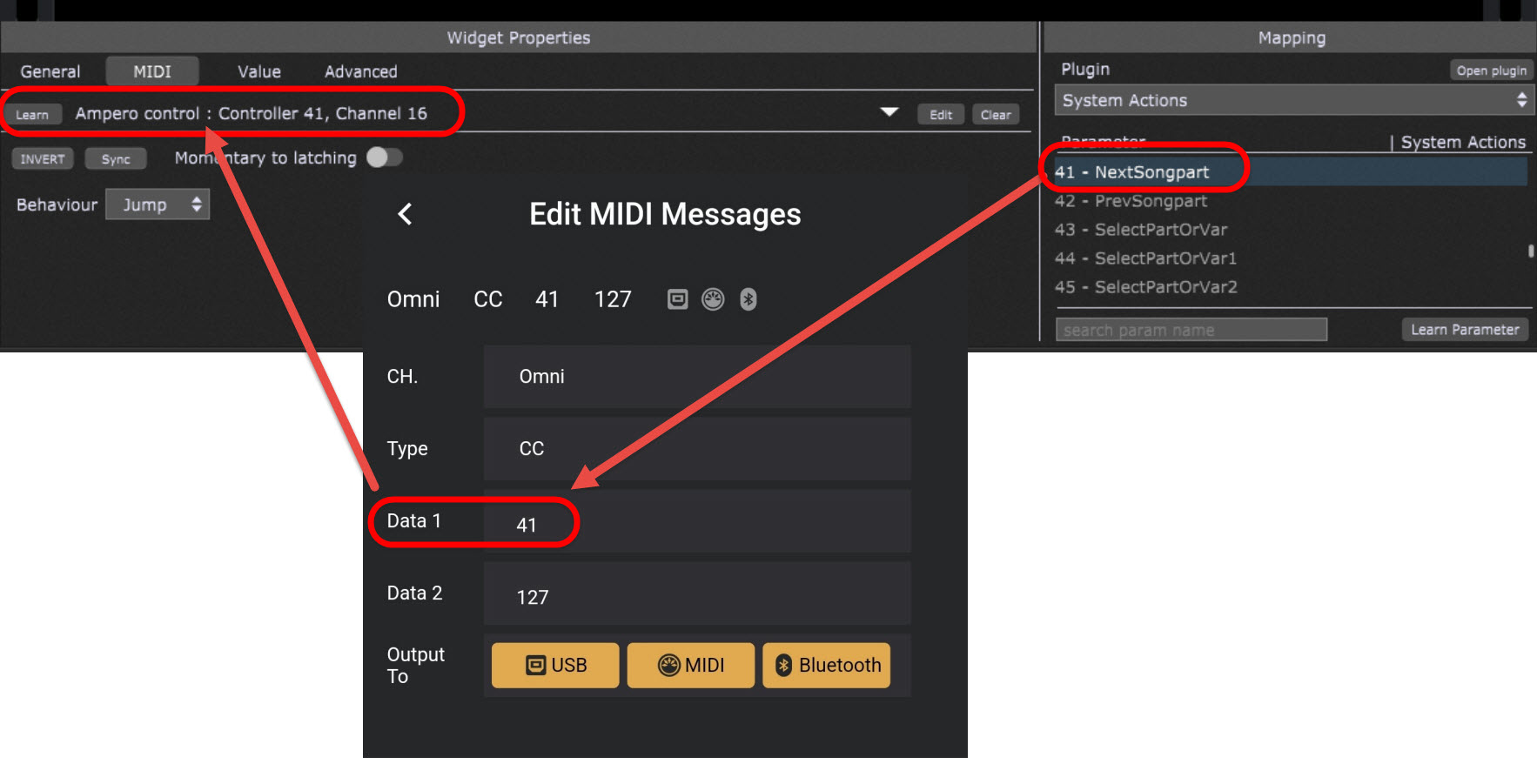
I went back to the foot controller Edit Midi Messages area, and I entered the Parameter Number of the Systems Action in the Data 1 field. Then I entered 127 for Data 2. [I picked up that little bit of data from the Pedal Guy in this YouTube video: Hotone Ampero Control | Pure MIDI - YouTube]
After I made those changes in the foot controller app, I then did the “learn” function, and voilà - It Worked! 
Here’s what the changes looked like:
This is a great little unit, small, built like a tank, and very versatile. It has inputs for two additional Expression Pedals, so I’m going to figure that out next!
I love this place; thanks for all the help!