Updated the gig file and scripts to work with X-Touch Mini, with full bidirectional LED sync, using different LED modes - i.e. they blink when there’s a widget to control but it’s off, light up when it’s on, knobs also change their LED modes - blink, switch to single when the controlled widget is off and “fan” when it’s on, so there’s now complete visual feedback.
The main purpose is to be able to quickly adjust things without looking at the screen, using muscle memory (plus the overlay template that indicates what’s where and visual cues from the LEDs).
With these scripts, X-Touch Mini can now control:
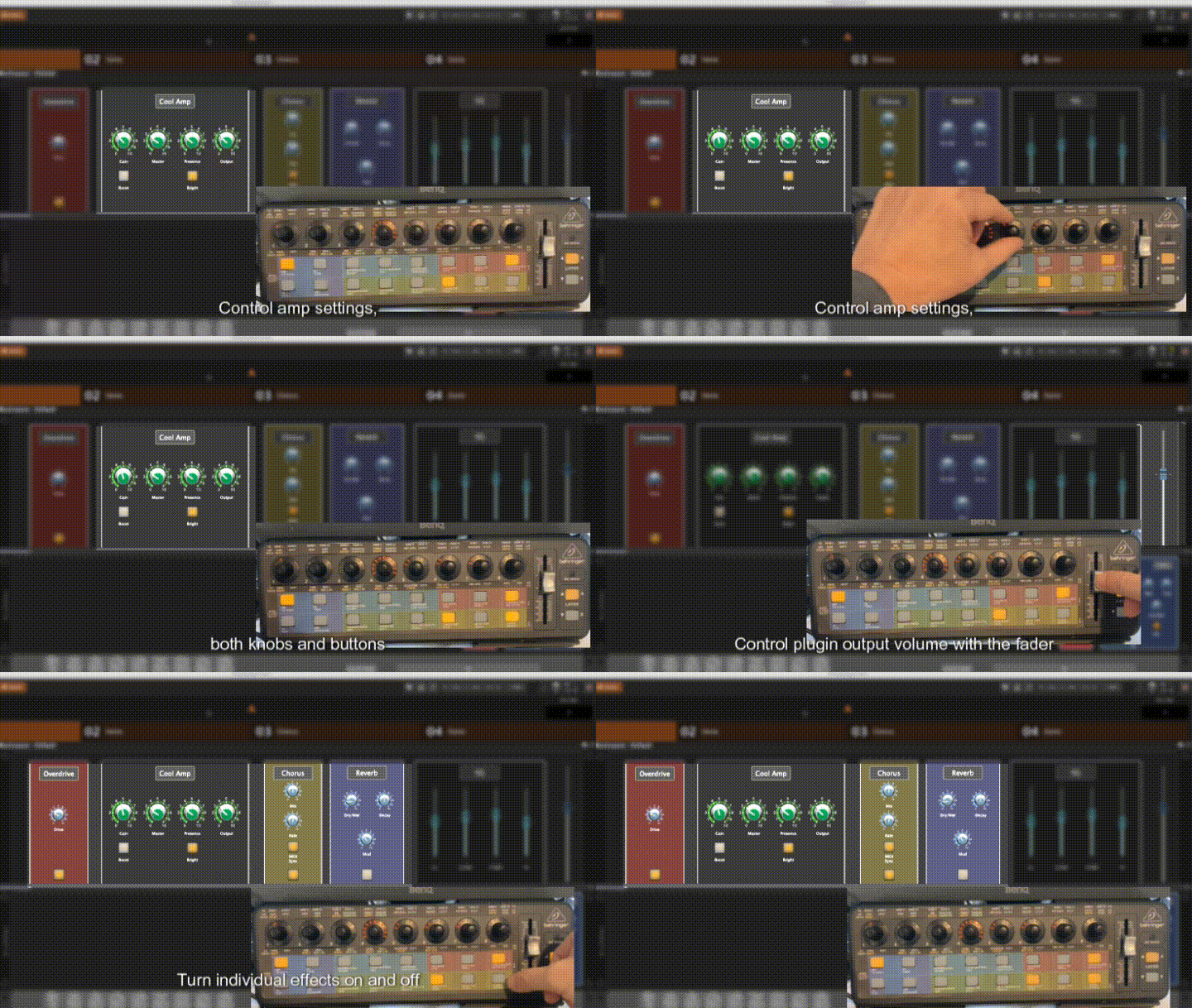
- Up to 16 knobs and 16 buttons in an “Amp” plugin in rackspaces (32 parameters total)
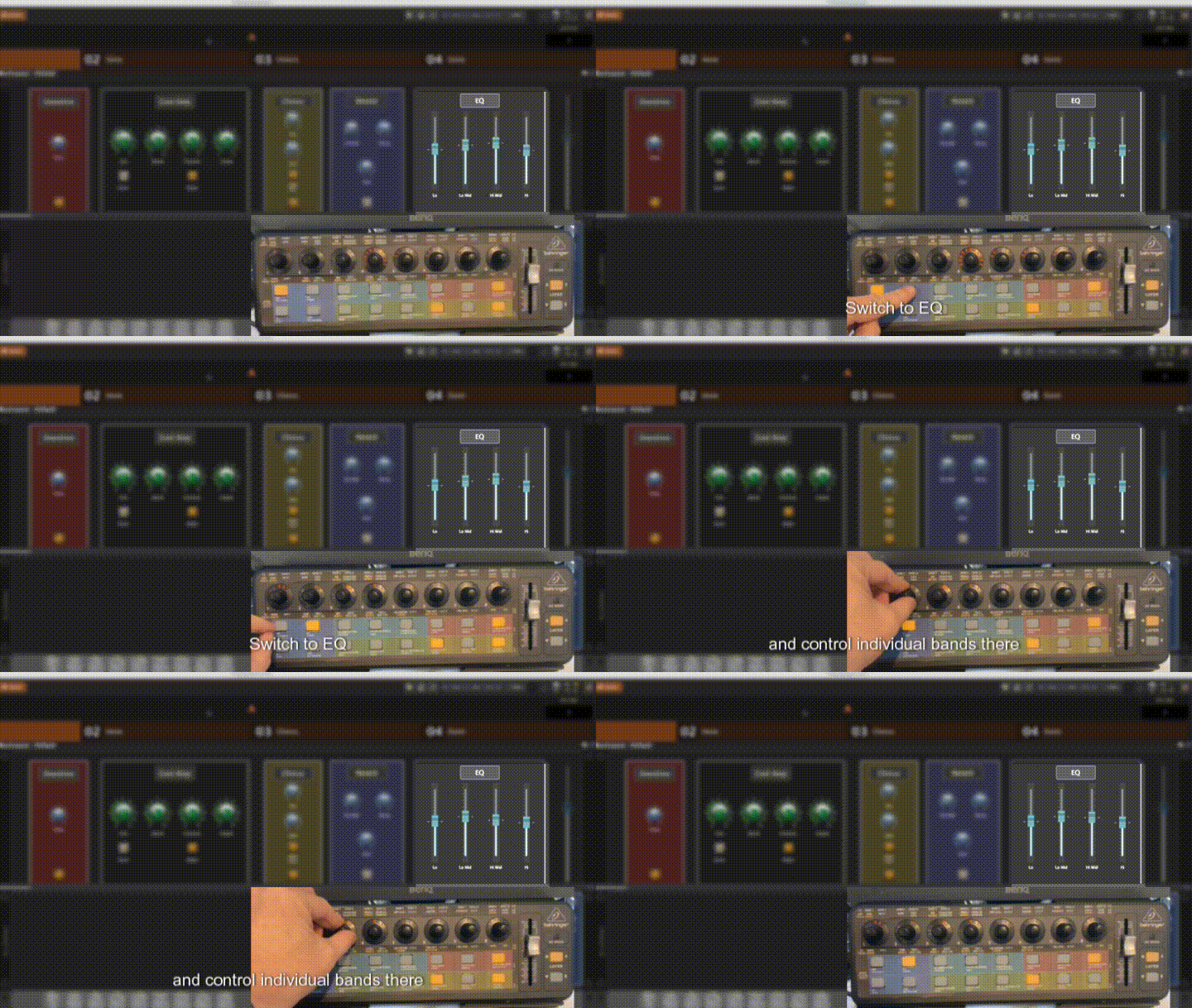
- Up to 16 bands of EQ in rackspaces
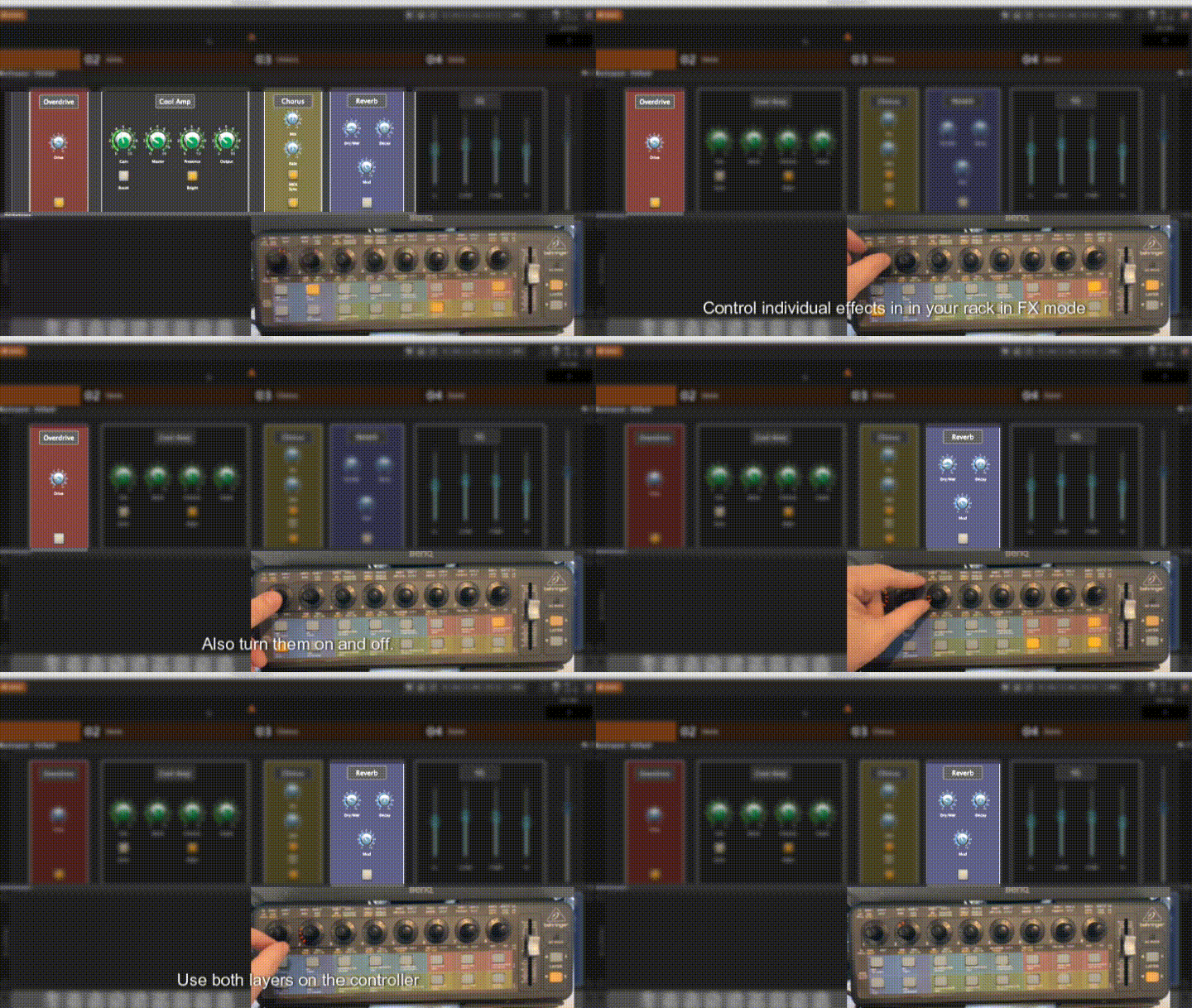
- Up to 24 individual effects in rackspaces, with up to 16 knobs and 16 buttons each
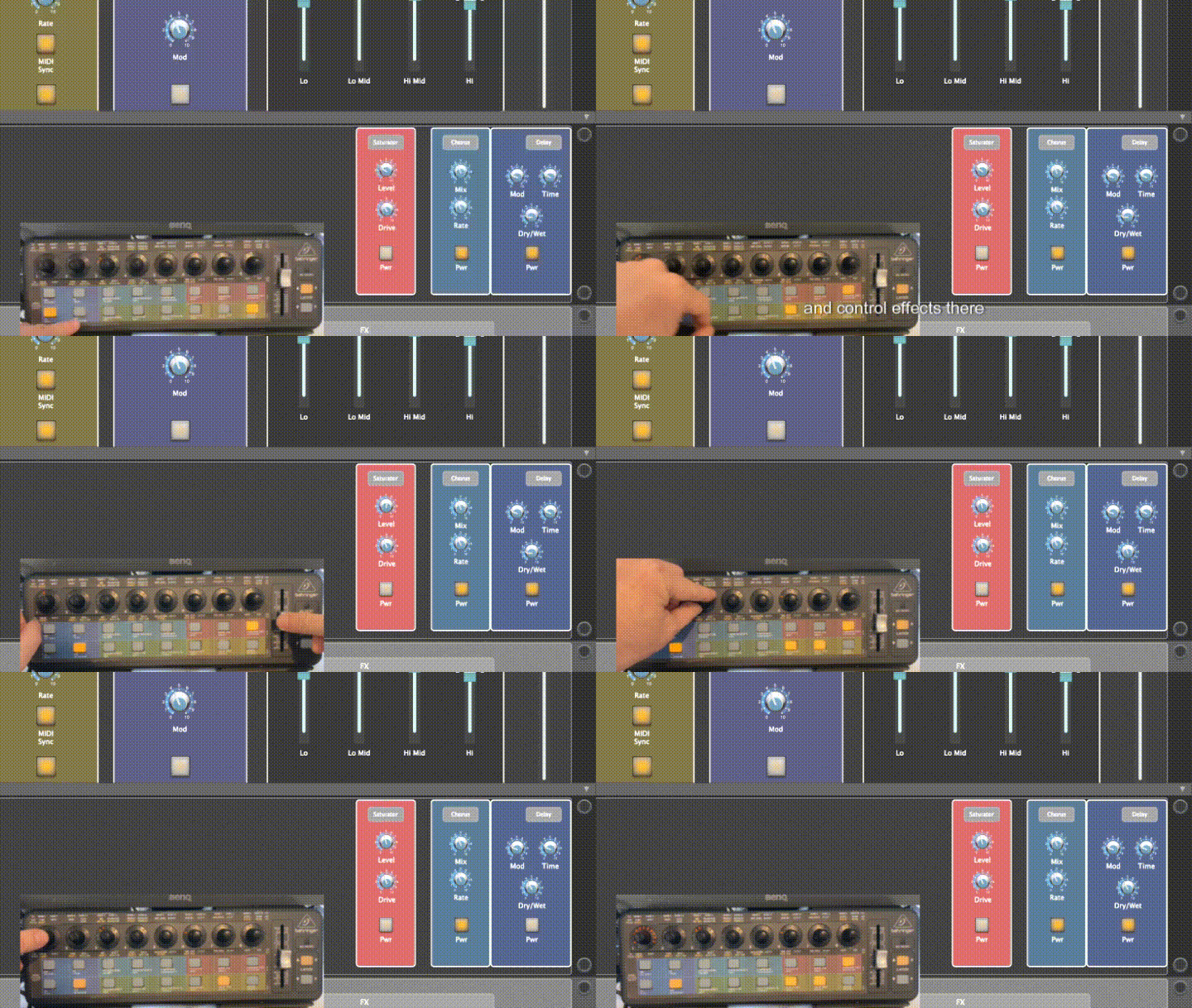
- Up to 24 effects in the Global rackspace, again with up to 32 parameters
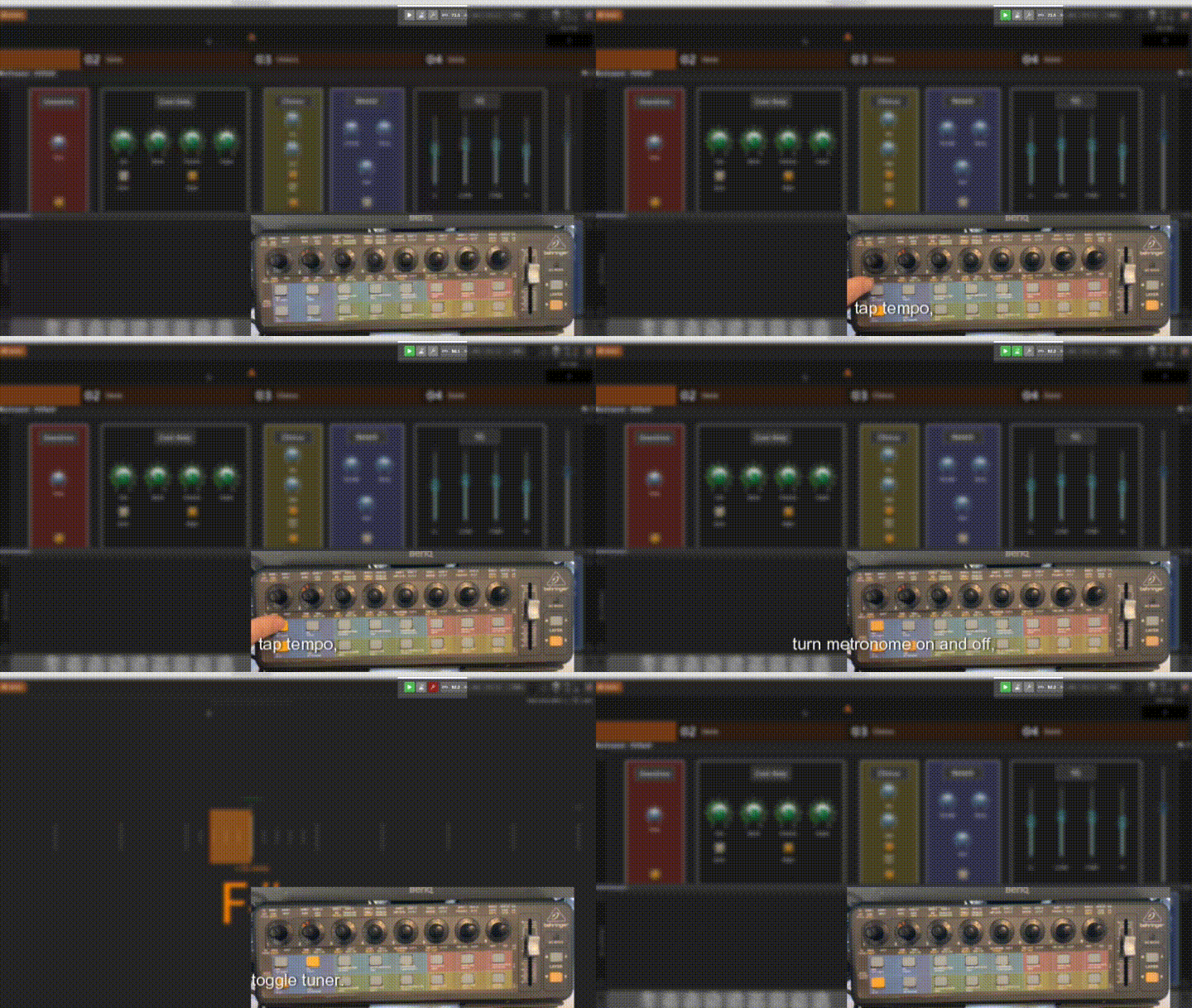
- In Layer B, it also controls global playhead, toggles metronome and tuner, has a tap tempo button which also blinks with tempo.
- The fader on X-Touch controls output plugin level, if available.
If a rackspace doesn’t support the script, only the global rackspace mode is available.
Here’s how it looks:
Amp:
Amp mode
EQ:
EQ mode
FX:
FX mode
Vox (Global Rackspace effects):
Vox mode
GP transport/metronome/tempo control:
GP global controls
As a free little bonus, there’s also tap tempo script for iRig Blueboard Bluetooth footswitch, also blinking a LED with current tempo.
The script will adapt to what your rackspaces have. The gig file has a rackspace that doesn’t support the script, and one that doesn’t have an “amp”. The knobs and buttons on the controller always control the same parameters, they will just be inactive if a rackspace doesn’t have something specific.
The gig file:
GlobalLinkPoC.gig (3.3 MB)
The scripts (need all of the includes for the beast to work, copy to your Scripts directory, be careful not to overwrite your $rig$ and $system$ scripts if you have any:
globallink_scripts.zip (23.6 KB)
If you want to adapt it to your gig file:
- the zip also contains the global script, the gig script, and a template (look in the templates folder) to make rackspace configuration easier (now you only have to declare the widget handles, and if you have Github Copilot (or a similar AI tool), it is fairly good at doing all the rest (it takes me now about 5 minutes to adapt the scripts to a rackspace).
- attach the panel to the Global Rackspace
The panel:
GlobalLink.gppanel (1.7 MB)
And last but not least - there’s also an overlay template for the X-Touch Mini:
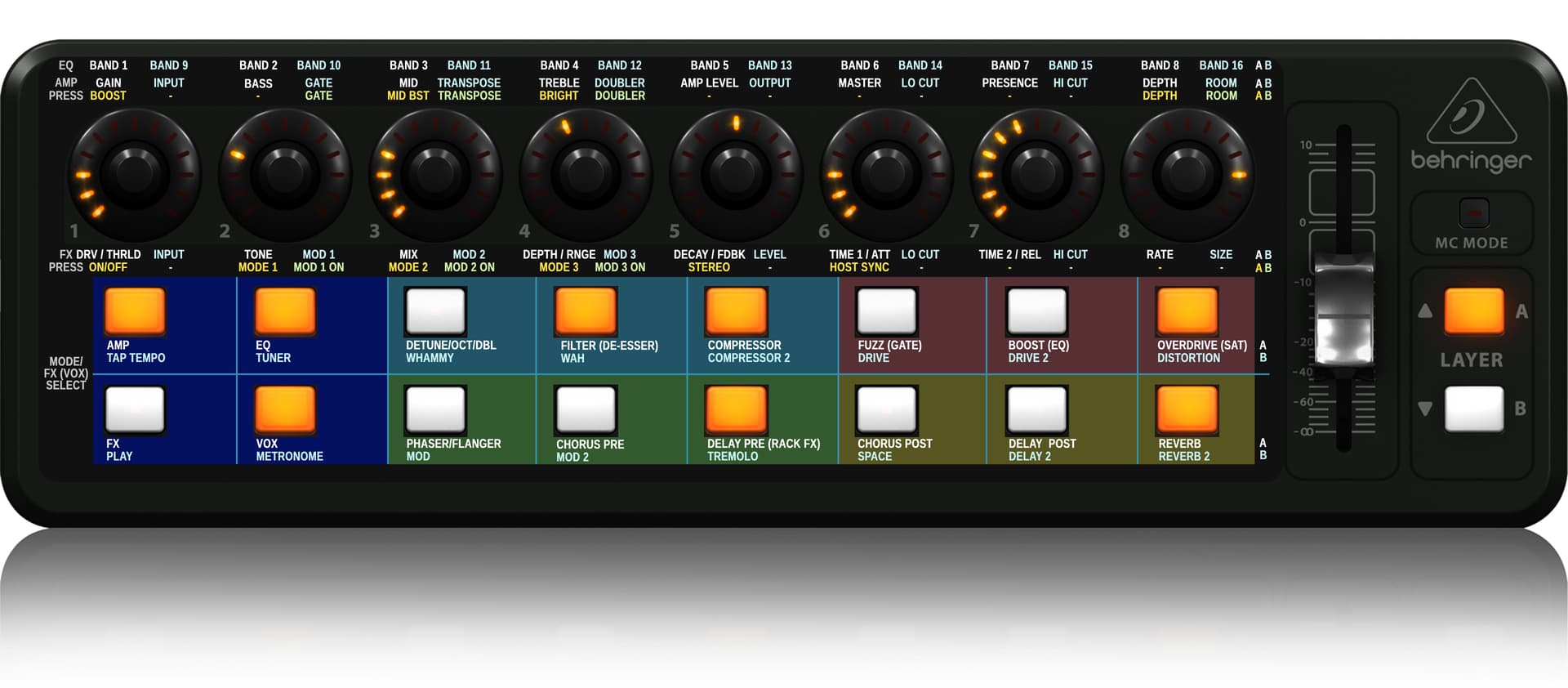
An editable .psd for the template:
global_link_overlay.zip (9.8 MB)
And a printable .pdf:
gl overlay x-touch mini 4.pdf (782.4 KB)
Also, everything is now on Github, and there’s more stuff coming like new rackspaces (if time permits, within 1-2 weeks, hopefully).
Enjoy!