Ok… Steve just showed you how he combined a scriptlet with a rackspace script.
Now here is a way with just a scriptlet and two widgets in a group…
First you’d have to create a script in the wiring view of your rackspace (right mouseclick):

Click the editor icon of the neew Scriptlet window to enter the code editor for this scriptlet:

Copy this code into the editor and then press “Compile”
var
D_Mode ("Delay Mode") : Discrete Parameter "Modern", "Analog", "Tape", "Vintage Digital", "Diffusion" = "Analog"

If the compilation was successful, you can close the editor window.
The variable type “Discrete Parameter” will create a parameter which exposes all the comma separated values (here strings$) as discrete values of this parameter (here named 'D_mode").
So in this case there are five separate values, which means the full range of the widget (value 0-1.0) will be devided by five, so that every fifth of the range, another value will be displayed… automatically.
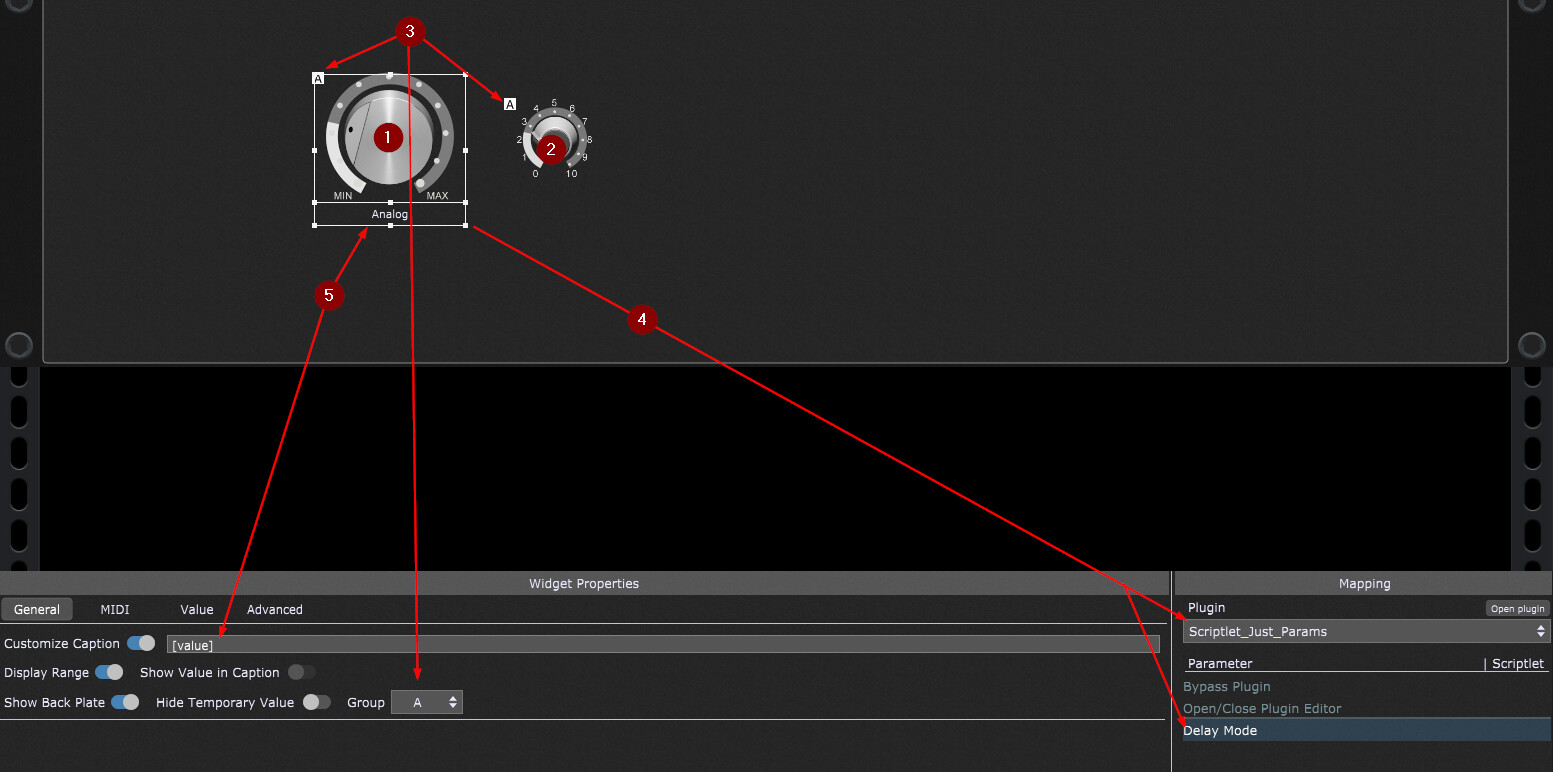
Now place two knob widgets (a big one and a small one) onto your rackspace panel (1) (2)
and place them both into the same “Group” (3) (widget of the same group will move in sync!)
then connect the big widget with the parameter of your Scriptlet (4)
and to display the value of the parameter use the [value] tag in the Customized Caption (5)
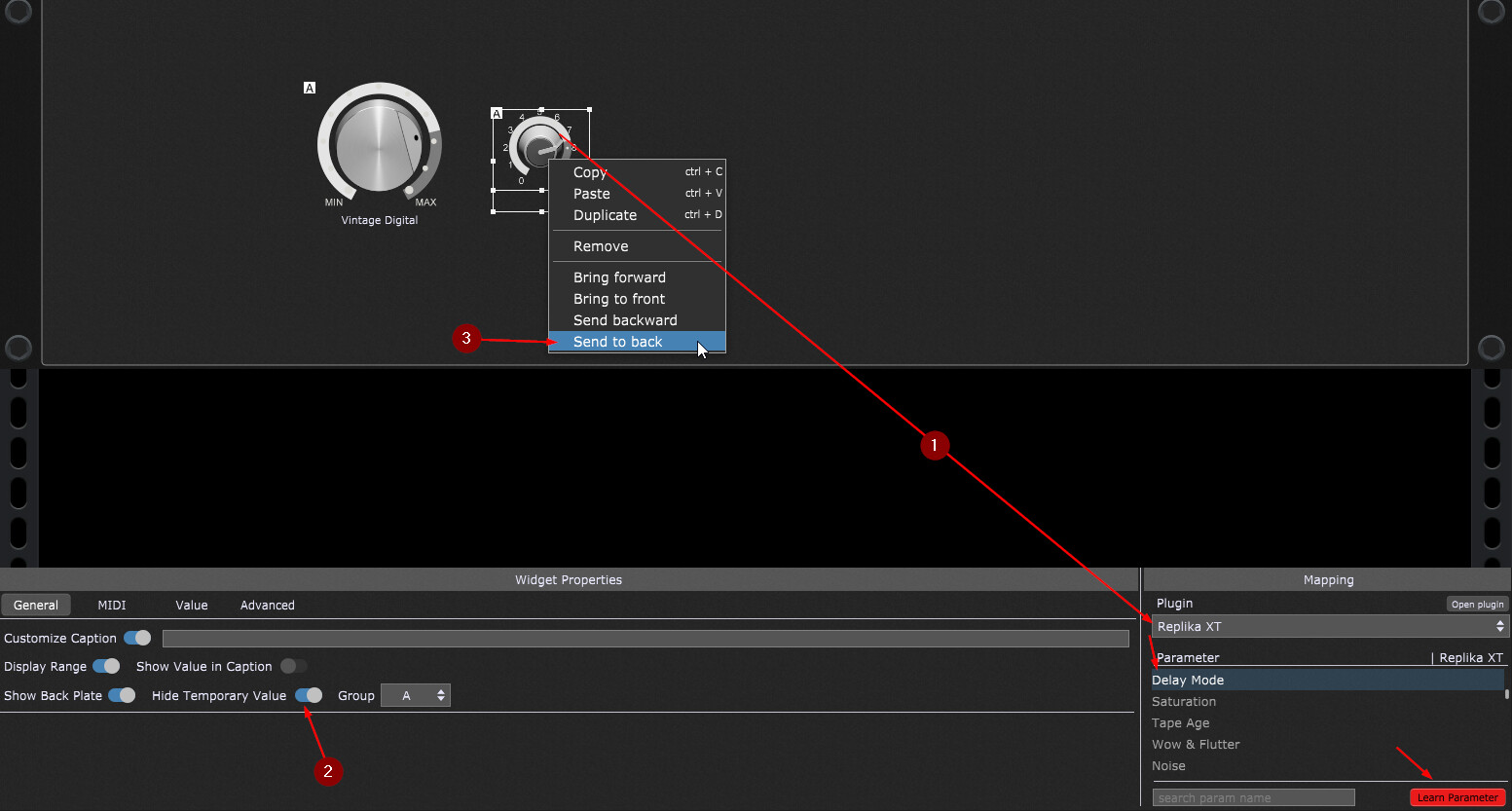
After that, connect the small widget with your Delay’s “Mode” parameter (the “Learn” function will help you finding it!) (1)
hide the temporary value of this widget (since you’d only get numeric values anyway) (2)
then send the small widget to back (right click) (3)
Now you can hide the small widget (connected to the plugin) behind the big widget (connected to the scriptlet) so that you only will see the big one which display your Scriptlet’s values!
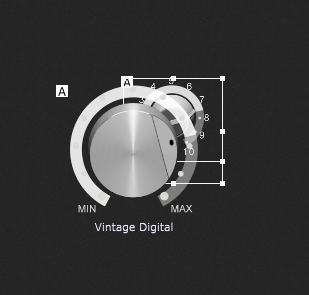
Nice, clean & easy… and you can save this scriptlet as a “Favourite”, so can load it into any rackspace wher you might need it.