I was not thinking in “Logic Pro” (or any other DAW) which does latency compensation and therefore of course needs the same delay/latency in bypass as when processing… One of the differences you may have to consider when wiring in GP…
In the screenshot above you can see the latency of the 1ms of the Arturia REV Intensity. The other 4 Reverbs are 0ms… the sine waves through the bypass chain are exactly overlaying if I remove the REV Intensity
So back to the parallel config @ztones don’t use bypass for selecting the desired FX - you have to mute - otherwise you will add the bypassed signal
Edit: sorry forgot the 2nd pic - something like this with widget or GPscript control to the mute buttons
Yeah, exactly like that. Well documented with the oscilloscope
My approach was basically similar, just the mixer was located before the plugins The fader in the end of audio path controls the overall volume of reverb applied to all sounds (quite useful in some acoustically extreme venues like baroque chateau with round hall and marble floor).
It can only be used for third party plugins and frankly I would discourage you from using this - to be honest I’m sorry I ever implemented it, it’s very messy - there’s a reason it’s marked “experimental”
I can only speak for myself, but I’ve been using this function heavily for a long time without issues to quickly and conveniently call up my favorite sounds (from any plugin) to assemble them for a new song—just as I showed here: https://www.youtube.com/watch?v=eOoojPSLb9E
The difference is that I can now do it with the ReplacePlugin function, without the “Unify” plugin, using only GP user presets. The only thing to watch out for is not to use the affected plugin blocks in arrays. Otherwise, everything works even more stably and better than with the Unify solution back then.
Also, as with the LoadGPPreset function, I wouldn’t use ReplacePlugin in a live situation—only for jamming and developing the combinations in the rehearsal room that I ultimately take on stage.
really impressive what you’ve put together with Gig Performer, Unify and TouchOSC – you can tell there’s a lot of heart and fine-tuning in it. Respect!
I’m currently trying to build my own setup with Gig Performer / Unify / OSC for live and jam sessions, but I keep running into walls – especially with routing, scriptlets, and OSC handling. For the past few weeks I’ve been stuck in the “IT / scripting / programming” bubble instead of just making music, and I can’t seem to get any further.
Would you maybe consider publishing or sharing your Rackspace/Gig and your TouchOSC session? That would make things so much easier for me – and save me a lot of trial and error.
I’ll ask before anyone else does. 1) What are you trying to accomplish? 2) What specifically are you struggling with? 3) Windows or Mac? 4) Since Unify also runs 3rd party plugins, how are you trying to integrate it into GP?
thanks for asking! I’m currently trying to rebuild the setup from Markus’s video (https://www.youtube.com/watch?v=eOoojPSLb9E&t=2823s with Gig Performer / Unify / TouchOSC. The whole thing is pretty complex (routing, patching, Scriplets, OSC handling, etc.), so it would be super helpful to check out his Rackspace directly.
@themaartian is right. I would also recommend that you find your own way and then post very specific questions here in the forum.
Still, I’m sharing my files. I don’t keep them secret. Maybe someone can make use of them - though I doubt it.
Unlike what you see in the YouTube video, everything is now implemented without Unify. In addition to many enhancements, the sounds can now be selected not only via TouchOSC but also directly with Gig Performer.
Unfortunately, I still rely on a small external helper program I wrote. It reads my plugin list exported from GP and scans the GP preset directories. From that, the file JAM_GP-Presets.gpscript is generated automatically.
first of all, a huge thank you for sharing your complete Gig Performer files with me! Honestly, I’m blown away by what you’ve built – it’s super inspiring and incredibly well thought out. I’ll definitely need some time to wrap my head around all the details and connections, but that’s part of the fun.
What excites me most is that your setup now runs without Unify. That’s a real eye-opener for me – seeing how far you can go with just GP, scripts, widgets, and OSC. Truly impressive work!
My plan now is to slowly restore the missing plugins, take screenshots, study the routing, widget mappings and OSC handling, and step by step get a full understanding of your system before I even think about changing anything.
So again: thank you so much for sharing this with me – I really appreciate it.
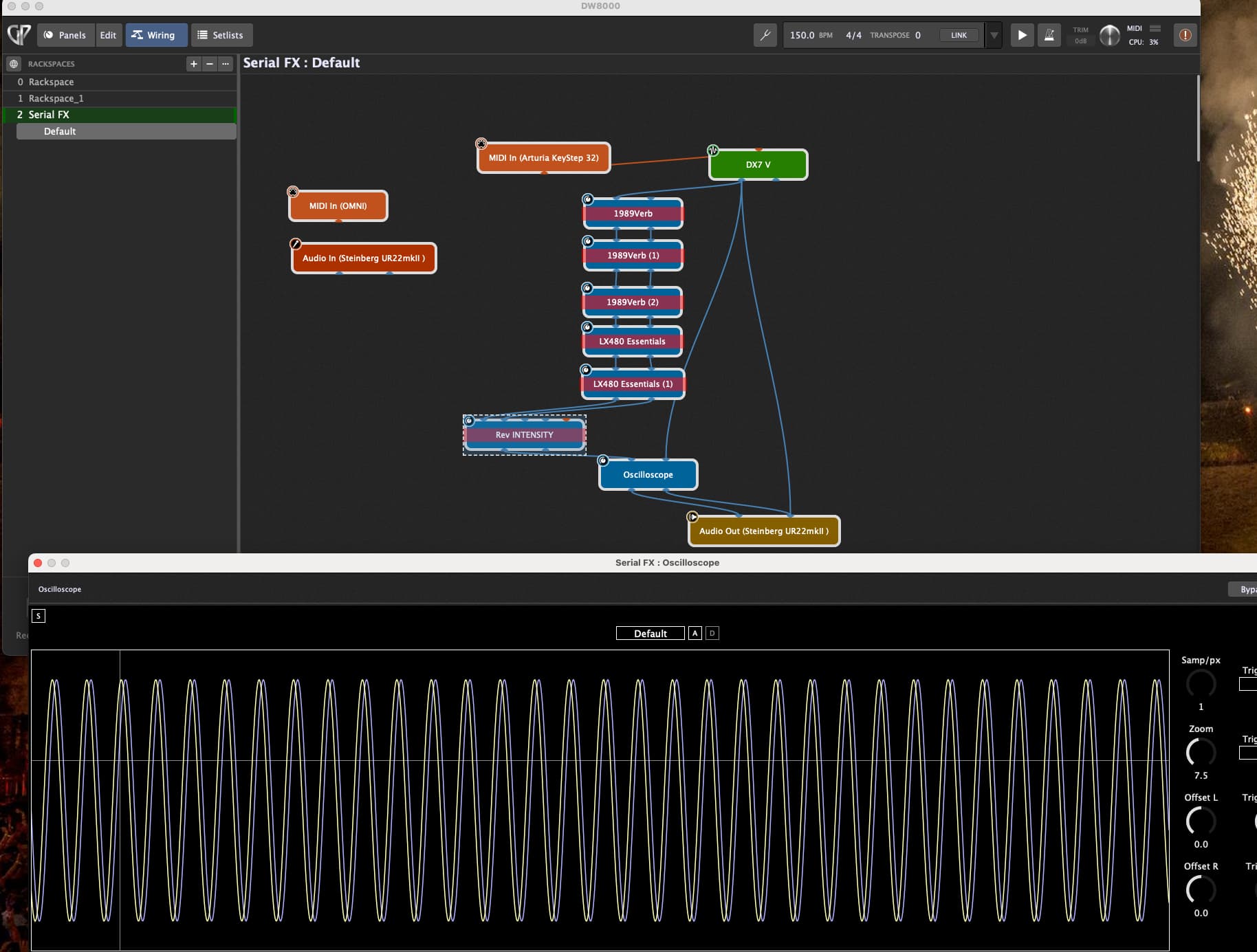
 @ztones don’t use bypass for selecting the desired FX - you have to mute - otherwise you will add the bypassed signal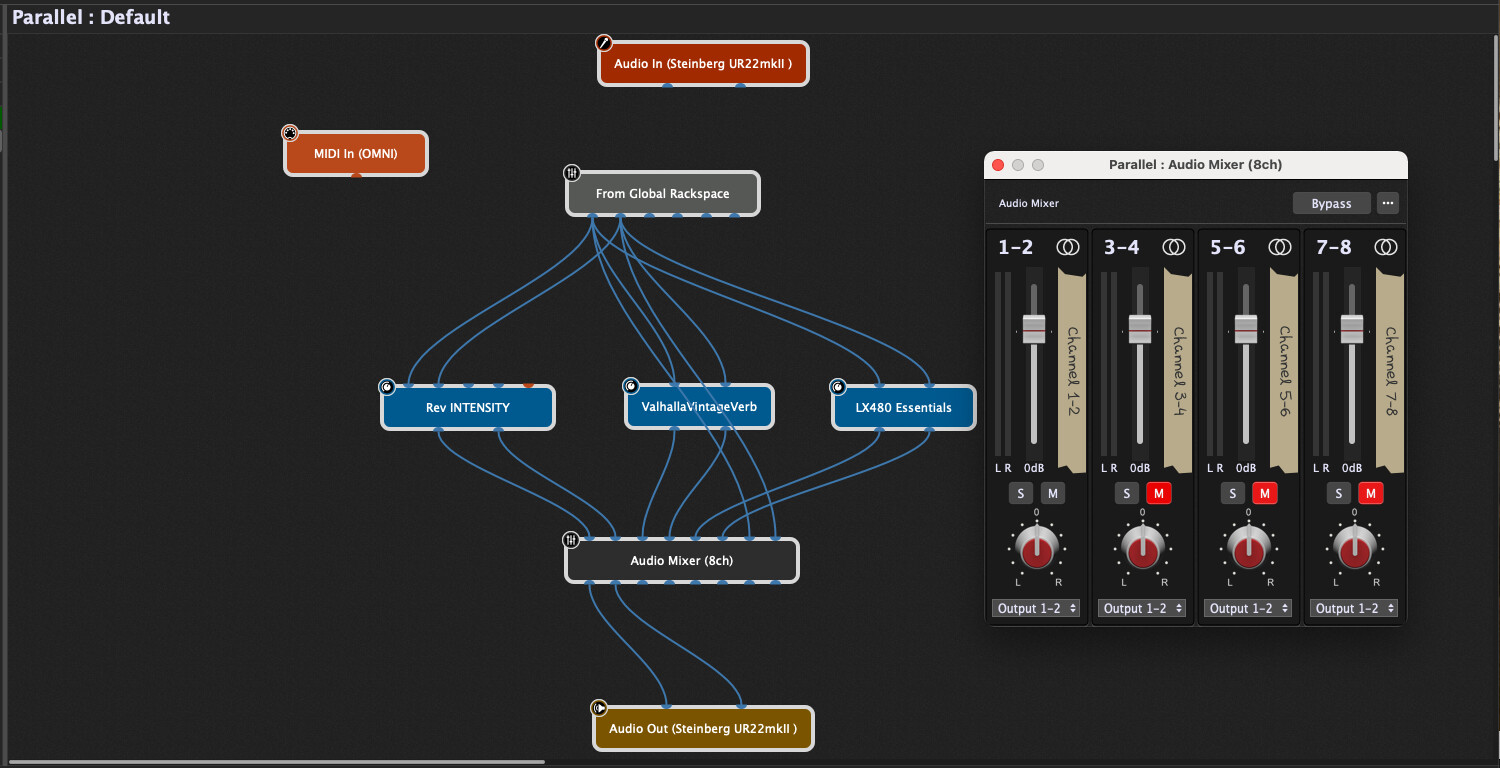

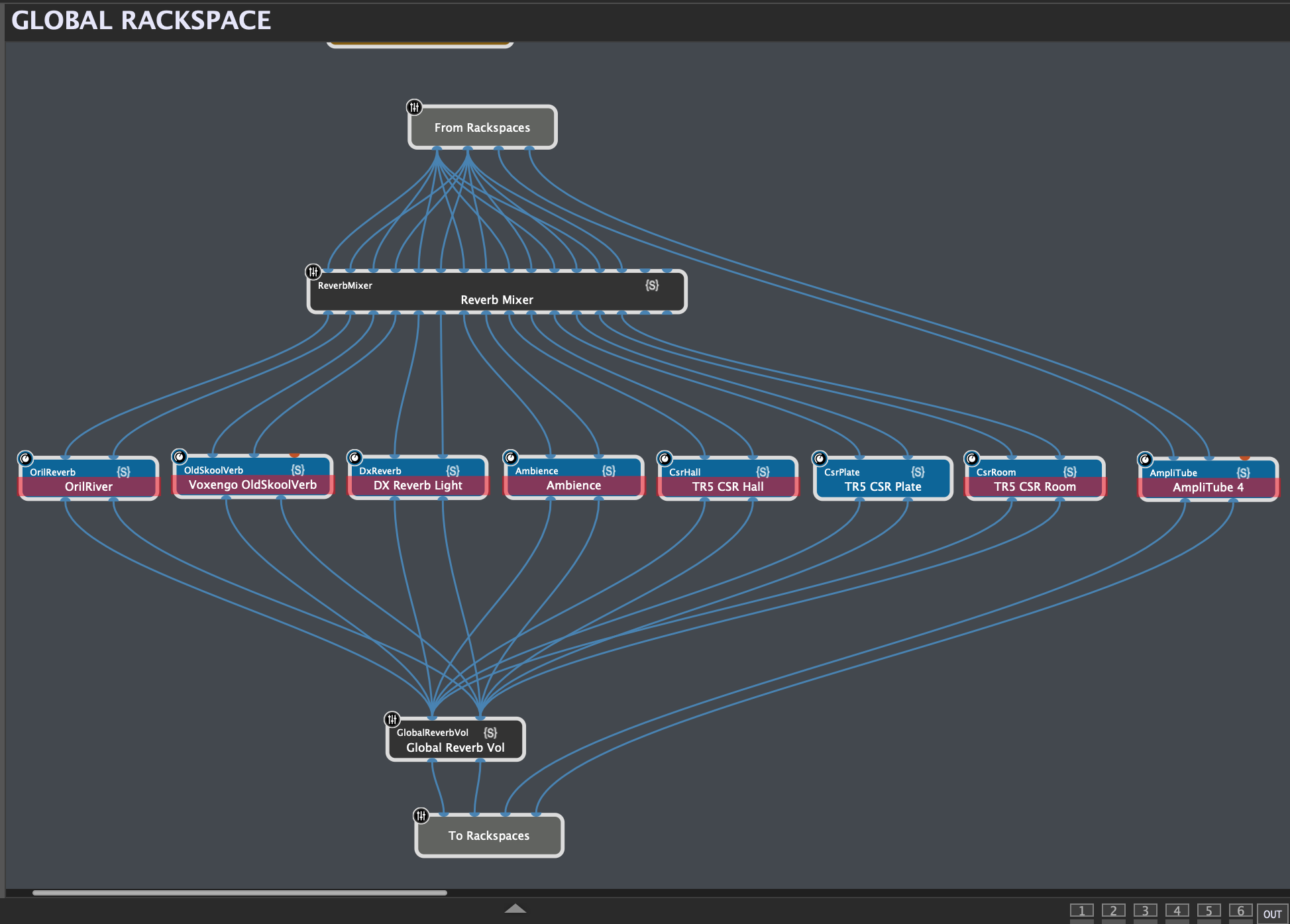

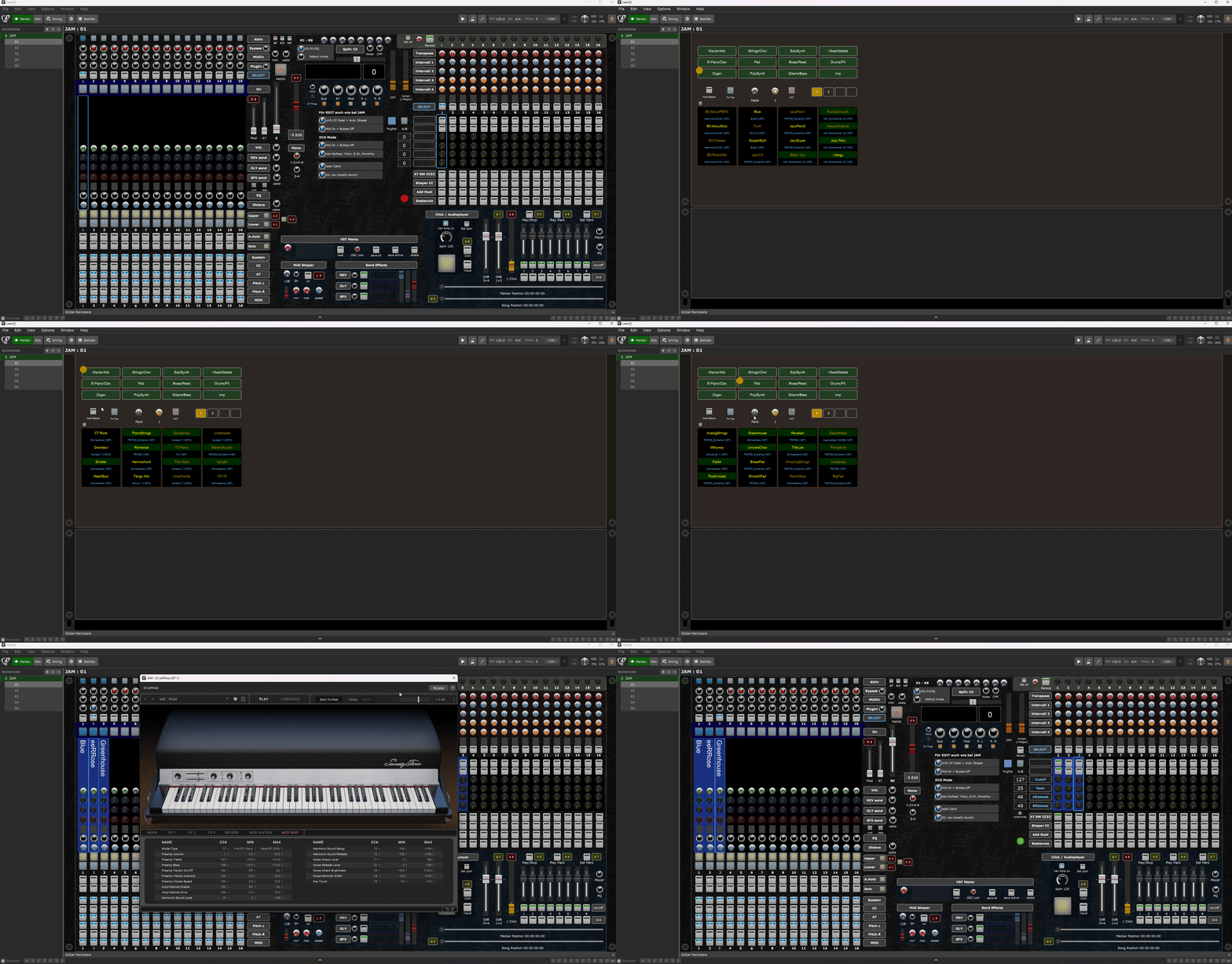
 for sharing your complete Gig Performer files with me! Honestly, I’m blown away by what you’ve built – it’s super inspiring and incredibly well thought out. I’ll definitely need some time to wrap my head around all the details and connections, but that’s part of the fun.


