Thanks for the hint - up to now iPad usage was not planned … but may be an option for the future.
Bi-directional support for directly addressable widgets is already on our list.

PS: And the release date was next week – correct ? 
Yes it was…but then, all of a sudden, we discovered about 500 items on the list😛
As the final solution with bi-directional OSC support for directly addressable widgets was not available within a week ( ) i searched for a work-around and found the following solution to use OSC within a Multi-Instance set-up:
I’m using the standard OSC setup to send OSC msg from the secondary instances (Organ and SG1) to the MAIN instance. “MAIN” is the receiver for all msg from the secondary instances. Any change within the secondary instances - eg widget status changed due to the move to another variation - will generate OSC msg to be send to the MAIN instance and will adjust the linked widgets (eg the Leslie Speed or the bypass on/off).
Problem was the widget feedback from the MAIN to the secondary instances. I’m now using the “directly addressable widget” feature to send OSC msg from the MAIN instances to the different secondary instances. Eg changing the MAIN Leslie Speed widget will send a msg via direct addressable widget to the ORGAN instance and the MAIN Bypass On/Off widget to the SG1 Instance.
Standard OSC for the OSC msg from Secondary Instances to the MAIN instance and direct addressable widget feature for the OSC msg from the MAIN instance to the secondary instances.
Basic OSC setup:
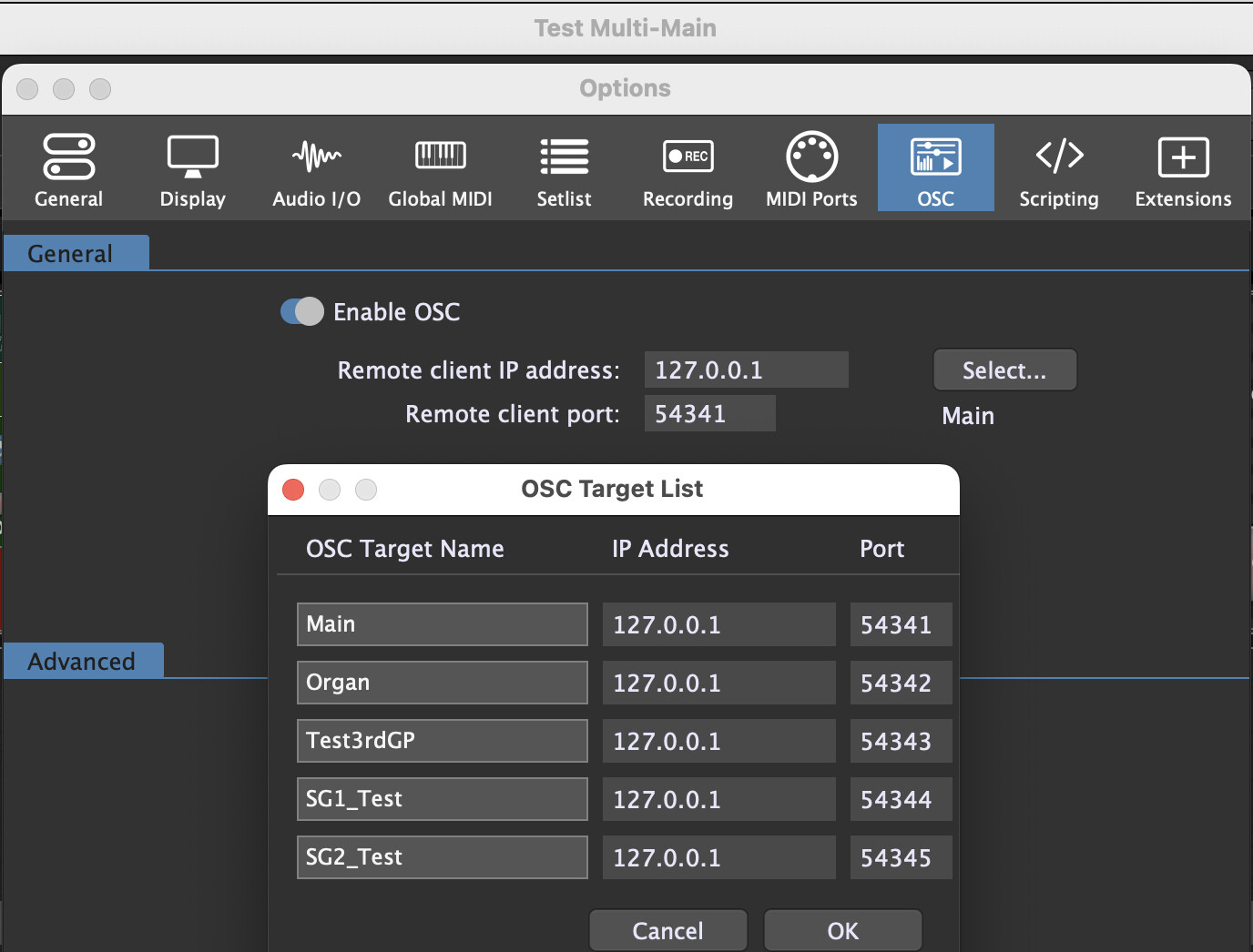
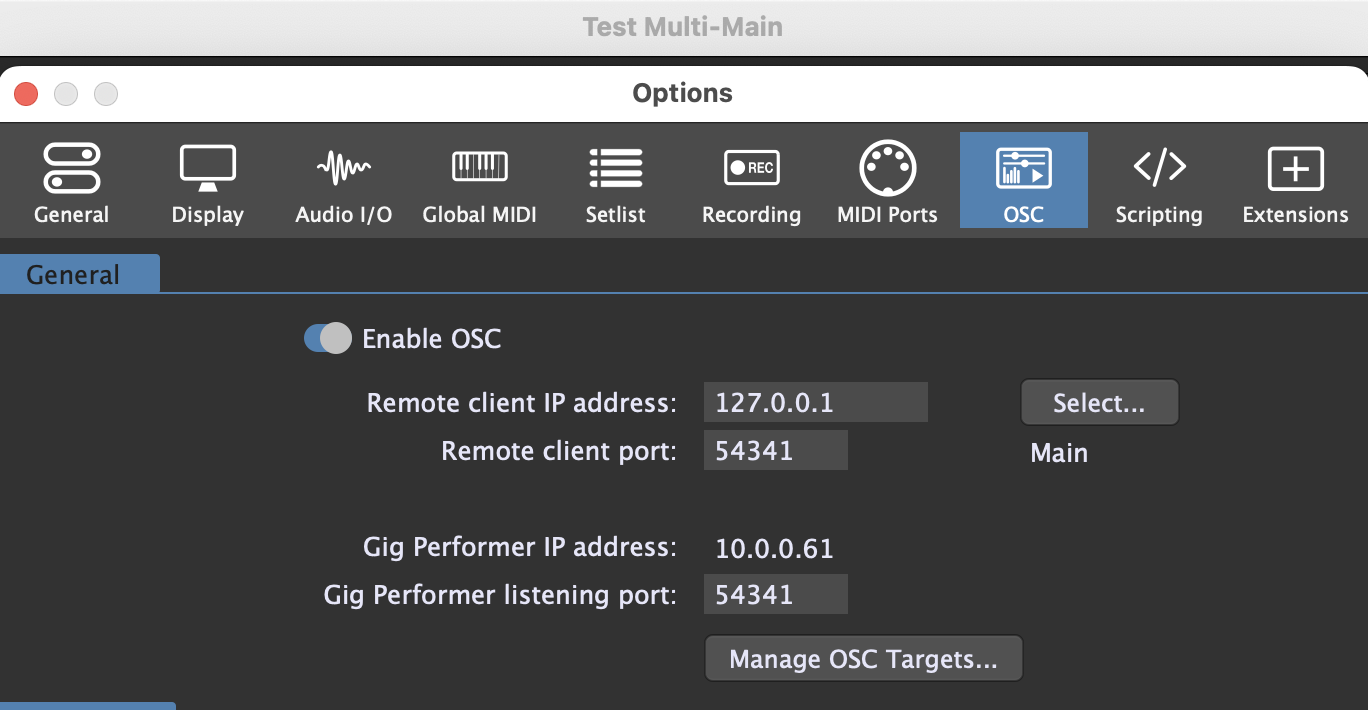
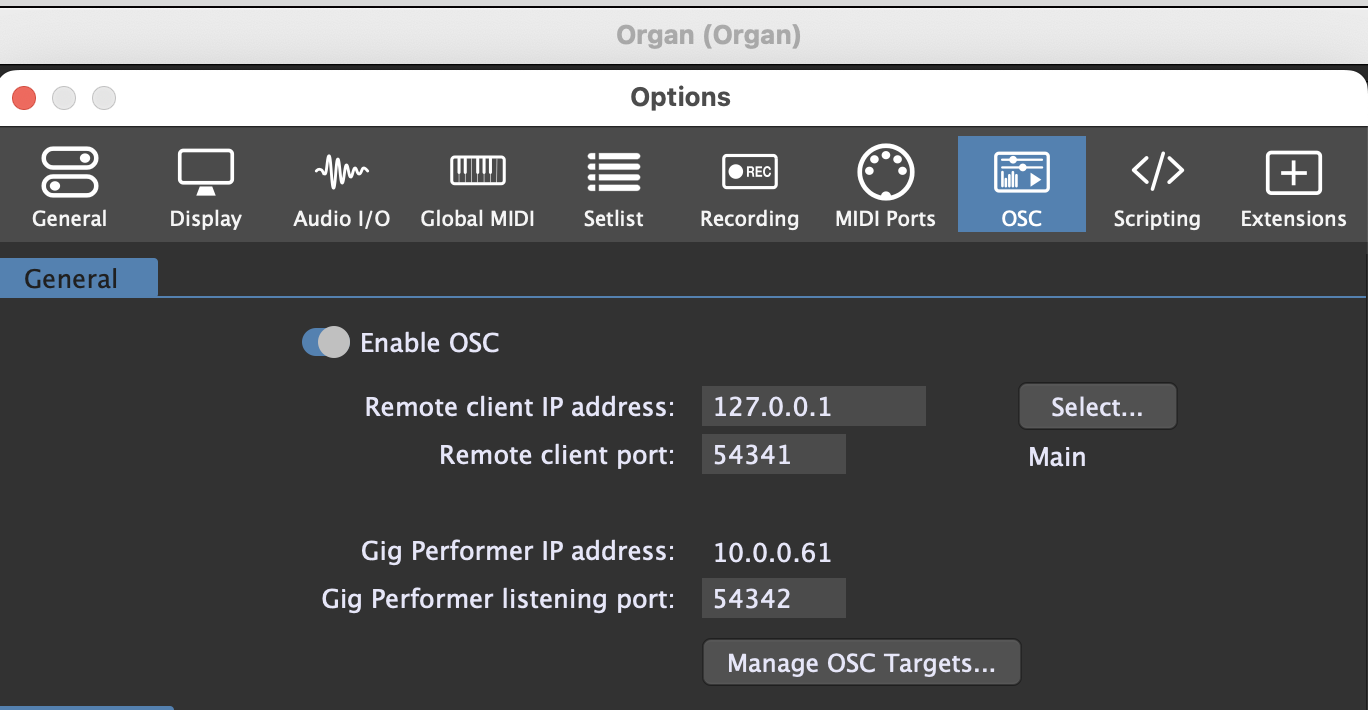
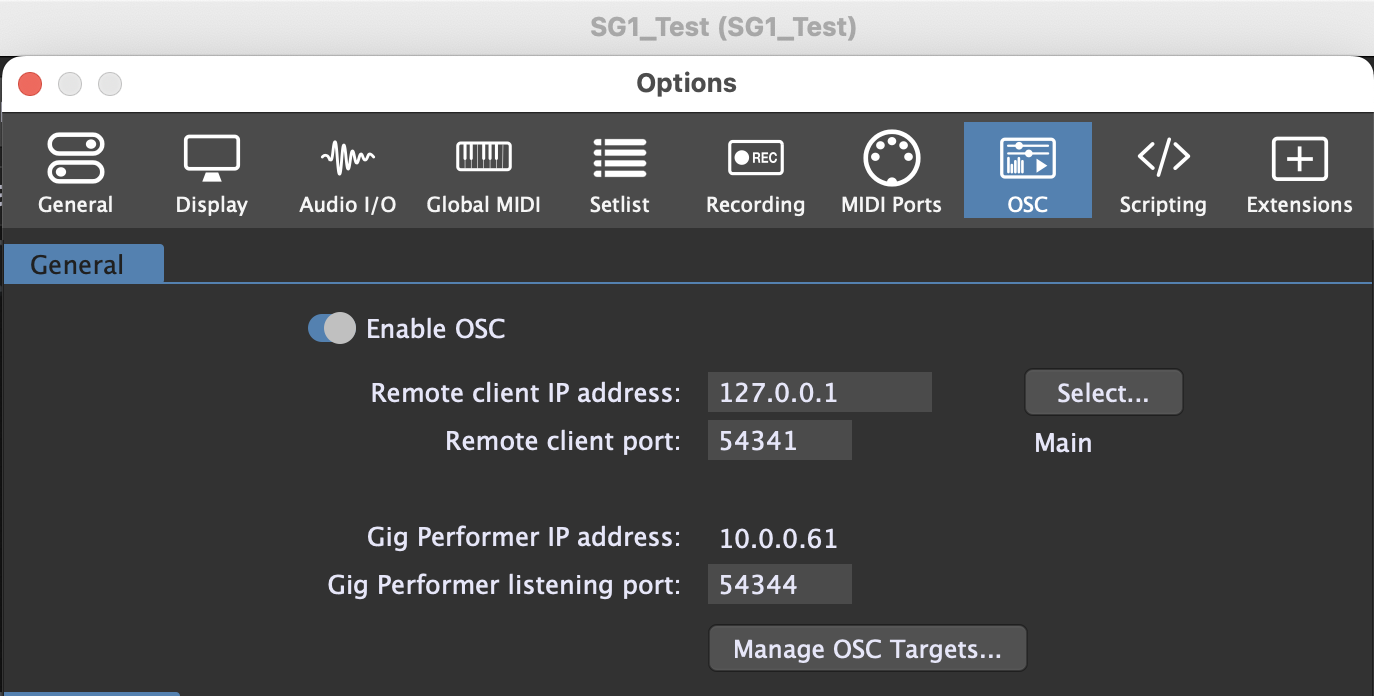
Secondary to Main


Main to Secondary
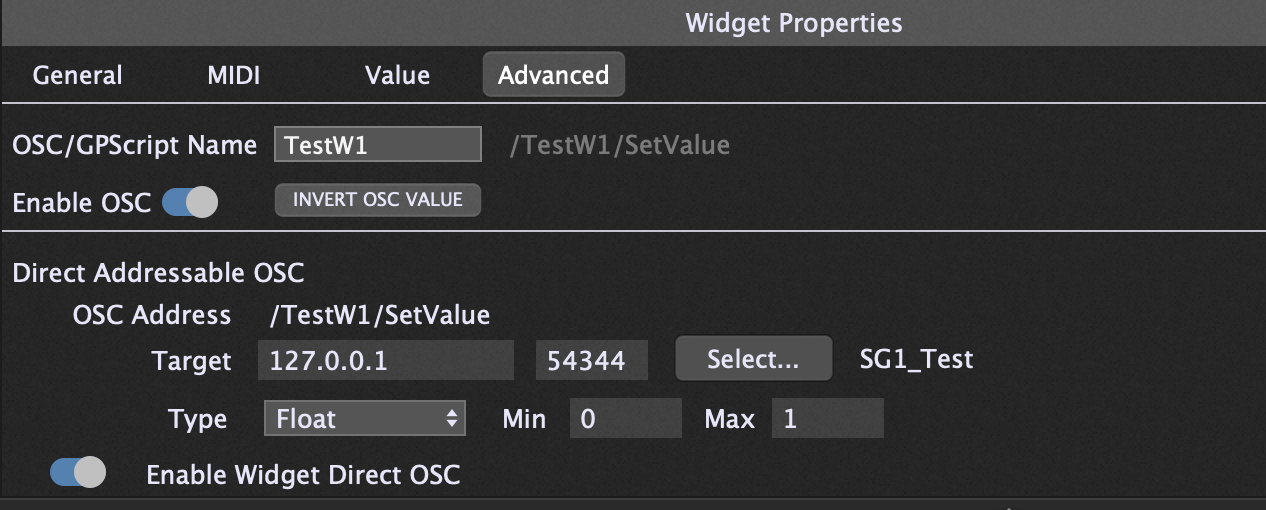
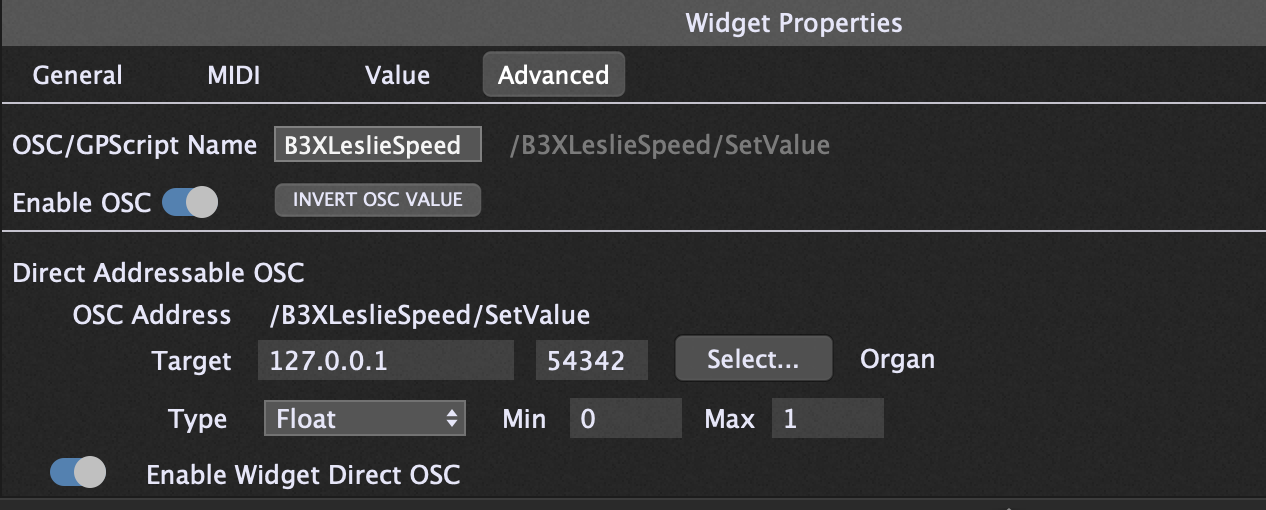
Why do you use the same port in your main instance?
i think this is still a leftover from the testing. I think the address is not not relevant as i use only the direct addressing feature to send msg to the secondary instances.
You should change it to different ports
have changed it …
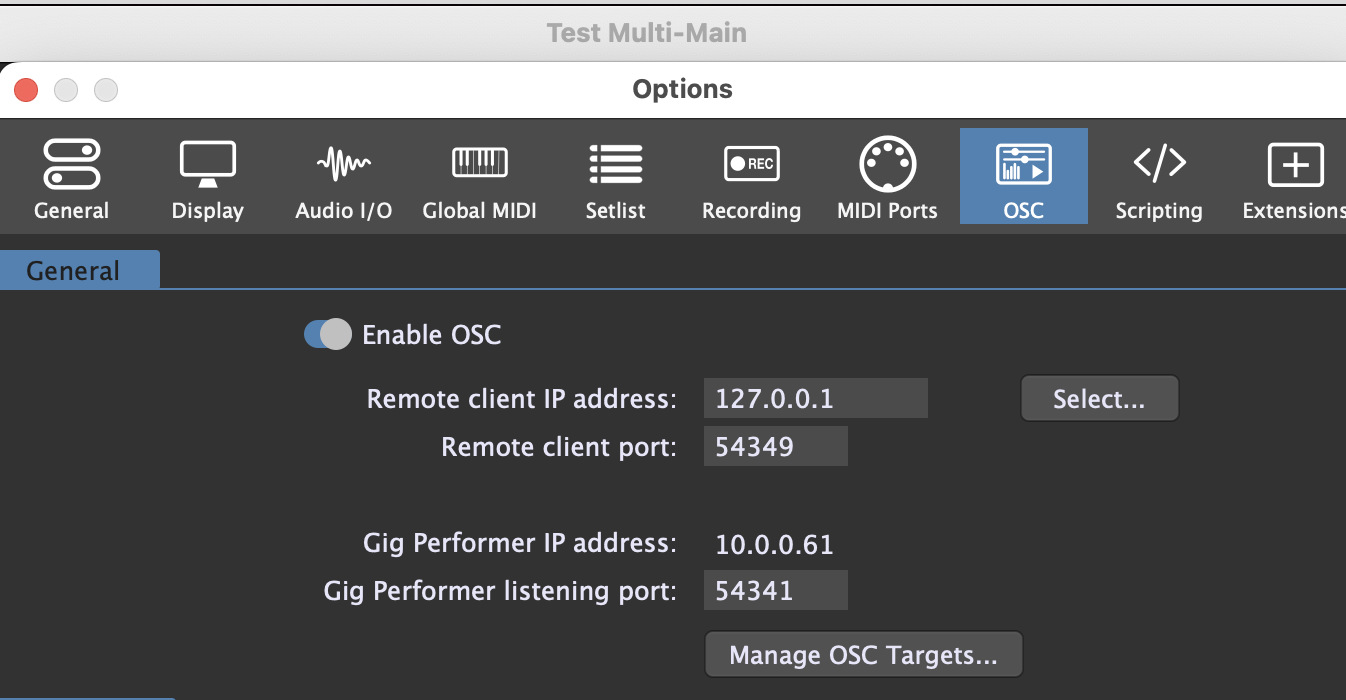
but have not noticed any change in GP behaviour. Works as described above with the known issue related to the correct sync / timing between the Main and secondary instance:
When moving the expression pedal or a drawbar the widget did not follow correctly. The primary and secondary widget started to jump around for a few seconds but finally switched to a new value (not always the expected one). A bit like a spring witch needs a bit time to rest after you pushed it.
It happened only from time to time. Sometime it worked without problems. It also happened only to movable widget not to on/off switches.
It is a workaround and we have to wait for a perfect and professional solution as part of a new GP release… 

And may be the release also supports Widget [value] sync to make the additional scipting obsolete to send the widget value text to the Main widget.
Dear specialist,
I would like to like to bring this thread up again.
Is the OSC in between 3 (or more) instances in the meantime working?
I can not manage it.
I try to control with one controller (x touch mini) widgets in three (ore more) instances.
The controller is connected to the main instance. In its global rackspace I have a panel which represents all knobs and buttons from the controller. From there I need to control some widgets in the second (guitar) instance and some in the third (vocals). I need all communication bi-directional.
As long only the second instance is involved it works; with the third included I get no signal back to the main instance.
Thanks
Flodder
The synchronization works: Sync Instances - new 4.7 feature - #5 by npudar
MIDI device should work if your MIDI driver is multi-client.
If you’re after having one instance controlling multiple other instances then on Windows there’s a way to do that, but it is somewhat complicated, because you’re relying on UDP broadcasts.
See my post somewhere at the bottom:
(I normally don’t want to promote my own posts, but I don’t want to repeat myself, cos I’m lazy  )
)
Hi Frank,
thanks for the help. I managed it with the 127.255.255.255 at home in some test instances.
In the rehearsal room I do not get it running with this setting.
That’s the broadcast address for 127.0.0.0/8, so that checks out
Same system? 127.0.0.0 is a network only available between applications on the same device, so for example an ipad connected to a laptop will not receive the messages from the laptop if it’s broadcasting to 127.255.255.255
I think one should generally use 255.255.255.255
It is both on win11
I have set the remote client IP all 127.255.255.255.
At the test system it works bi-directional, all fine; at rehearsal system the third instance is not sending back respectively the main is not receiving the feedback.
That’s a full broadcast, so yes, that should work. Just remember that routers (as opposed to switches) in general will not forward broadcasts.
Where should I use the „full” 255?
As long as you’re only addressing devices directly connected to your computer and/or applications on your computer, you can use 255.255.255.255.
(If you are going to be use routed network (that is, you want to address devices that are not on the same network as you computer), then I advise you to take a training in networking**, because then it gets rather complicated :-).)
** Or some other way to learn about ip networking and the OSI model