For most midi controllers that support bidirectional communication, all you need to do is select the “Sync” button in the widget properties (MIDI tab).
I knew i’d seen it somewhere! yes, that’s it! thank you!
Not all of the midi in messages can be received by midi captain over usb, some need the 5 pin
Interesting… can you please elaborate?
For instance, CC20 can be used to go down a page. It cannot be recieved over USB, but will work with the 5 pin MIDI in. I’ve been emailing back and forth with Paint Audio and they have some good reasons for this but are looking at allowing it over USB in a future update
I can’t imagine ANY reason this would be good!
Oh. OH. I’ve heard of the incoming CC 20 page up/down working for some people, but i never got it to work. But i never tried with 5-pin midi, only USB. Sure would be nice if they mentioned that in the docs.
Hold on, back up. You’re getting responses from PA/Wilson?
Maybe “good” is the wrong word…”efficient” might be better.
They say it has to do with the number of messages that may be coming in clogging up the amount of DSP onboard to handle such a thing. Using a MIDI monitor, I can certainly sympathize
Yeah, lots of back and forth about the MIDI Captain and CE-1. It may be helpful that I grew up speaking pacific ocean pidgin, so its pretty easy for me to communicate with them and sort of got a friendship going, but I have seen people having a lot of trouble getting useful responses from them.
Like you, I beat my head against the wall trying to figure out why that page down command wouldn’t work (as it does, as you’ve pointed out, not say it in the docs), but then they told me tis on 5 pin only and so far so good, though they say they may add it to the USB soon
This Thread is about my firmware running on the Hardware MIDI Captain from Paintaudio.
My firmwares can send and receive MIDI Mesages over 5 Pin MIDI and USB.
My firmware uses CC20 too and it works fine in both directionsnd (send and receive) over USB and over 5 pin.
As far as I know only a Kenper specfic firmware from Paintaduio reacts on incoming MIDI messages. All other Paintaudio firmware can onyl send MIDI Messages. The do not receive over USB and not over 5 Pin MIDI.
CC20 comes thru on 5 pin MIDI with their latest firmware. I should try yours though
I’ll be frank, this post sent me in a fury to the Amazon sellers checkout page of the midi captain so fast that I actually didn’t quite read the fine details and in my haste I purchased the mini 6 instead of the device intended which is any 10 button version of the midi captain.
However I do like the small footprint of the mini 6 so I’ll endeavour to battle away and wait for developments for the smaller version with 6 buttons .. I am following the Reddit thread listed below as well for developments ..
so if anyone has tried and or been successful getting to boot the mini 6 using the HK firmware I would be interested in your experience.
The ability of this firmware to work in the bi directional capacity with GP is the exciting nature of this development.
For what it’s worth I’ve tried a few things that may be of help for the non super technical coder aspiring types like myself .
I’ve read the documentation a few times and followed what would be the proper procedure for the 10 button version and compared and contrasted the circuit python code of HK to what is standard as Supersetup with the mini 6.
Unlike the standard version the mini 6 can only boot to one version afaik. and following these instructions here …
from HK documentation
4. Installing and deinstalling the author’s firmware
Before you install the authors firmware, you should safely store the original firmware: keep the
MIDI Captain foot switch 1 pressed while switching on the device. MIDI Captain’s USB drive is
now available as “MIDICAPTAIN” on a connected host computer. Copy the complete content of
the USB drive and save it to a secure place.
You can download the author’s firmware package from [6]. It is free of charge.
Overwrite the original file “code.py” on the USB drive with the file “code.py” from [6].
Copy the following three files “PTSans-Bold-60.pcf”, “PTSans-NarrowBold-54.pcf” and “PTSans-
Regular-20.pcf” from [6] into the directory “fonts” on the USB drive:
Copy the file “HKAudioSetup.txt” from [6] into the directory “setup” on the USB drive.
Eject the USB drive before you disconnect the MIDI Captain from the host computer.
Switch the MIDI Captain off and on again to activate the author’s firmware.
To deinstall the author’s firmware just overwrite the author’s file “code.py” with the original file.
If some problems should occur simply delete the complete content on the MIDI Captain’s USB
drive and write back the complete content you have saved at the very beginning of the installation..”
initially comparing and contrasting the code.py of HK to the code.py of the mini 6 reveals that the mini 6 simply boots to a FW that is permanently stored on the mini 6 .
when I inspect the code.py of the mini 6 all it reveals is “load midicaptain6S”
literally one line whereas HK code has many many lines denoting all the hardware arrays of switches and leds.. hmm 
also the setup.txt I think is stored in a directory called Supersetup so in the case of “place HKAudioSetup.txt into the directory “setup” that directory does not exist.
Perhaps these are simple mistakes a beginner will make but I’m merely a midi enthusiast as opposed to a python programmer so forgive my ignorance.
After seemingly bricking the device I was able to restore the backup I had made from the first steps I took so restoring was absolutely possible it just took about 15 to copy back my backup.
Any insights or direction for a mini 6 advocate at this stage? Sounds like the ball is rolling for mini 6 firmware and soon it may have some common ground to sort out my wishes
Thanks for the hard work.
TLDR just but the 10 button version for ultimate control.. the mini 6 is a work in progress.
I’ve finally got my Boomerang plugin stable so I’m ready to dig into this next, stay tuned
Cool, I should know this, but today I’m actually just dipping my toes in the Bidirectional sandy beach for the first time. I have this Midi Captain 6 with a beta firmware release and my first attempt at programming a rackspace in this regard I have three bottom row switches turning on and off widgets associated with stomp box effects, wonderful, different variations follow this bidirectionally, that’s great.
Now if I would like the three top buttons to follow in suit that would require GP to sync the particular song part and in my case of course that doesn’t happen, is there a work around for this.
I’ve mapped CC 23,24,25 to widgets that are midi learned, with SYNC engaged for bidirectional communication.
For Song Parts I have programmed CC20, CC21, CC22 to Song Parts A, B, C.
However if I engage song part A, it’s led lights up, but of course that song part isn’t SYNC’ing like a GP widget would, part developer issue, part GP, or is it?
Mired in Bidirectionality at the moment.
EDIT: Aha I can send a CC 0 (off led in this case) for each song part OTHER than the song part I choose, in song part properties ‘midi messages to send when this song part gets activated’
that will work!
Just coming back to this thread - MIDI Captain MAX is in full development and has a lot of functionality working, including a GUI editor! Most discussion is on the pinned post in r/paintaudiomidicaptain Reddit forum (which I moderate): https://www.reddit.com/r/paintaudiomidicaptain/. The project backlog is here: https://github.com/orgs/MC-Music-Workshop/projects/1/views/1
Congratulations for your project.
Thank very much you to mention my work in your attribution paragraph. However the link to my work is not working. It would be nice to put a link to my website https://www.helmutkelleraudio.de/ there.
Hello Helmut! Thank you! Indeed, it was your breakthrough on the bidirectional MIDI that put this all in motion.
I noticed just yesterday that your site wasn’t coming up. I’ll double check all the links and replace them. Thank you for pointing it out!
Stay in touch!
Done!
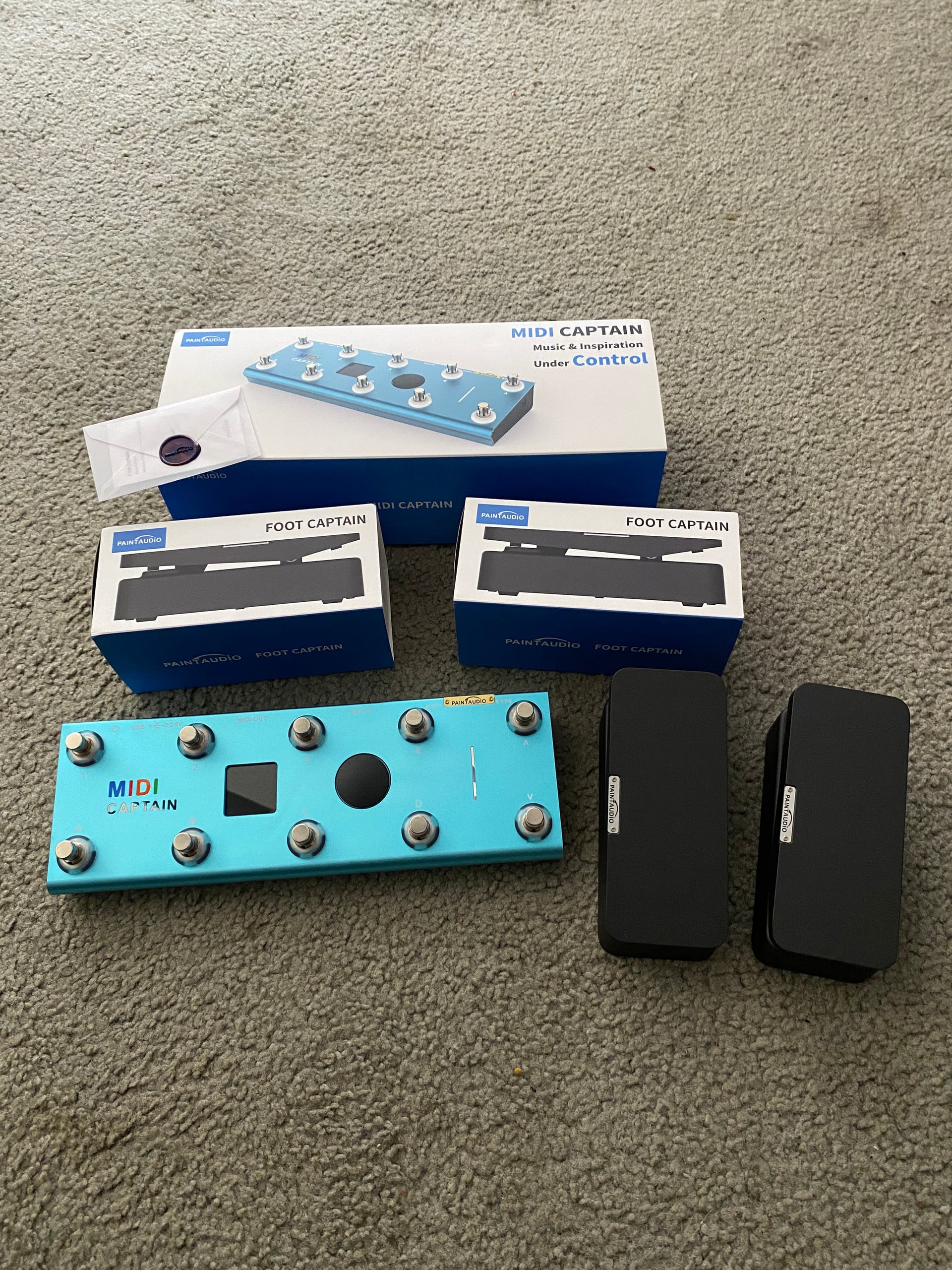
I got a MIDI Captain along with 2 Foot Captains for my birthday thanks to my gorgeous wife and her brother. What a great product! Very well built, super compact, and the color is beautiful. I have dowloaded your firmware and will be installing it tonight!.
It looks great. What does it weigh (excluding expression pedals and power supply)?