I really wish I could get this to work. No matter how i configure the widget or the Local GP Port all I can get it to do is send PC 127 when turned on and PC 0 when turned off, and only on channel 1.
What do you want to send? If you only have a button, you only have two possible values but you can use a scaling curve to control the actual values
I’d like to change presets in my Neural DSP plugin with PC messages. So, I’d have a row of buttons labelled “Preset A”, “Preset X” and have them send PC 1, PC 99, etc to the plugin when tapped.
A useful thread for you: Changing Neural presets - #6 by npudar
So historically, GP doesn’t really like the concept of changing plugin presets directly.
But there is a way to do it - it’s currently a bit of a pain to configure but it works.
Here is a trivial gig file that implements this. The trick is to use radio buttons and then for each button define both a min and a max *to be the same value using MIDI notation.
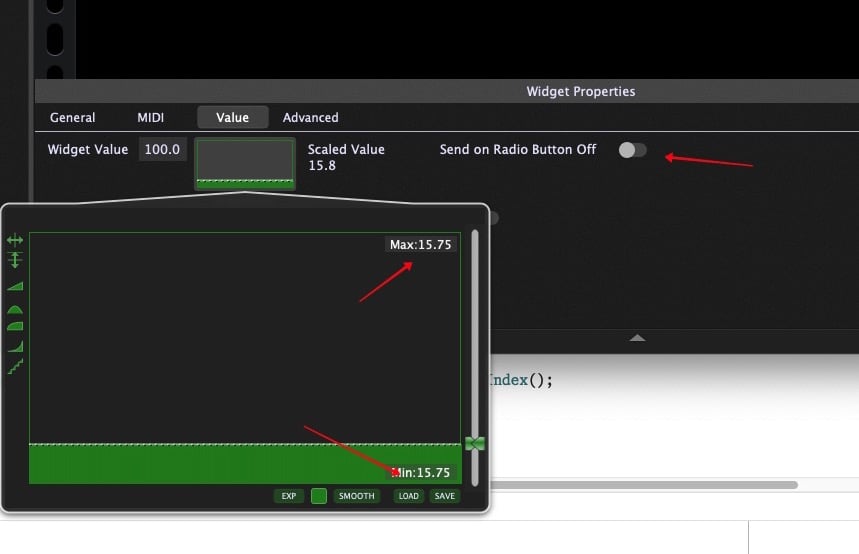
E.g, if you want one radio button to send MIDI program change 42 then you click on both the Min and the Max and set the value of both of them to 42m
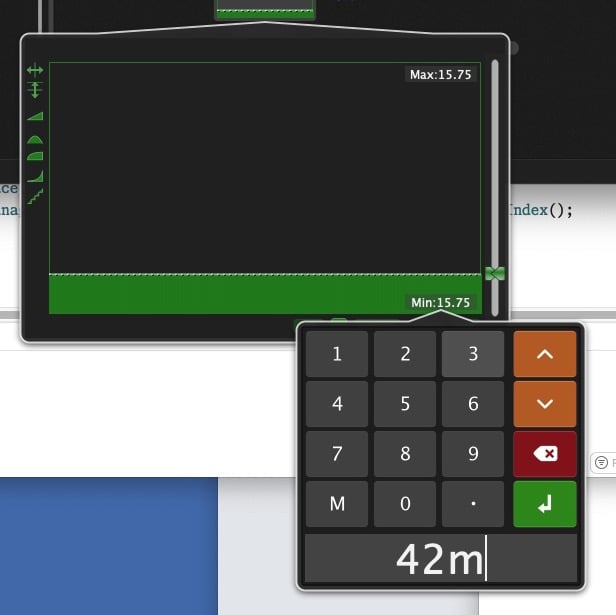
Then assuming the radio buttons are mapped to the PC parameter of a MIDI In block, then the appropriate program change values will be sent out
SpecificPCNumbers.gig (162.3 KB)
That gig file helped me tremendously, thank you so much!
We’ll probably make this process much easier for a future version.
That would be appreciated! For context - I do a lot of improv playing, so my workflow doesn’t map well to the song with variations model, as I don’t know in advance what I’m going to want to call up. I’m creating a wide range of options I can choose from in the moment.
There is actually another way that may be much easier for you
Drag the attached scriptlet into your rackspace. Insert a widget and map it to the ProgramChange Parameter of this scriptlet. Then connect the scriptlet to the synth plugin. When you adjust the widget, the new program change message will be sent to the synth
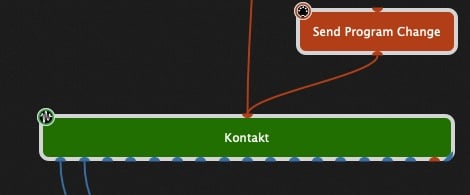
SendProgramChange.gpp_internal (1.3 KB)