so I won’t be able to run it on M1 right?
I don’t know too much of mac: others can advise you better, but I think ‘Rosetta’ is the way to run Intel code on apple silicon
In that case Gig Performer as an application also needs to be run under Rosetta. 
I’ve looked it up and it seems I can cross compile for arm also, so possibly you’re not out of luck 
I succeeded (probably) to create a Mac universal version (arm64 and x86_64), but it’s not notarized, so you’ll need to give it permission to run somehow, but I don’t know how to do that exactly. Luckily a lot of people on this forum know how,
shasum:
7a2c41b47098ec4d5e1f509d43cedf3a93274843 Magnitude.vst3.zip
Magnitude.vst3.zip (1.9 MB)
I’m curious to know if this is any good from the perspective: “Does it even run on M1 or whatever”. After that, it would be nice if the plugin from a functional point of view is any good.
Of course your priorities will be the opposite, but you can’t try the plugin with regards of its function, when it doesn’t run 
I hope it works out for the best 
Thanks for sharing! I got it running.
But I can’t understand the unit. I would like to have the values in decibel. Is this possible?
You could use a script to do that, but I can try. Juce has some functions for that. But good to know the compilation went well
Is there a reason not to use the Envelope Follower, as in my earlier example?
I’ve added extra parameters that report the text-values in db. The value itself is mapped on a range from -1000…0 and is expressed in 10ths of dB.
MacOS binary:
shasum: 5650f71976baf1c684d5dbd6cf7652cb7326b05c Magnitude.vst3.zip
Magnitude.vst3.zip (1.9 MB)
Windows Binary:
SHA256: 2349a15f31674f80c923d13a161a76972e8e3b69ebd0143c9ba594ee525d6e55 Magnitude-Windows.zip
Magnitude-Windows.zip (1.6 MB)
Thanks @Frank1119 , it works perfectly!
No, not really, also a good idea. I’ll try both out. (I’m quite new to GigPerformer, so sometimes I’m not sure what to do  )
)
I use the excellent (and free) dpMeter5 plugin to measure loudness values in LUFS. (It can also do decibels of course). I display the loudness both “momentary” (that is, integrated over 0.3s) and “short-term” (integrated over 3s), both as a numerical value and also as a custom meter using shape widgets whose colour and dimensions change dynamically when the parameters change.
I implemented all of this in GP4 before the Envelope Follower existed. I suspect I could do the same and possibly with less CPU load using Envelope Followers but haven’t delved into that yet.
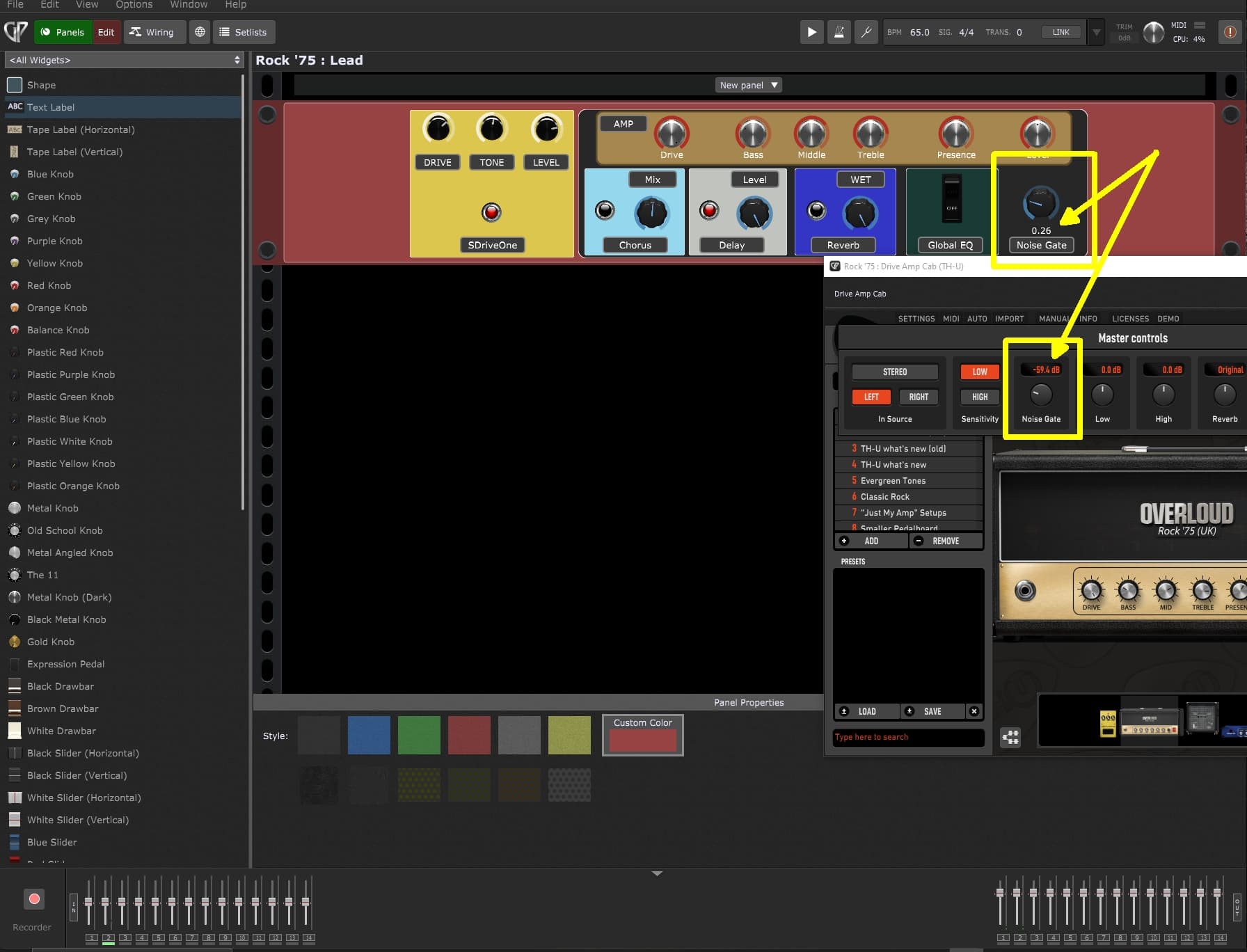
I just tried it – this is a bug in TH-U — it is not returning a text version of the actual db Value.
You should report this to Overloud
Can you show how you achieved this? I was using mvMeter, but it doesn’t exposes the levels info. I’m not sure I understand, but dpMeter should expose that information, allowing it to be fed into a text widget, right? How did you do it?
To “un-quarantine” a Mac app that isn’t signed, you can try:
sudo xattr -r -d com.apple.quarantine /path/to/the/plugin
I have been told that this works on my un-signed plugin that others have tried: GitHub - mcascone/boomerang-plugin: VST/AU plugin based on the Boomerang+ Phrase Sampler.. I’ve also had success running it on the packages before uploading to GitHub, meaning the configuration “sticks” to the package.
I’ve used it on other various plugins that were blocked by Mac OS. You can sometimes do it through the UI, via the Control Panel > Privacy & Security > Security > Allow Applications From..., but it’s a slow, one-at-a-time, multi-click process that doesn’t always work. As far as I can remember, the CLI command has always worked for me.
Use at your own risk! YMMV!