Hallo Angel!
I’m a newbie in the sense that I don’t really understand why my OSC setting works, but here’s how I managed to do what you’re trying to do with just a USB cable and an Android phone with TouchOSC.
-
Connect your phone with a USB cable to the Windows 10 computer.
-
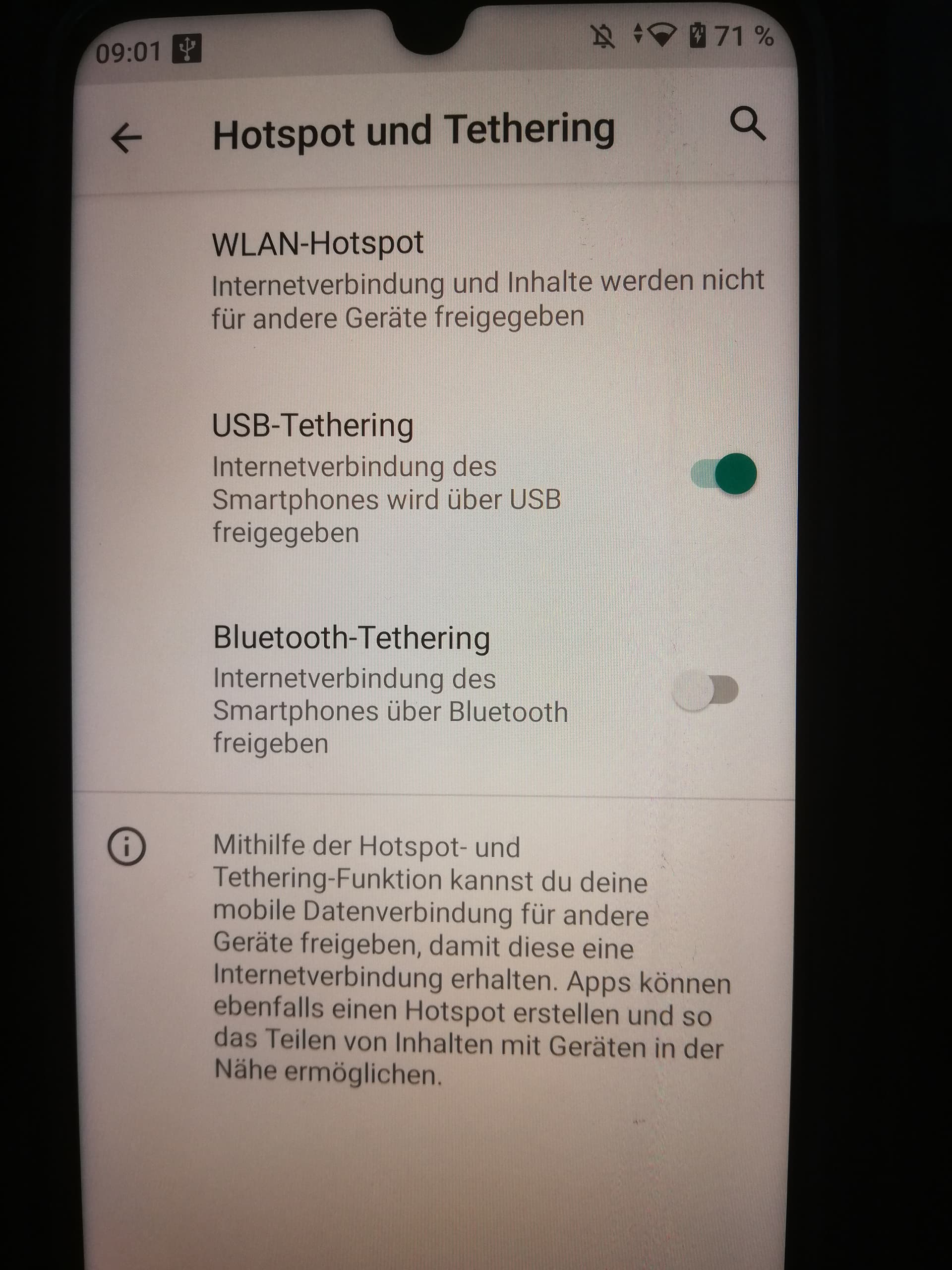
Activate USB tethering in the Android settings:
Drahtlos & Netzwerke / Tethering & mobiler Hotspot / USB-Tethering
-
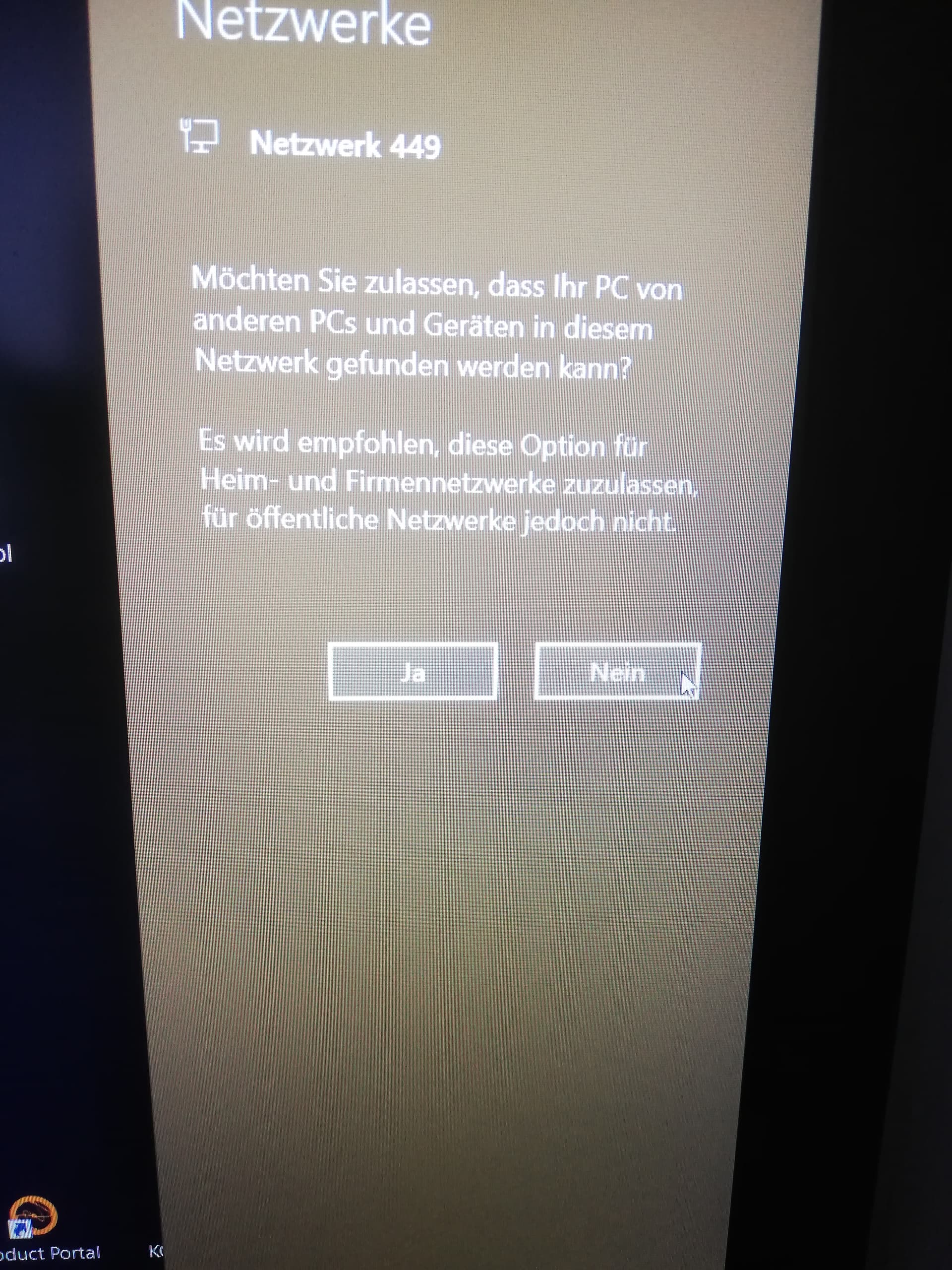
Select “Nein” in the Win10 dialog that appears.
-
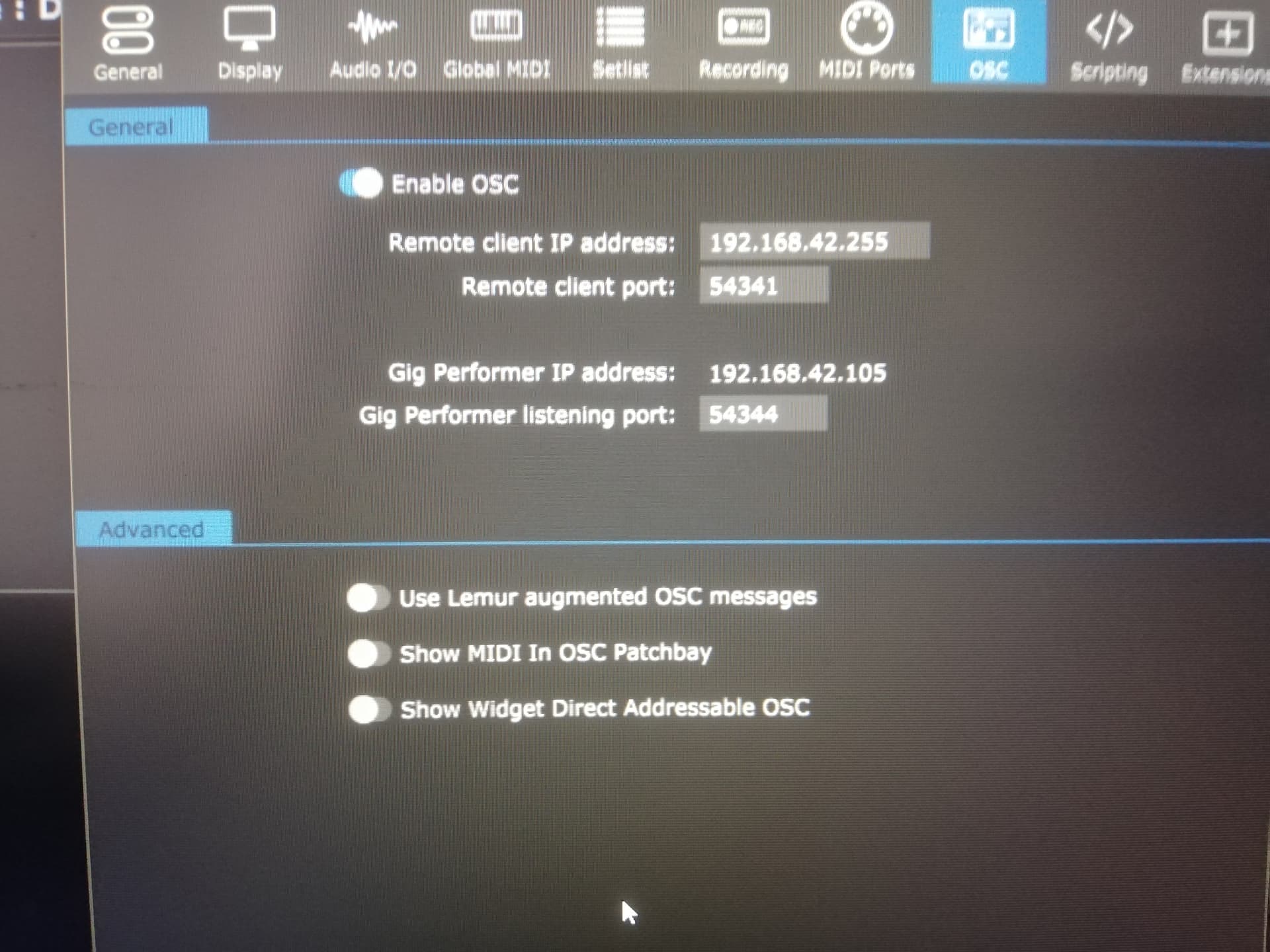
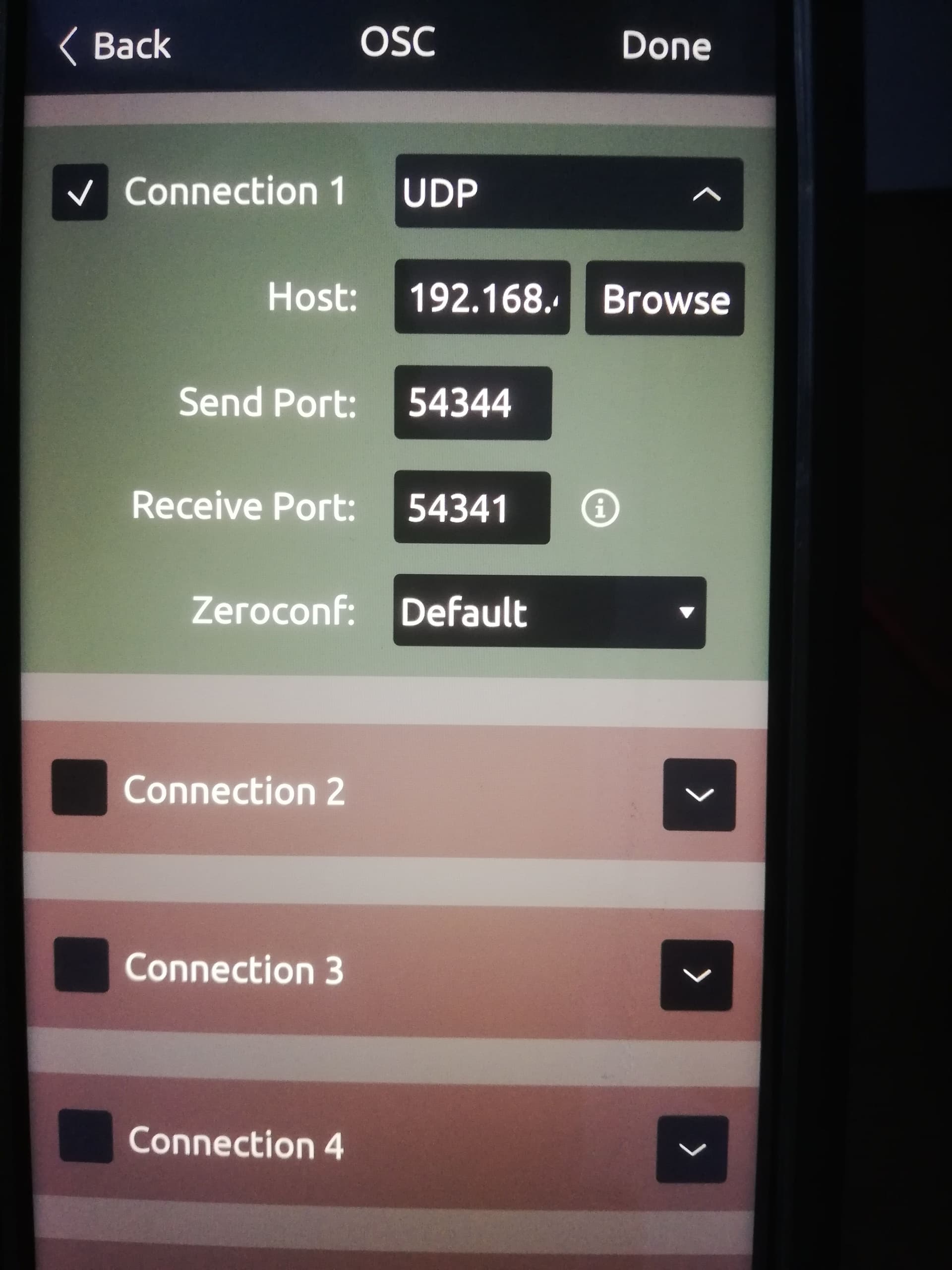
Adjust the OSC settings in Gig Performer and TouchOSC once like this:
The TouchOSC “Host” IP is the GP “Remote client IP address”
Maybe you need to restart GP after OSC settings in GP.
That’s how it works very well for me. The only problem I had was that I initially used a cheap USB cable. With this cable, for example, the connection is stable:
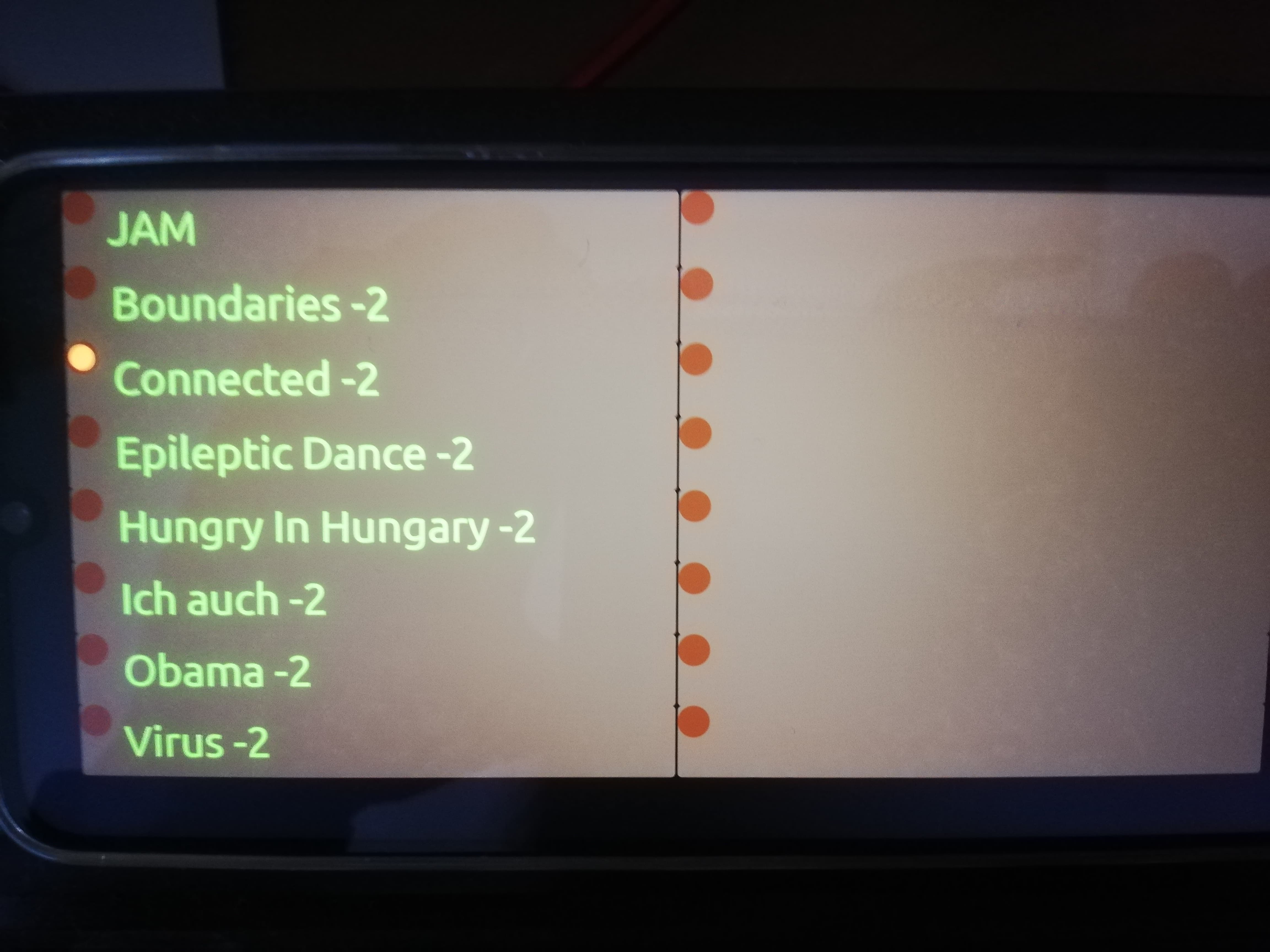
Now you should be able to experiment around, and e.g. get your rackspace selection and display of rackspace variations via smartphone:

Viel Spaß und gutes Gelingen!