Yeah, I’ll try that now
I think my issue is that I’m using the same CC messages to pick the songs as I have already set to pick variation parts. This works with the song selector script I made, but not with this extension. I changed the CD’s assigned to the extension and it worked fine. Using the same CC numbers for both is the most convenient to me, but its not the end of the world if I have to change banks on the pedal to do it
That is the next feature I will add to the extension, as the goal is to use whatever CC numbers you have mapped to the Direct Select widgets, to also change the parts/variations.
I’ve got a new version to try. This one adds support for displaying song parts or variations. There are new preferences that control what happens when you select the song/rackspace or part/variation.
You will also need to delete the existing global rackspace panel and re-add it, as I’ve added a new view toggle button, which will open the selector and then toggle between the song and part views.
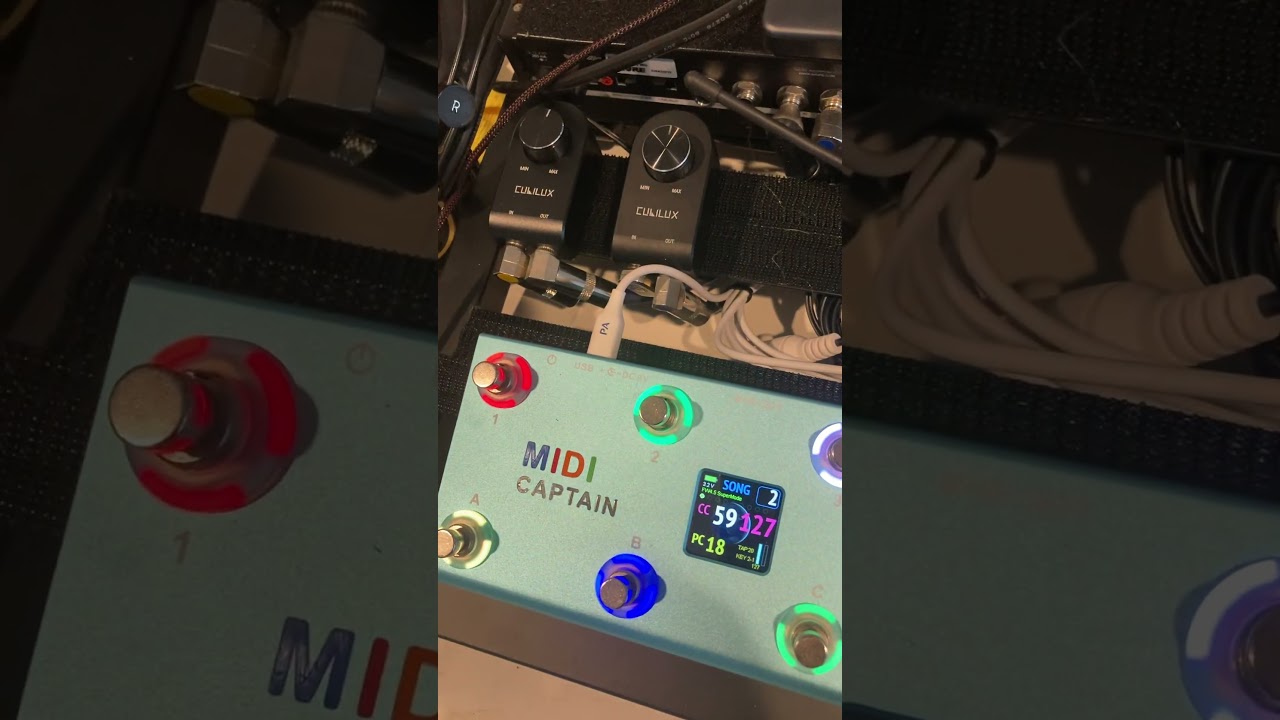
This is working really well! Right now, I am adding a widget link to a midi cc send on every song select switch so when pressed, switches the pedalboard back to its previous bank. This is for the case where I have one set of CC’s on one pedalboard bank for picking song parts, and tap tempo and all that, and another bank that sends out the CC#’s to pick songs. If the same CC’s could do both this wouldn’t be necessary.
Would it be very hard to add an option to send out a CC on any song selection? This could be sent to my pedalboard to move it back to the song part bank.
The new options for showing song parts would send a few of the modeller owners into a jealous fit of rage! In the case of the Helix, the more expensive versions (Stadium XL and Floor) leave you at the mercy of memory if the sun gets too bright or the viewing angle is bad. The cheaper Stadium and Helix LT have a grid viewer like you made which people have been asking for on the flagship models since forever.
This seems to work really well! I’m trying to make sure I can have a way to show the tuner in this mode and I have a few ideas.
Awesome work!
I was also wondering about having an additional view for widgets? e.g. the grid could allow toggling of a set of button widgets. It would need the widgets in the local/global rackspace to have a handle added.
I have made a change to hide the selector when the tuner is activated. It will re-display the selector when the tuner is deactivated.
Although you could set this up easily without the extension, I could also consider having a volume pedal widget on the template panel that is linked to the Master Trim, which will activate the tuner automatically when the volume is at 0 (in heel-down position).
The latest version above allows the same direct select widgets to select either songs or song parts, depending on what is visible in the selector (i.e. the same CC’s from your controller will be re-used for either song select or song part select). Is this what you mean?
This updated version will now save/recall the preferences.
It will also automatically hide the selector when the tuner is activated.
GPGridSelector-MacOS-Universal.zip (5.3 MB)
GPGridSelector-Win64.zip (709.2 KB)
@pipelineaudio this is what I had in mind for a ''Stomp View". The same Direct Select widgets will toggle the stomps. The globe icon on the last stomp indicates it’s located in the global rackspace.

To get them to appear, the relevant widgets will need a specific widget handle added via the widget properties. The custom colours are achieved by adding the hex colour code to the end of the widget handle.
e.g.
GPGS_W2_FFEED169
GPGS = Extension prefix
W = Identifier of a ''stomp" widget
2 = unique number for the widget, which also defines the order they appear
FFEED169 = Optional hex colour code for the stomp
This is getting pretty epic
Fresh version to try, with ‘Stomp Mode’. I’ve tried to be smart and prevent the selector from displaying an empty window if you don’t have any widget handles defined. Hopefully this has worked, as I was expecting some users might not want to use this mode.
- I updated the behaviour of the Mode Toggle widget, so it will move forward and back through the 3 display modes.
- If you select an already-selected song or part, it will drill down to the next display mode, regardless of what you have set in the Preferences for the ‘On Selection’ action. My thought with this is that even if you are only using it as a song selector, it still might be helpful to be able to drill into the song parts.
Really hoping for feedback from anyone/everyone interested in this. @pipelineaudio I’m particularly keen to see it on your small pedalboard display!
GPGridSelector-Win64.zip (724.7 KB)
GPGridSelector-MacOS-Universal.zip (5.3 MB)
I got rained out of the skatepark and saw this in my email when I got home! I don’t have any widgets defined yet, but seems to be working well. It may be impossible, but for the three different modes, it would be handy to have three different column/row choices. My song grid is 4 columns of two rows, and my last two switches are bank up/down, but for song part and stomp, I’d like to use all ten switches, so I’d be better off with 5x2. Also, the volume pedal/tuner thing works fine with the grid up!
Thinking about this, this setup may be able to eliminate the unbreakable, but horrifically destructive chain of song parts being forced linked to variations. Separating Variation from Song parts? - #39 by pipelineaudio
This is still a massive sticking point that I don’t know how to fix. Since sadly the same midi message that picks a variation picks a song part, I don’t know how to keep peoples’ part selectors from jumping all over the pedalboard when it comes to using the event actions mode in songs. Hopefully maybe this grid can untie them (since a different message is picking the parts in this case) and somehow maybe we can get songs working.
Huh? A song part by definition is a reference to a specific variation/rackspace.
Why is that “horrifically destructive”?
@pipelineaudio new version:
- If you add an asterisk to the end of a song part name, it will be the first part selected when you select a song.
- Added a new preference to display song keys (if you have set them in the song properties window).
I will have a look into the different grid sizes you mentioned.
GPGridSelector-MacOS-Universal.zip (5.3 MB)
GPGridSelector-Win64.zip (728.3 KB)
@elucid are you still using that small display with your pedalboard? If so, I’d be interested in your feedback on this extension!
Ok, the NAMM craziness is finally pretty much over, and I’m ready to try to get back to this. I’d also like to greatly simplify my entire script system. I’m going to try to consolidate everything I’m trying to put in into one thread, I think i hace to many little script pieces going, and though i commented on them a lot to try and keep them straight, its still a bit confusing
@rank13 is there a way to send CC20 out on Rackspace/Song selection? I have tried some scripts to do this but only getting errors
If you needed different CC per rackspace/song, I would recommend using features in the GP UI e.g. song part actions:

For a consistent midi message for every single rackspace/song, you could add a global rackspace script. Try something like this, replacing the string at the top with the name of the midi port you want to send to. Also remove one of the callbacks, depending on which you want to use (on rackspace selection or on song selection).
Var
   MidiOutPort : String = "My Port Name"

// Called when you switch rackspaces
On Rackspace(oldRackspaceIndex : integer, newRackspaceIndex : integer)
   SendNowToMidiOutDevice(MidiOutPort, MakeControlChangeMessage(20, 127))
End

// Called when you switch to another song
On Song(oldSongIndex : integer, newSongIndex : integer)
   SendNowToMidiOutDevice(MidiOutPort, MakeControlChangeMessage(20, 127))
End
Awesome! Thank you! I think I will be ending up using rackspaces instead of setlists. Waiting on some clarification from @dhj if there will be a way to have Variations optionally reload their saved values when called.
But really, right now, I think I should make a very coherent, single manifesto on just what I’m trying to do instead of scattering it all over the place and I bet there are much saner, simpler ways than I’m doing
Can you help me understand the difference in your selector between the switches Grid Selector - Display and View/Mode - Toggle? I am not quite getting it