My name is Ashley Wai’olu Moore and I have been a Gig Performer user for over 8 years. You can read about me and my early journey with GP in this 2019 Mix Magazine interview here (Ashley Moore Gives Great Praise With a Small Band and Gig Performer - Mixonline). My needs have changed and evolved over time from a hardware focused rig, then to a hybrid one and most recently GP has become the centerpiece. I currently serve as an Associate Pastor and Minister of Music at Eden United Church of Christ in Cherryland, CA.
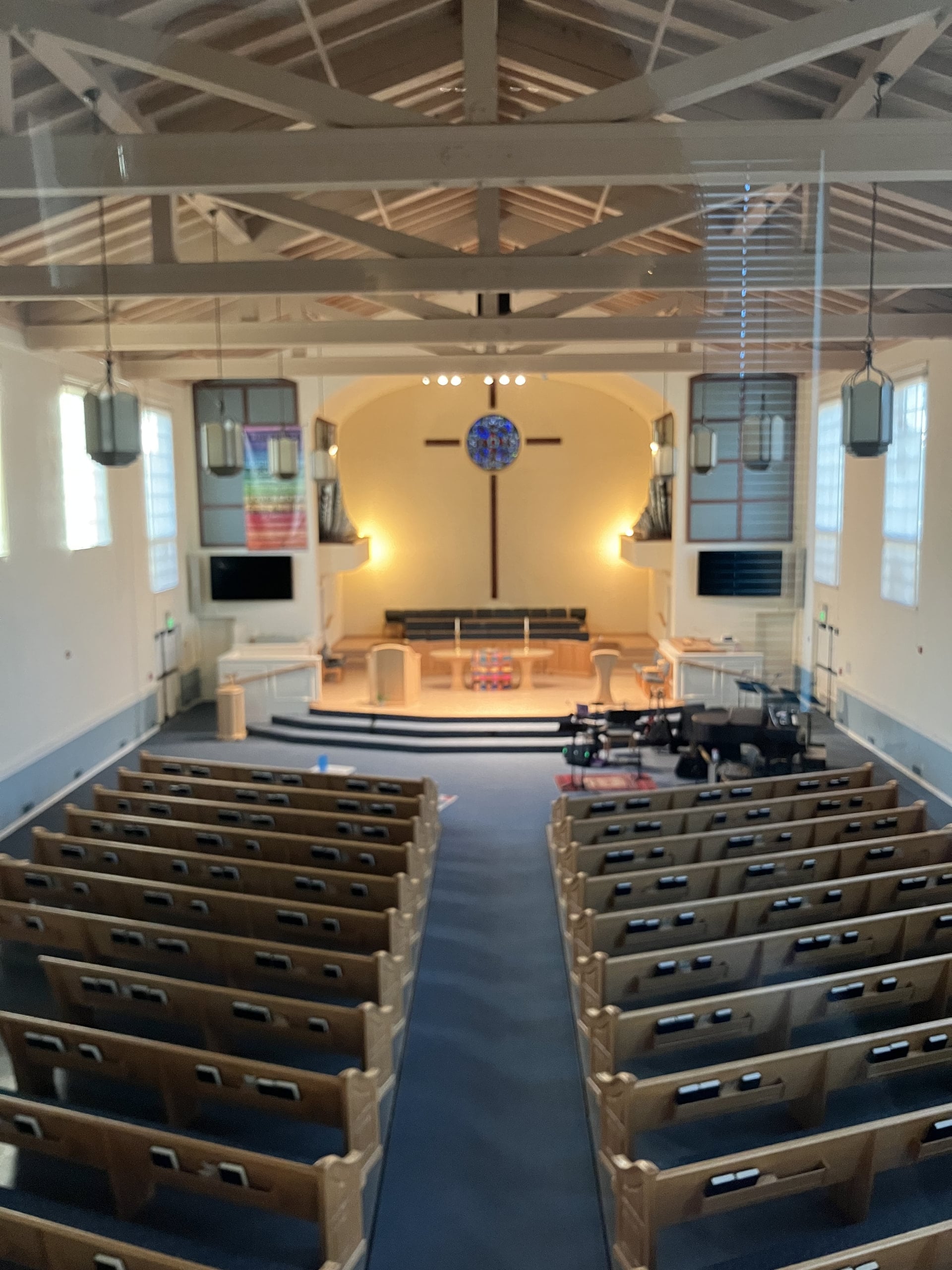
On Sunday mornings I direct an ensemble of musicians and 3-8 singers while serving as a guitarist, second keyboardist, vocalist and worship leader. The ensemble includes keyboard, bass, latin percussion and, on special occasions, trap drums. We also have guest instrumentalists from time to time, so the Mackie Showbox speakers allow me to patch in additional instruments.
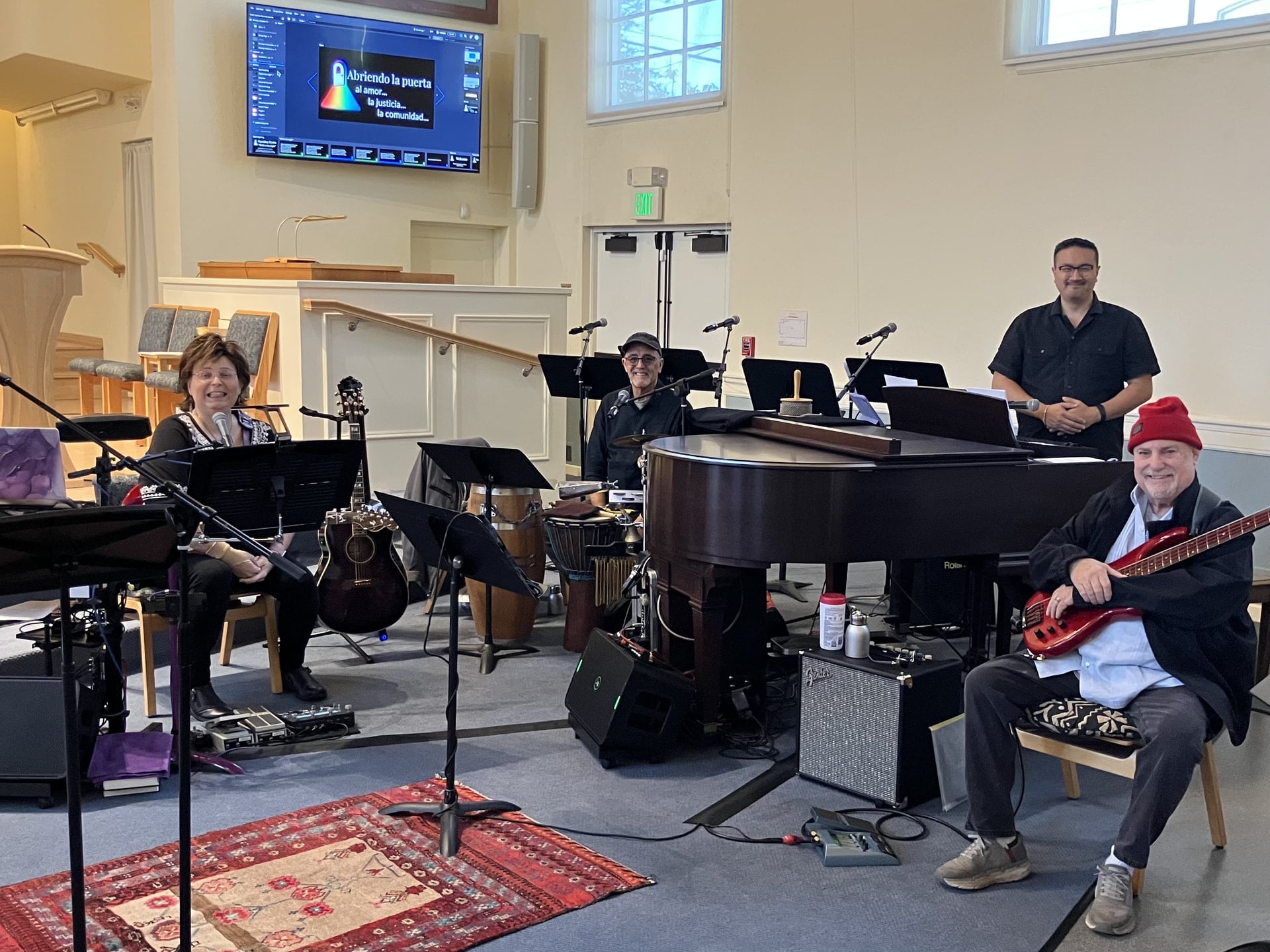
Eden Ensemble (left to right): myself, Edgardo Cambón, Chris Trinidad and David Belove. Choir members had not yet arrived.
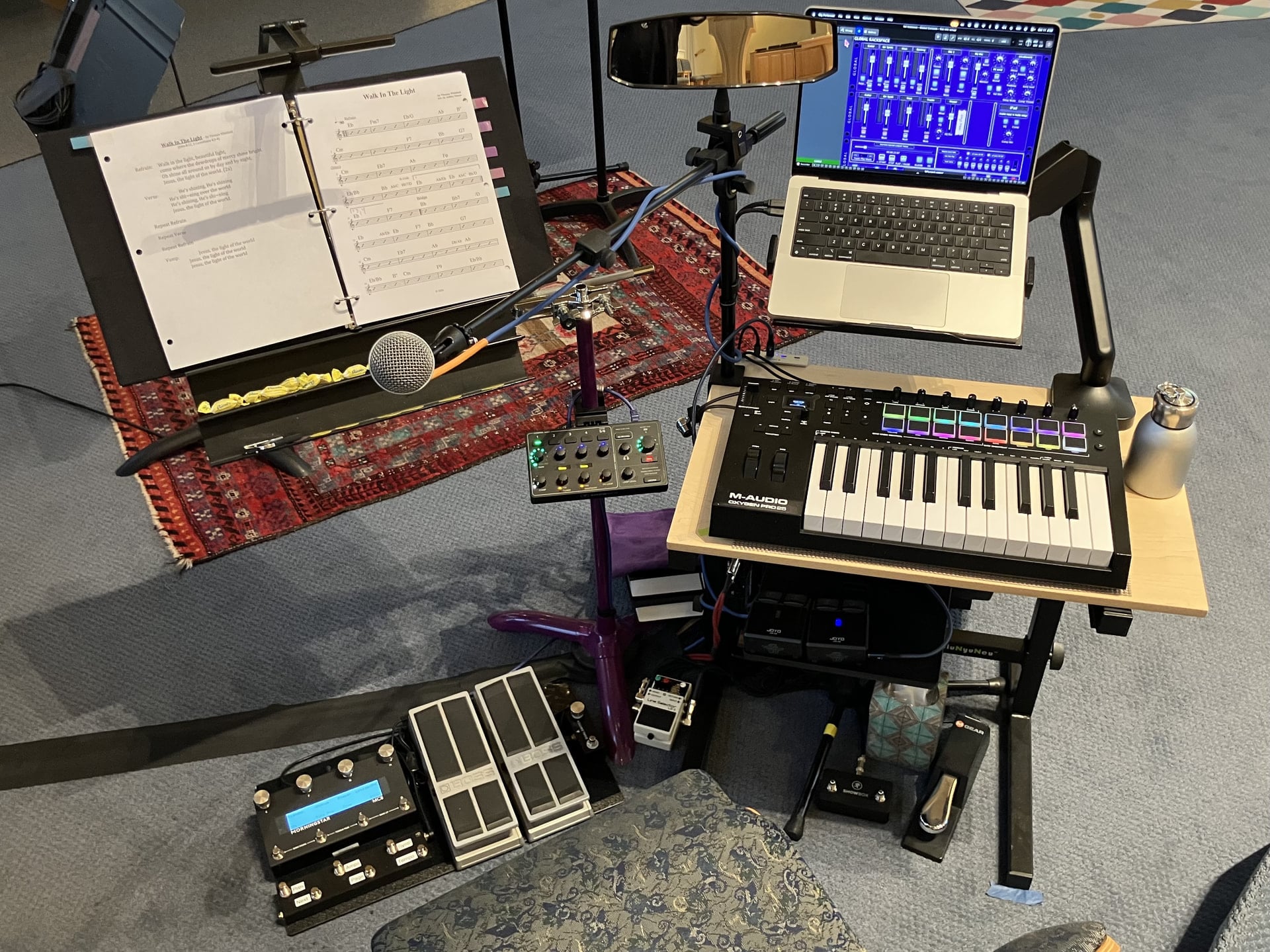
Overhead view of my performance area.
Current Rig details
I use an M4 Max MacBook Pro with 64 gb of RAM. My hardware rig is a rack that is essentially a docking station with audio I/O feeding powered speakers and the FoH PA. All I/O jacks (Thunderbolt, audio, TRS controller inputs, UBS hubs & AC power) are forward facing. A single Thunderbolt cable connects the Macbook to the rack and powers the computer.
Gig Performer
I am using four simultaneous, parallel instances of Gig Performer to manage the various tasks I require. These instances are:
-
Main Mixer.
-
Receives audio from the other instances via RELAY system plugins.
-
Handles my lead vocal and guest vocalist processing.
-
Sends independent mixes to
-
Front of House PA (FoH),
-
my Guitar station speakers as well as
-
the Keyboard station monitor amp.
-
-
-
Keyboard station. We have a 49 key M-Audio Oxygen MIDI controller that sits on top of our piano allowing our keyboardist to play a variety of VST virtual instruments. We have a M2 iPad set up in sidecar mode so that he can see/control the instance from his location. He has immediate access to 40+ sounds in 5 setups within GP’s setlist view.
-
Guitar Synths. This instance takes an audio feed from my guitar input and uses a VST named MIDI Guitar 3 to convert it to MIDI which allows me to access my guitar synth libraries. I also have a 25 key M-Audio Oxygen MIDI keyboard off to my right so I can occasionally augment songs from the keyboard.
-
Guitar station. This is the most complicated of the instances with lots of different VST guitar software, significant custom programming and the most in depth controller assignments. I use a Morningstar MC8 controller with 8 external switches and 2 Roland FV-500H expression pedals to control the guitar and guitar synth instances.
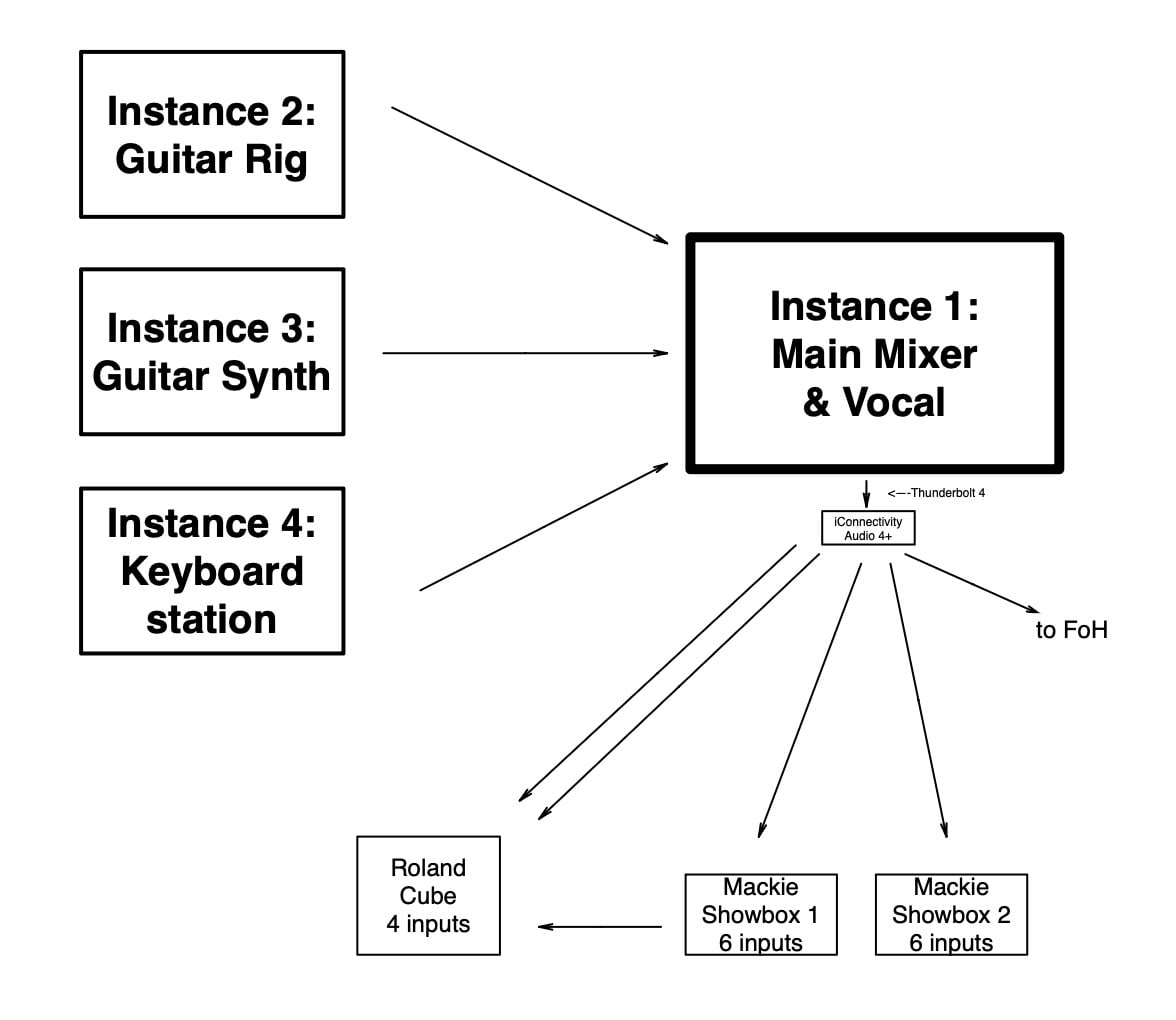
I will go through each instance in detail below. Using the four instances together provides a number of advantages:
-
It enables a modular approach to using GP.
-
Each instance uses separate RAM which seems to reduce the demand on system resources.
-
Each instance is able to use a smaller audio buffer (64 - 128 samples).
-
Each instance is on a separate desktop and it is easy to switch views to focus on individual instruments with just a 3 finger swipe.
-
If I don’t need one instance for a particular set, I can just not open it.
-
If one instance glitches (which rarely happens), it can be relaunched without bringing the whole performance to a halt.
-
Rather than being integrated (and enmeshed), I can mix and match my guitar and synth sounds freely.
-
Having all the audio routing handled by the Main Mixer instance allows me to make on-the-fly changes to audio routing in a central location.
Let’s consider the unique qualities of each instance. Each one uses GP in a different manner, demonstrating GP’s versatility. Note that I predominantly use top grade passive equalizers (primarily AMEK EQ-200) throughout the various instances.
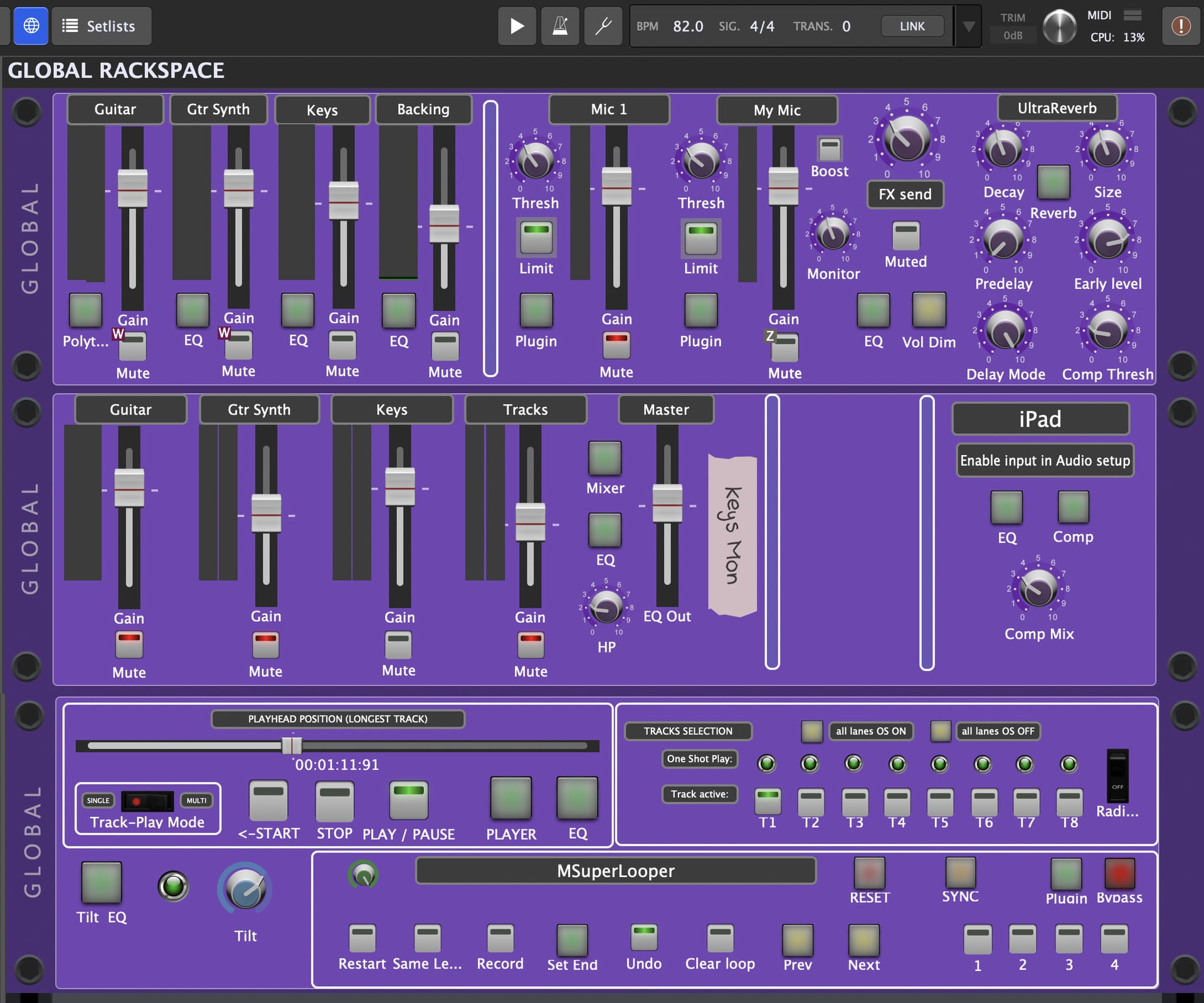
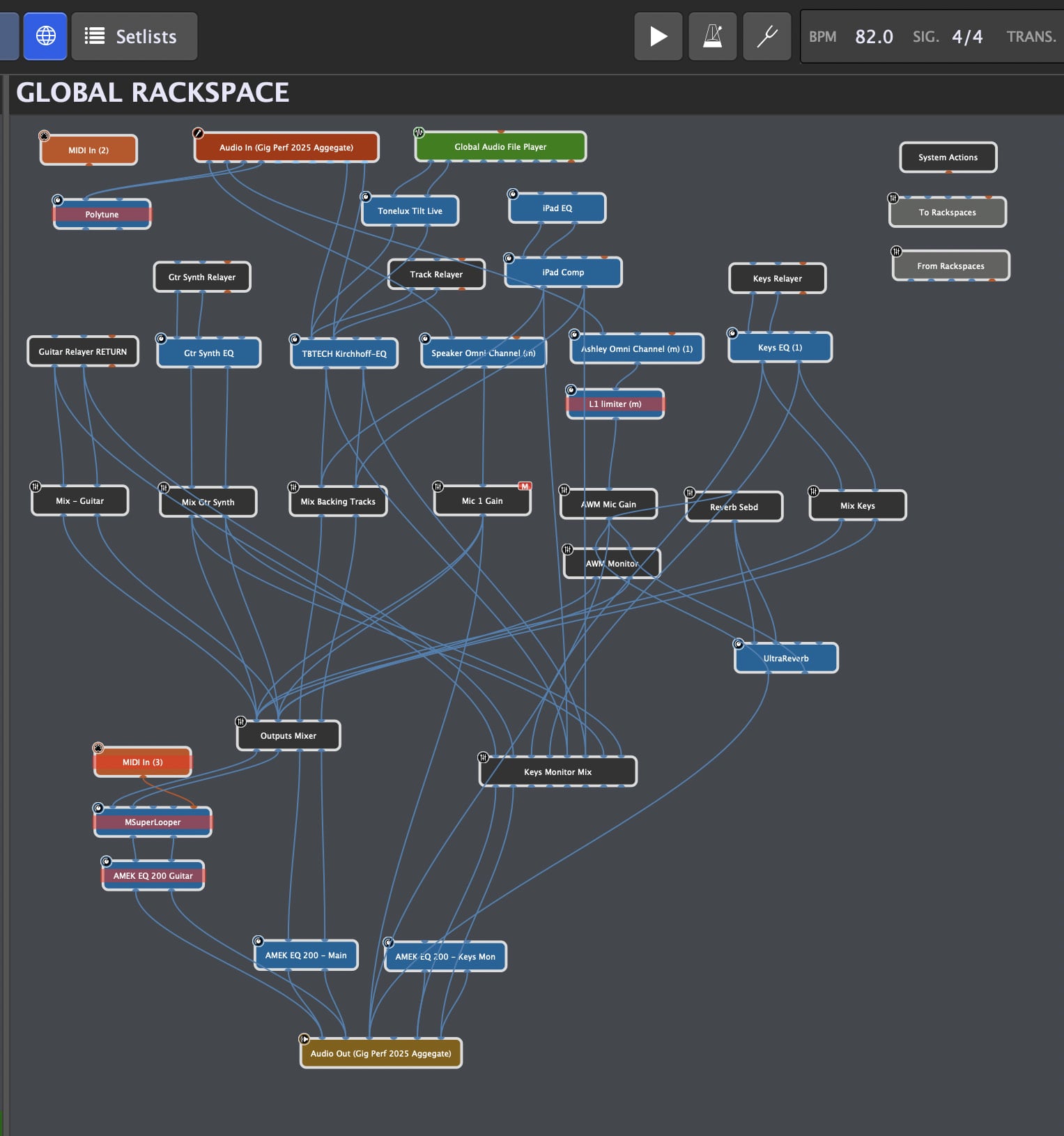
The Main Mixer runs entirely in the global rack space. This instance has a long history, having been added to and tweaked over the years. So it has some legacy configurations, but I know they are implemented and working if I ever have need. As my control center, it features:
-
2 mic inputs fed through Scheps Omni Channel strips
-
Mics have sends to an Eventide UltraReverb.
-
Receives audio from the other 3 instances via RELAY.
-
Has inputs if I want to bring in audio from my iPad.
-
Has a streaming audio file player for alternative uses.
-
1 mixer to feed the Guitar station (2 Mackie Showbox speakers)
-
1 mixer for the Keyboard station (Roland Cube)
-
1 feed to FoH.
-
Passive EQs throughout
-
Serves as master tempo clock.
-
Also has a MSuperLooper VST.
-
128 sample audio buffer
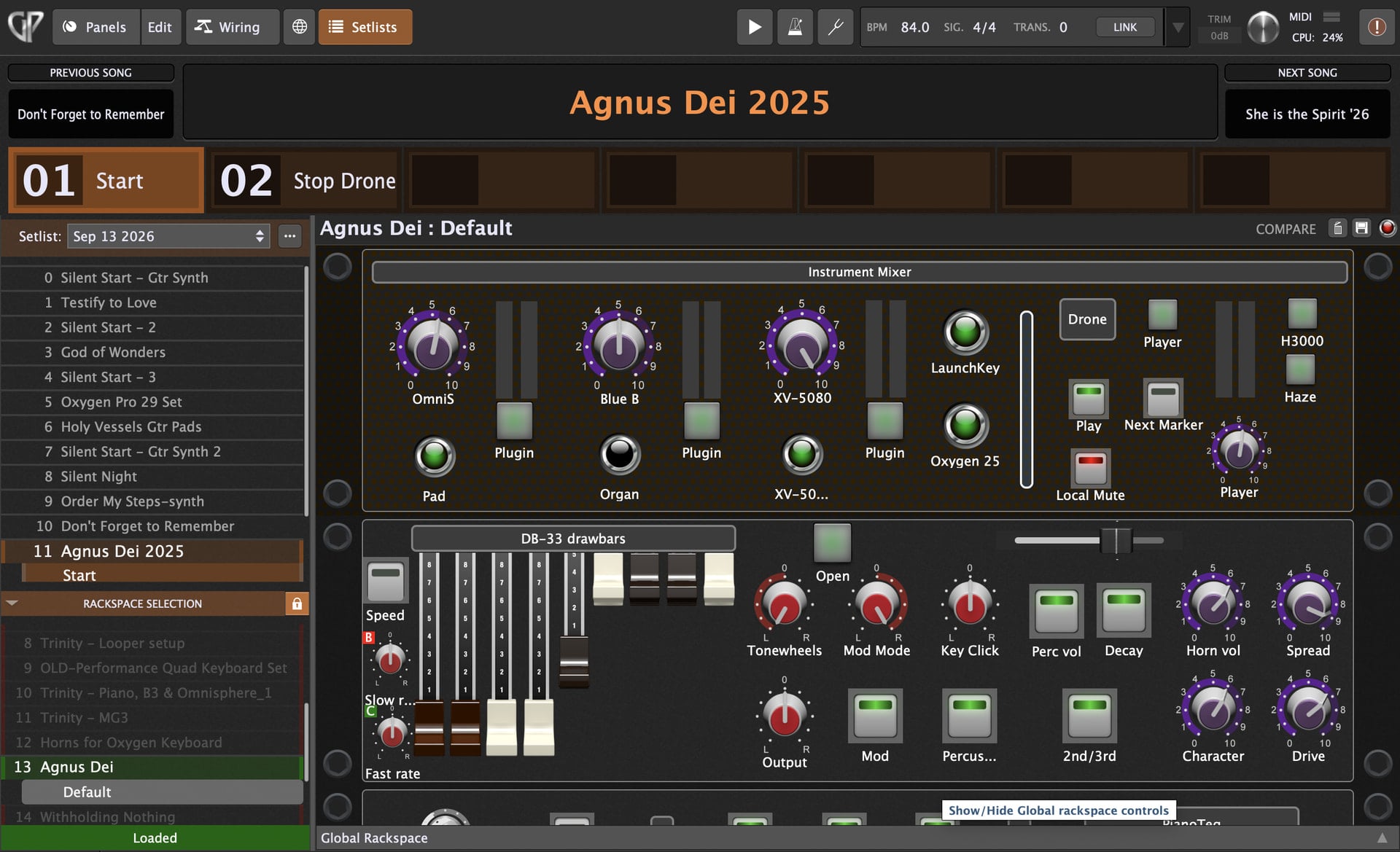
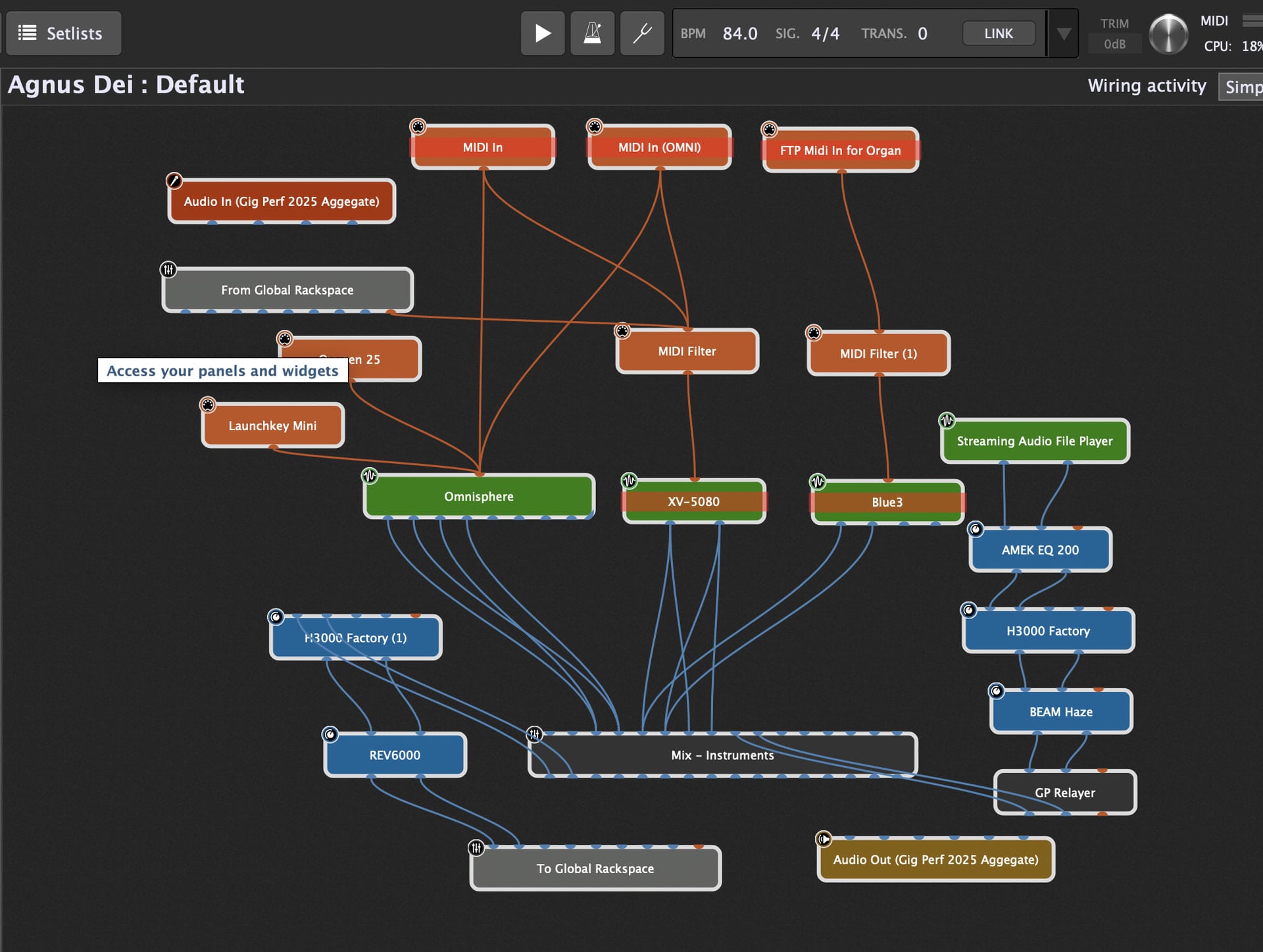
The Keyboard station is in a standard GP configuration. The MIDI input block is in the Global Rackspace and fed to the local Rackspaces. There is an assortment of local Rackspaces with different VST collections. We’ve recently developed a new set of Rackspaces primarily configured with 8 channels of Omnisphere 3 and BlueB mapped to 8 fader widgets controlled by the 8 hardware hardware faders on the keyboard controller. Additionally, I configured 2 latch pad options for these - 1 for latched chords, the other has an octave and a half of bass pedal pitches triggered from the controller’s drum pads. Other Rackspaces have additional channels with VST instruments from Triton, Native Instruments, Gospel Musicians, Roland, etc. Those Rackspaces populate the Setlist as 5 Songs. Our keyboardist can choose Songs from his keyboard, bring up sounds via hardware faders, and use the iPad sidecar to capture snapshots in Song Parts. Pretty straightforward. Local Rackspace audio returns to the Global Rackspace and uses a RELAY in send mode out to the Main Mixer instance. 128 sample audio buffer.

The Guitar Synth instance is configured similarly with both MIDI input blocks and a MIDI Guitar 3 VST in the Global Rackspace. These feed the local Rackspaces. I primarily use Omnisphere 3, BlueB, Unify, Triton and Pianoteq VSTs. I use my Roland expression pedals to control Mod Wheel and cc 11 parameters. Omnisphere has an amazing feature called Stack Mode that allows me to set up layers in ranges and use the pedal to move through complex changes in timbre. I also have a couple of groove box style VSTs in this instance. Those Rackspaces populate the Setlist as Songs and I have built a library of songs over the years. Local Rackspace audio returns to the Global Rackspace and uses a RELAY in send mode out to the Main Mixer instance. 128 sample audio buffer.
The Guitar station is the most complex instance and I use it differently than the others. (Because I am a guitar geek.)
The Global Rackspace has two audio inputs from my interface - one for electric guitars and one for acoustic guitars - plus MIDI input blocks for my controllers. These are followed, pedalboard style, by a noise gate, Polytune, a footpedal-controlled volume, a wah and a looper which then go out to the local Rackspaces. (I use the looper to record myself playing parts for a song and let it run while I tweak my guitar sounds.)
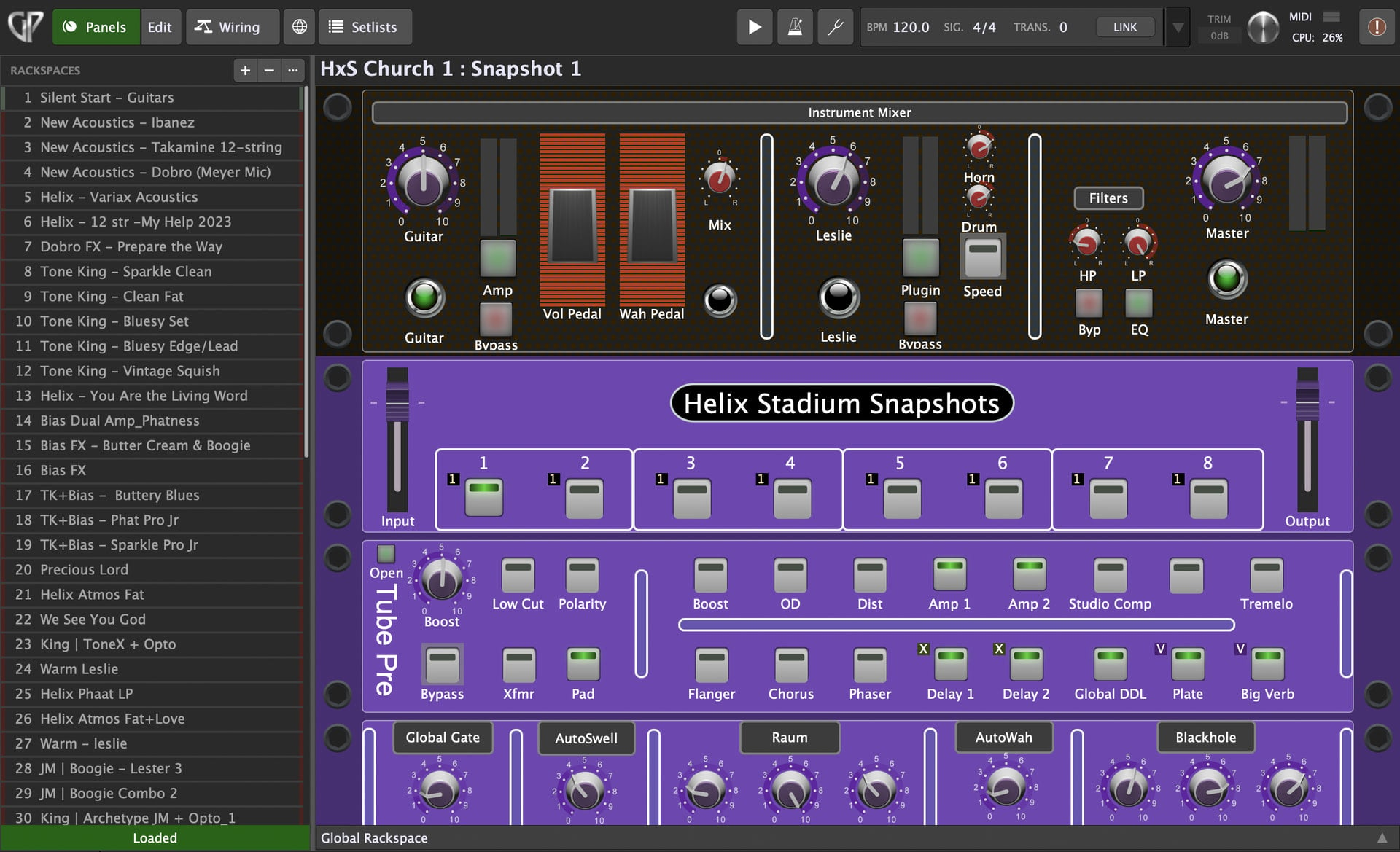
At the end of the chain, local Rackspace audio returns to the Global Rackspace where it goes, pedalboard style, through 9 high quality DSP FX in series (Flanger, Chorus, Phaser, DDL, Auto Swell, Sustainer, 2 ambient reverbs with freeze function and a tube preamp for color), followed by a master EQ, master volume and finally out to the Main Mixer instance via RELAY. All of this using a buffer of 64 samples!
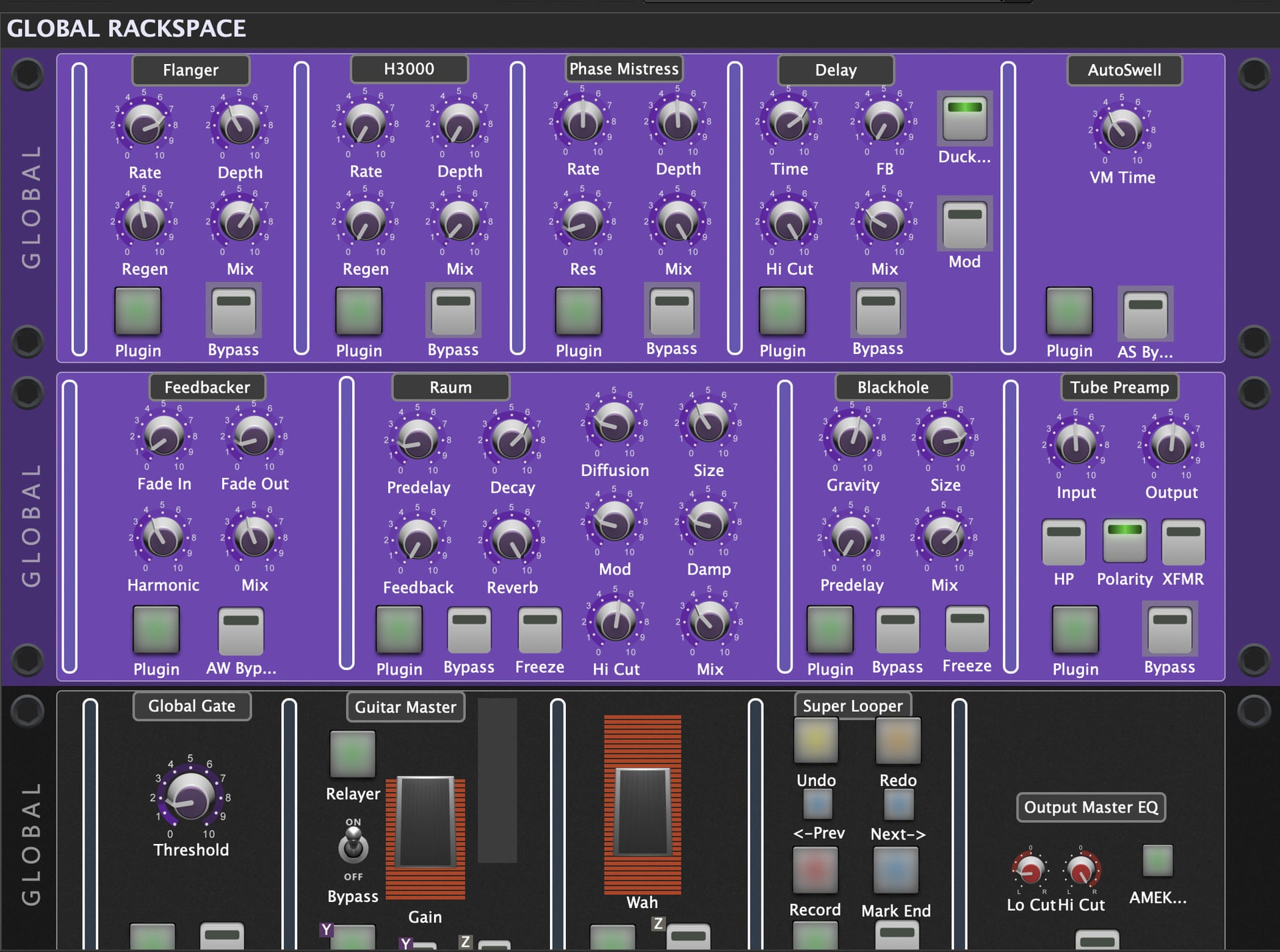
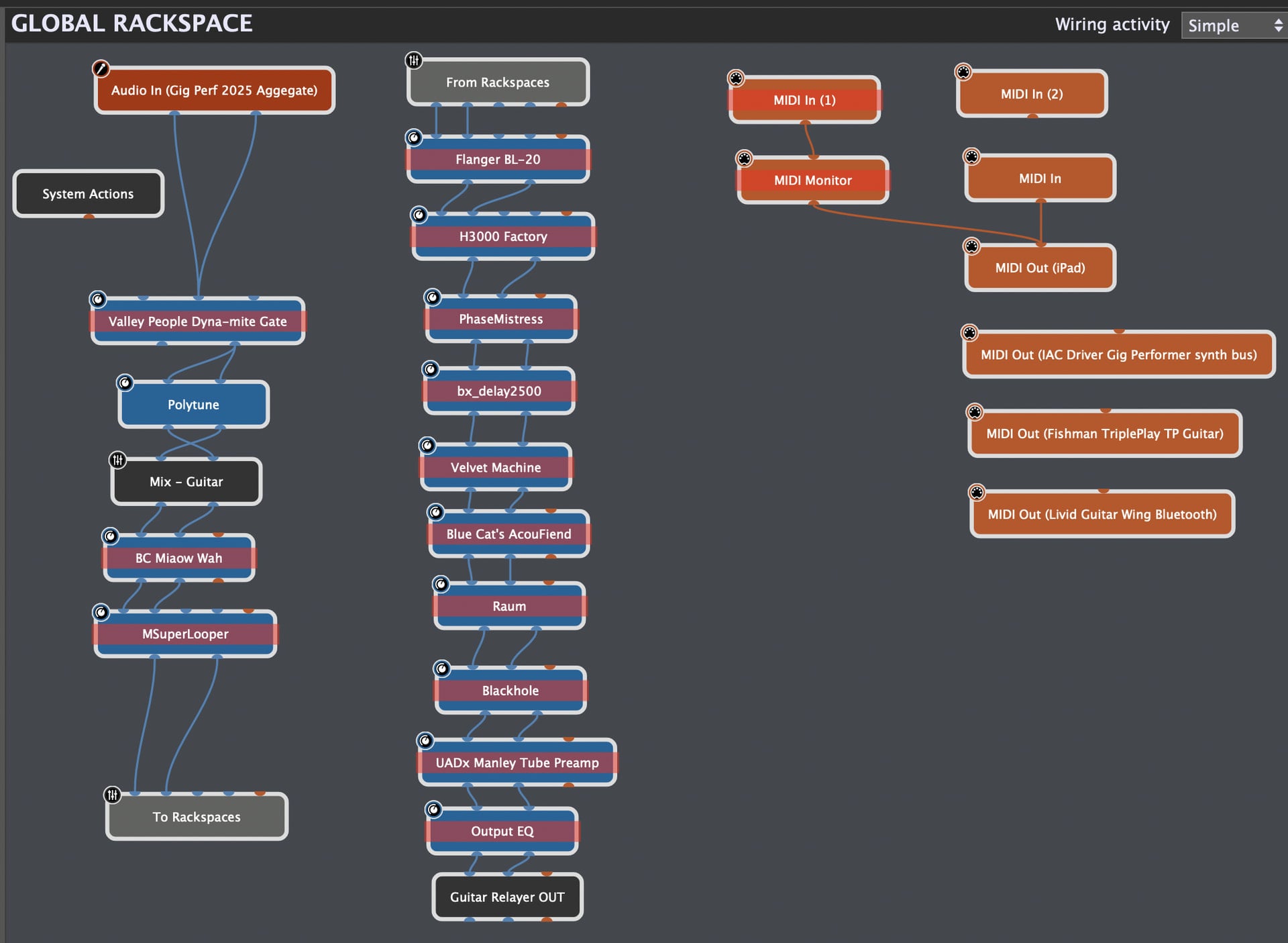
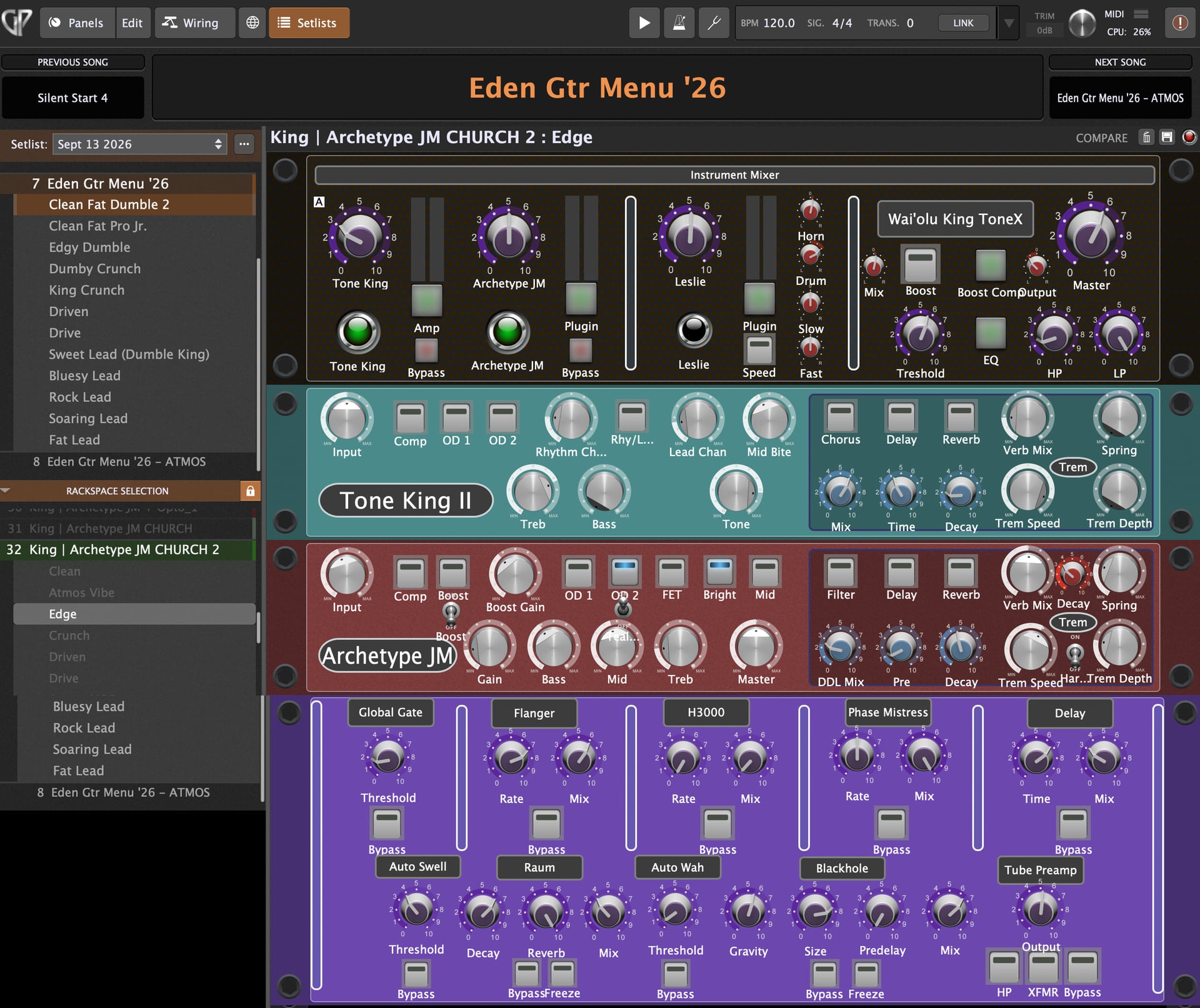
Setlist view. Menu Song on top left. The post-Rackspace global effects are on the bottom. Just tweak parameters, capture snapshot and go!
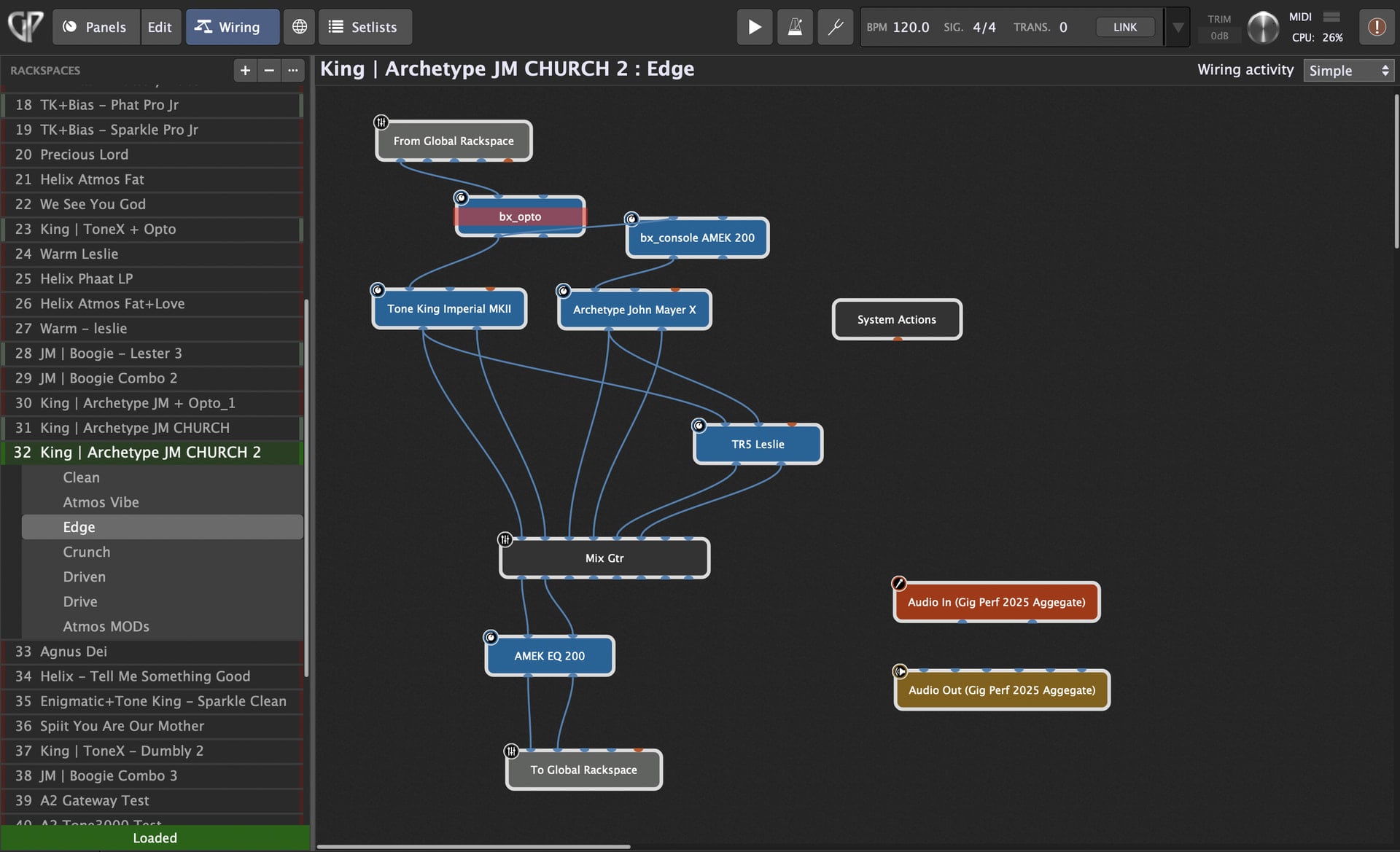
Wiring view of this Rackspace. Note the Rackspace variations for this rig on the left.
The Rackspaces - my custom guitar rig library
For my acoustic sounds, I use the Avalon VT-737 as a preamp and followed by a series of DSP FX (Chorus, DDL, short Verb & long verb) set up in parallel. Alternatively, I have some legacy presets from Helix Native that I sometimes use (especially with my Variax acoustic sounds). I also play my acoustic guitars directly into the Showbox mixer but use an A/B, A+B splitter box to switch to GP sounds, layer GP sounds or layer GP guitar synths.
For my electric guitars, I am a big fan of using multiple amp and speaker rigs to get the tone I am after. For each amp I want to use, I create a Rack Panel with a comprehensive array of widgets so that I can control every parameter that I want to be able to adjust. I also prefer using a Leslie cab VST as my primary modulation and have these wired in parallel in almost every Rackspace. I save the Panels for reuse. I have a master control Panel at the top of each Rackspace with output volumes for each amp, a boost (drive or compressor), master EQ & volume for the Rackspace. The post-Rackspace global effects are also available to control via an imported Panel at the bottom of the local Rackspace (which allows me to capture settings in Setlist snapshots).
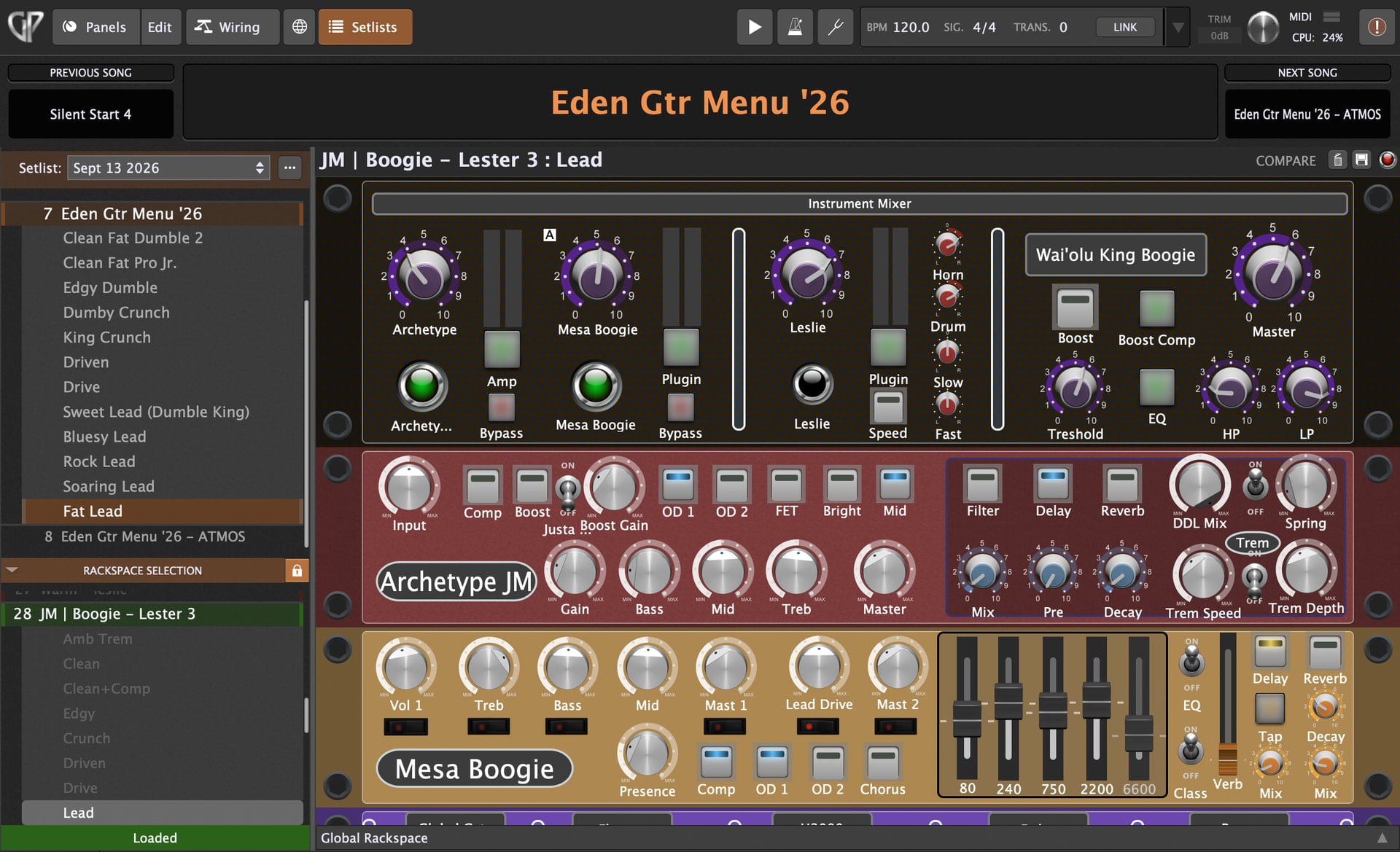
Note the library of Rackspace rigs on the left…
Creative process - building a Rackspace: What I usually do is pair up a couple of amps (say a Tone King II with the Archetype John Mayer) and start by blending the amps and getting the best clean tone that I can. I then use the Variations feature to create subsequent “patches” with increasing gain structures (Edge, Crunch, Drive, Drive, Solo 1, Solo 2) until I have multiple Variations for that particular amp pair in that Rackspace. (See the screen capture.) I will also sometimes add “atmospheric” Variations using the widgets from the Global Rackspace. Thus, I have built up a library of more than 50 Rackspace rigs like this. Finally, I use the Setlist’s Song feature to create a “menu” of favorite patches from across my library of Rackspace rigs. I typically have 10 - 15 songparts of guitar tones of varying gain levels. I have another Song “menu” that has my top 10 ambient sounds.
When I am busy leading rehearsals on Sunday mornings, I don’t have a lot of time to fiddle with my guitar sound. So I will just duplicate the “menu” Song, pick a sound from the “menu”, tweak the widgets to adjust amp and global FX as needed and capture the result as a snapshot. I can then finalize the Song by dragging song parts up or down, delete unneeded menu/song parts and then give the Song a new name (thus adding it to my song library). Endless, repeatable variations are thus possible in moments. More importantly, as a Pastor, I need to be interacting with the members of the church (not technology) after our rehearsal.
Here are the VSTs I have built guitar rigs with:
- Neural DSP: Tone King Imperial Mk II, Mesa Boogie Mark IIC+, Archetype John Meyer
- UAD: Dream 65, Ruby, Enigmatic
- Line 6: Helix Stadium Native, Helix Native,
- Others: ToneX Max, Bias FX2, Genome 2 (NOT ready for full GP use - only has 10 automation parameters.)
- A2: Gateway, Tone 3000,
Gig Performer gives me the ability to create all the complex guitar sounds I’ve ever dreamed of, with all of the DSP wizardry I could ask for without the hassle of carrying, setting up and reconfiguring a bunch of hardware. And I have access to tons of colors!
In conclusion, using these four GP instances provides all the control and flexibility my ensemble and I could need for my church’s music ministry. We cover a wide range of genres, so having access to a huge range of timbres is necessary. Gig Performer provides unprecedented ability to create just about anything you can imagine, with as much complexity or simplicity as you desire and provides the ability to turn those creations into simple but comprehensive live performance rigs. Gig Performer is the ultimate VST host and performance tool. It’s in a league of its own. There is simply nothing else like it!
For the future? I am considering moving the Streaming audio player into a 5th instance where I can set up Stylus RMX, Easy Drummer 3, Reason Rack and other percussion based VSTs so that I can have an instance dedicated to time based, groove tools. We’ll see. With Gig Performer, I know it’s possible!

