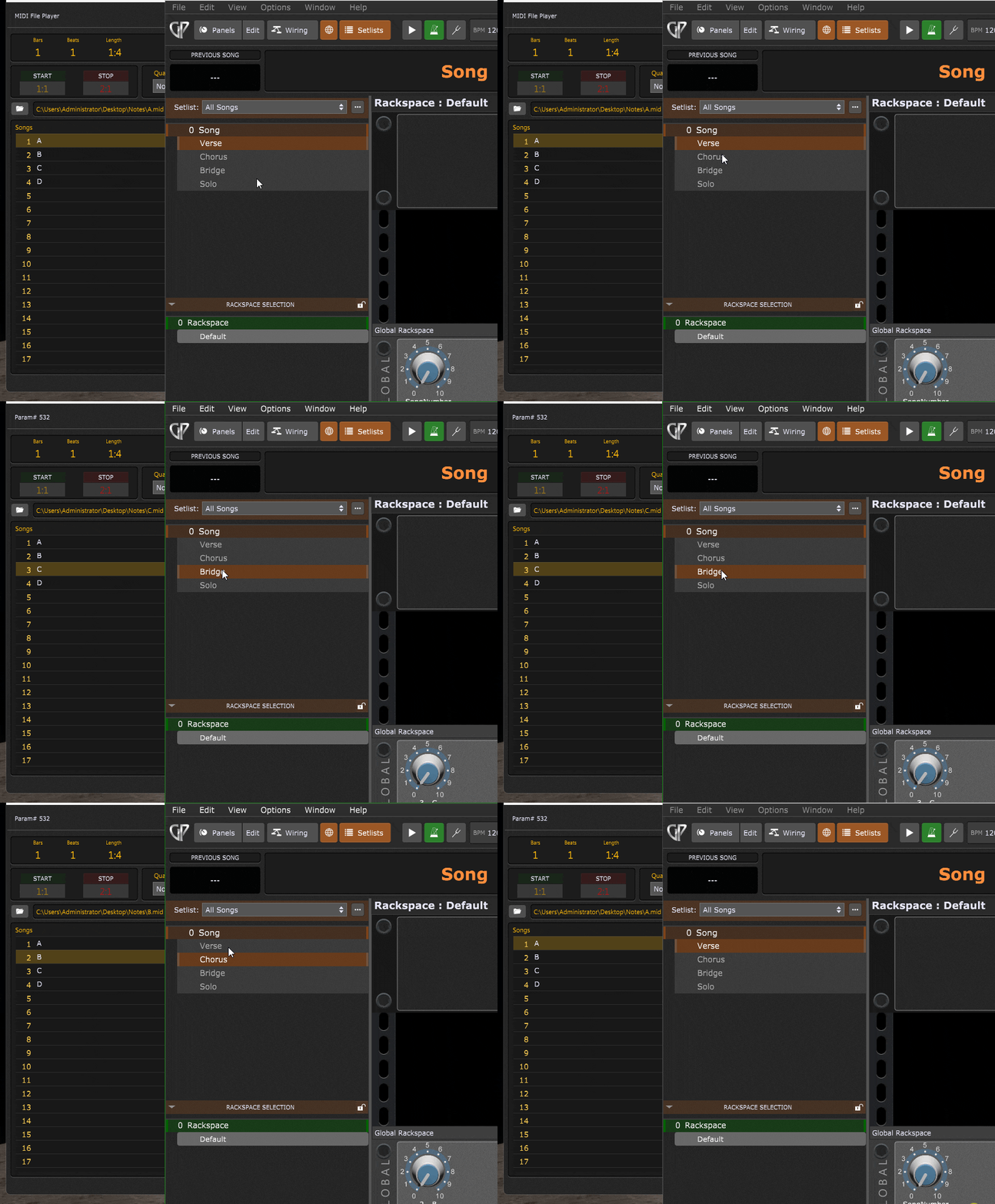
I am trying to supplement our classic rock band with some keyboard parts missing in new songs we added. One is “Everybody Wants to Rule the World.” I have four parts to the song as midi files. I created all the midi player parts (songs 1-4), set up teh synth, etc… I want to trigger these with my Nektar Pacer Pedal. I created a rack and buttons as triggers, etc… I just cannot get them to work. I created a song part to each and a switch to trigger play. The verse and chorus work. The bridge and solo section do not, even though the were done the same way. I step on pedal 1, the verse plays, pedal 2 and the chorus plays…but the other parts are duds.
I have literally spent 7 hours working to no avail today. I’m about to give up. Where can I find the best way to accomplish this?
It would help if you shared a bit (well, a lot) more information about how EXACTLY you configured everything, e.g. what MIDI messages is your pedal sending, to what are those messages mapped, where is the MIDI File player instantiated, how are the song parts configured, etc?
Without that information, all we know is that it doesn’t work but we have no information from which we could possibly start to diagnose the problem
I created four buttons in the panel. One for each song part. Values were 0, .8, 1.6, and 2.3. That seemed to change the songs from 1-4. I created a play switch.
in the setlist view, I had the four parts (verse, chorus, bridge, and solo) I selected verse. I highlighted the first button on the panel that was set to 0 value to trigger song on command. I put the play switch to on. I saved the play switch in the in position. I set the song part mapping to learn and depressed pedal 1 on the controller (Nektar Pacer). I did this for all four song parts. Saving the scenes every time in between steps.
The first two pedals worked turning the midi files on. If I hit the third or fourth pedal it stopped playing. It switched to the proper song part at left but nothing played.
I’m not sure why this isn’t working. I wasn’t expecting to have to become a programmer to use this app for what seems a simple ask. AI queries were no help.
I guess what I’m asking is, am I going about this the right way. Is this how you would set it up: buttons on the panel, etc…..
Please understand, it is hard to explain an app that I obviously don’t have a command of. I was not trying to be lazy. I would just appreciate if someone could simply point me in the direction of how to accomplish:
Using midi files in the player.
Creating triggers to do so from a midi controller or pedal
I would like one controller press to play part 1, another to trigger part 2, etc…. Maybe a trigger to shut it down in case it all goes wrong.
I really appreciate any help or pointing in the right directions. I was expecting a million videos and tutorials to show exactly how to do this and didn’t find much to help. I figured this was what people did in Gig Performer. Thanks! Bob
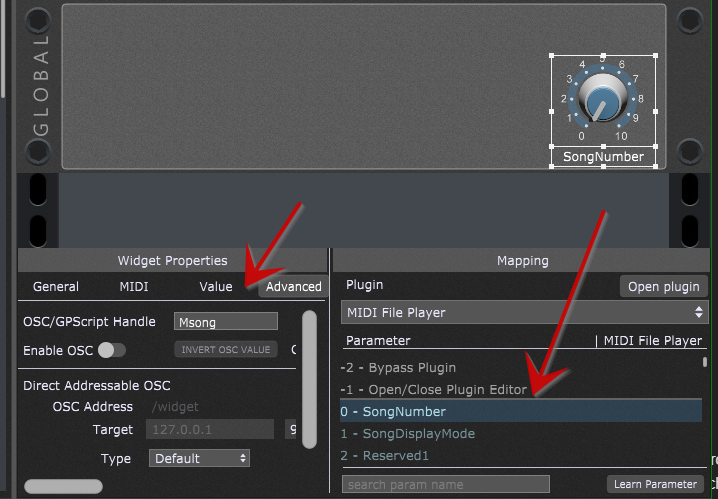
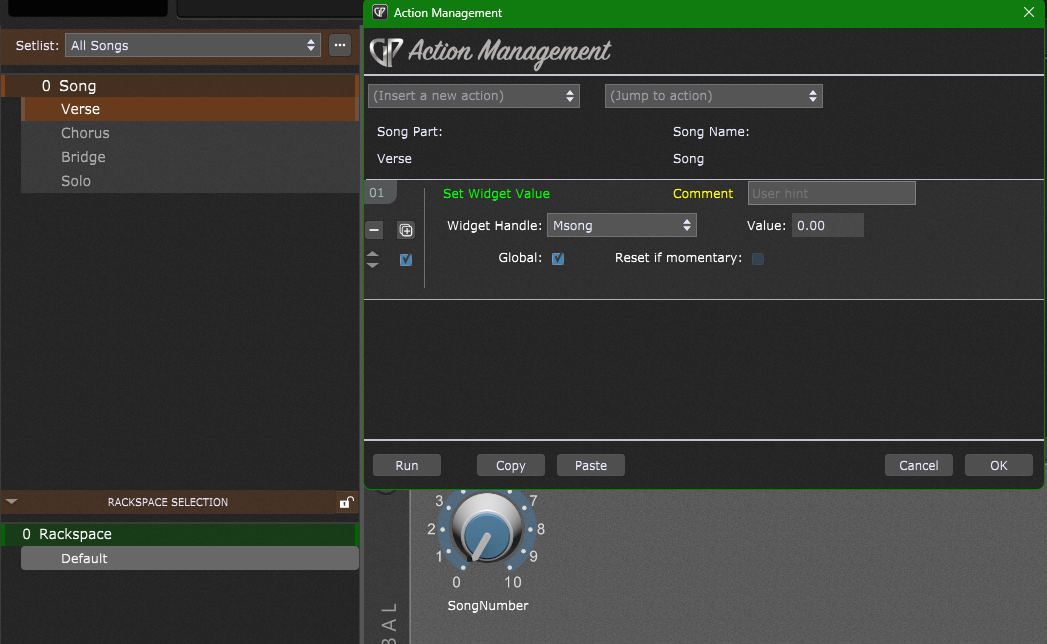
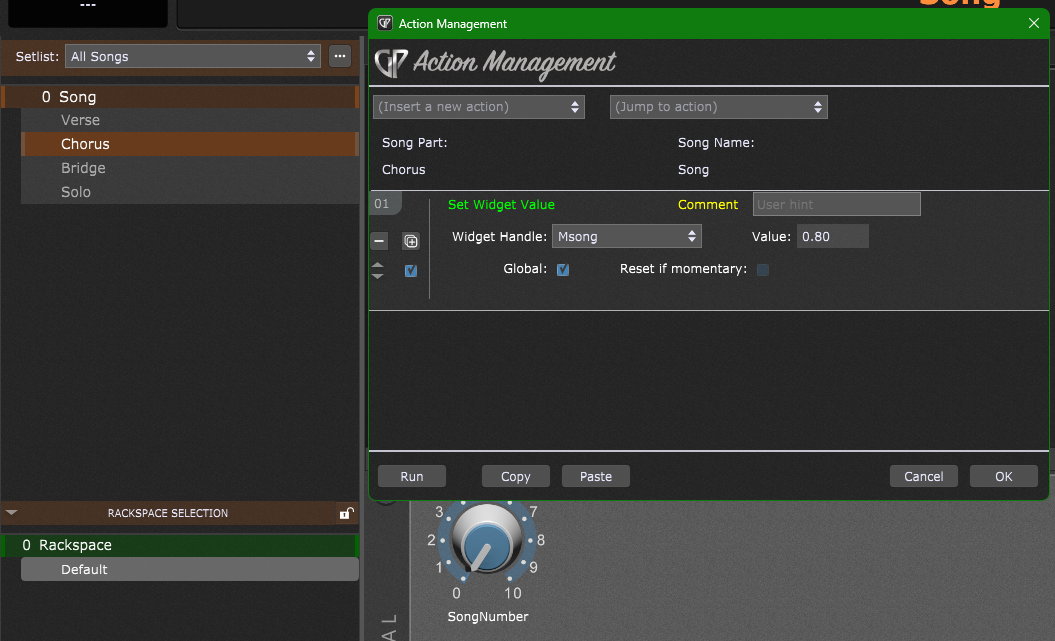
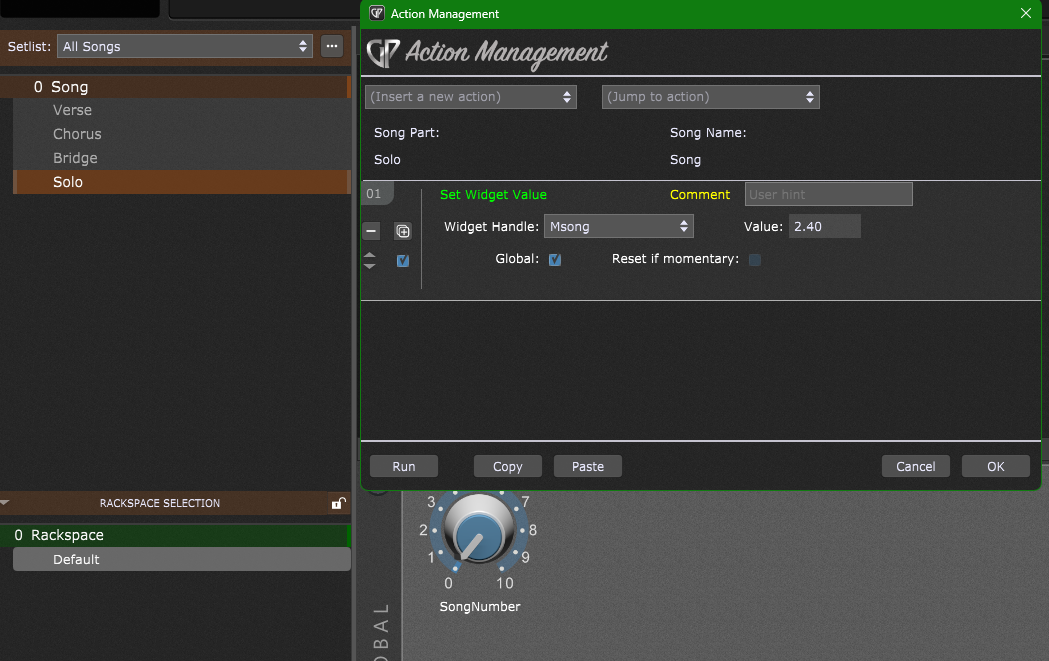
I have then set up Song Part Actions (right-click on the song part > Song Part Properties > Actions) in each of the 4 song parts that change the value of that widget which will then change to a respective track in the Midi File Player. (as you noted, values of 0, .8, 1.6, etc)
Now, when I change song parts, the proper track in the MIDI File Player is selected.
You should be able to adapt this method for your purposes.
Other advice: Take things slowly. Learn your way around GP performing simple tasks, exploring the numerous options, watch videos, read the forum and the manual. Allow yourself some time to learn first so that you can then apply what you learn to the greater project at large.
Thank you Jeff for the video. I will definitely try to apply the concepts. Not sure why anyone wouldn’t.
Thank you Ed for the ideas. I tried the knob concept. I seem to have it working. Each trigger changes through the 4 song parts now.
I did not have the green play button at top selected and some of the parameters were reverting back to last saved. I am able to cycle through the parts and have pedal 6 set to start and stop play. So I can hit 6 and then start in with 1 when the song starts.
Thank you. I have been trying to watch videos. This list will be a big help. I thought my “project midi file triggering” would have surely been something that someone had dedicated a tutorial specifically on.
These will help a lot in future projects and keeping good practices moving forward. I have already started to learn a few uh ohs, like when I assigned notes (C1, etc…) as song/setlist selection triggers in the global midi. Then I could not use them for actual notes in chord triggering in another rack later. At least I think that is what I did! LOL.
You’ll find that in GP there are generally multiple ways to accomplish the same task. This means that if one way of doing something isn’t working as you’d hoped, then you can look for and try another way!
In your example, you can add an Internal plugin block called System Actions to your Global rackspace. You can then map a widget to one of the many parameters of this block—some pertain to song, song part, rackspace, variation selection.
When you assign the note to the widget, there is a Thru button that you can enable which allows that note to pass on instead being solely used for the widget. That way you can still have that note available for your chord triggering in other places.
After a little trial and error, I got a four-part MIDI rack working better in Gig Performer 5. I used four separate MIDI File Players, each feeding its own synth plugin, which fixed the delay I was getting when sharing one synth. I mapped four PACER pedals to CC messages and GP widgets in one radio group, so selecting a new part stops the previous one. A fifth pedal selects an ALL OFF widget, and the rack always loads there.