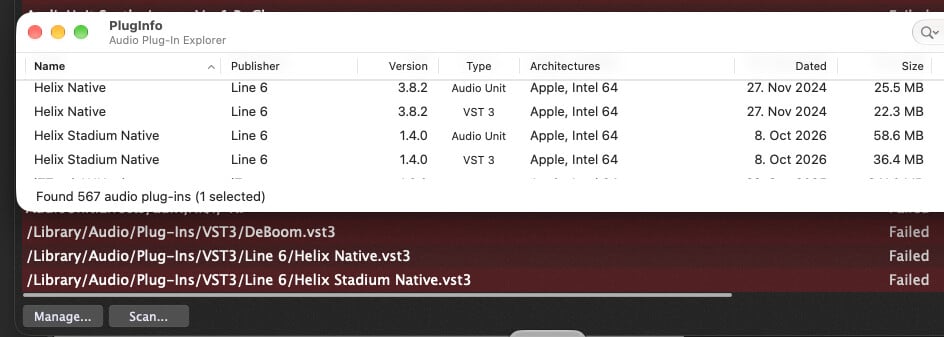
I recently bought an upgrade from the Line 6 plugin “Helix Native V3.82” to “Helix Stadium Native V1.4.0”. Both plugins are installed as AU and VST3 versions.
The GP Plugin Manager only recognizes the AU version of Helix Native V3.82, whilst the VST3 version is listed under “failed plugins”.
Unfortunately, the Plugin Manager does not recognize either the AU or VST3 versions of the new “Helix Stadium Native”. Both are listed under “failed plugins”.
I am therefore unable to use it with Gig Performer.
To test the installed plugins, I installed a demo version of “Blue Cat PatchWork”. This plugin contains itself a plugin host and can group multiple plugins together.
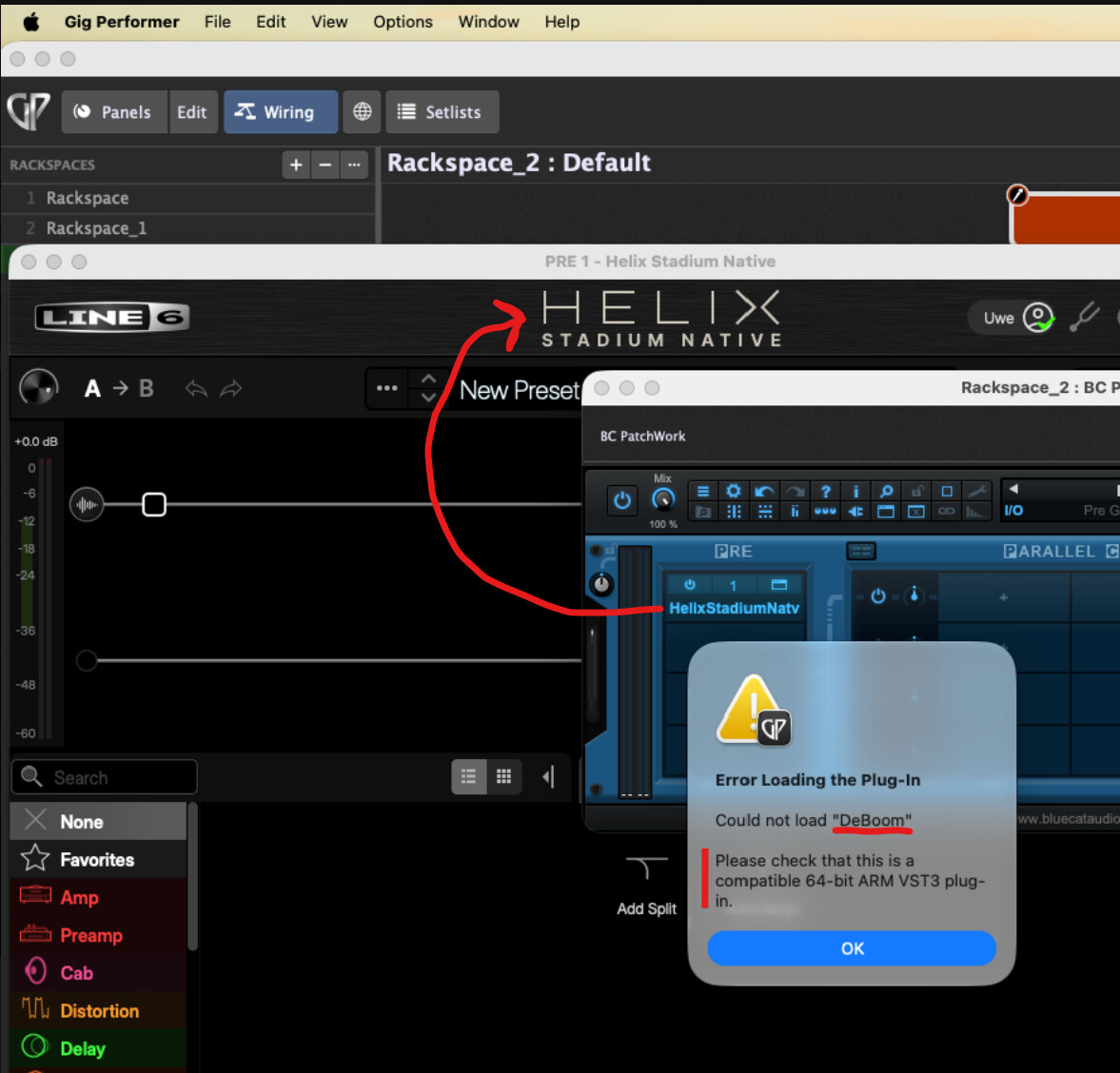
Blue Cat PatchWork supports “Helix Native” and “Helix Stadium Native”, and recognizes the AU and VST3 versions for both products. Just like Gig Performer, PatchWork only works with ARM 64-bit plugins on M-CPUs.
I’m now wondering why Gig Performer rejects “Helix Stadium Native” as a “failed plugin” and whether there’s anything that can be done about it?
Many thanks in advance for your help.
My system:
Mac mini M4 with macOS 27.2 and GP Pro 5.3.3
Helix Stadium Native is definitely not an Intel plug-in. I have tested this, as previously described, using ‘Blue Cat PatchWork’.
If I try to add an incompatible Intel plugin to PatchWork, I get a corresponding error message in PatchWork.
(See the screenshot for the ‘DeBoom.vst3’. This is an Intel plugin and I get the corresponding message ‘Please check that this is a compatible 64-bit ARM VST3 plugin’
So I assume that they are 64bit ARM plugins. But the GP Plugin Manager only accept “Helix Native.component” the other three are listed as “failed plugin”
Thanks for the hint to “PlugInfo”. Nice program for a clean up of incompatible plugins.
However, a rescan didn’t help. I already tried “Rescan failed plugins” and I deleted the red marked plugins from the list and start a rescan. The scan process took some seconds longer to scan the Helix Plugins than oher plugins, but at the end they are back on the failed list.
Only “Helix Native 3.8.2 Audio Unit” works. The other three failed in GP.