GP5 Komplete Kontrol S61 Mk3 sustain pedal issue!

Hey guys! Help!!!

I got the Komplete Kontrol S61 Mk3. I’ve tried connecting several sustain pedals, like an Alesis, my Gator pedal….not working.

On Gig Performer and my Mac in general it shows a midi signal coming thru but it just doesn’t sustain. Any ideas?

I have powered it off, unplugged it and plugged back in, restarted it. Messed with basic MIDI setting in the Menu. Please help!

I asked for help in the Komplete Kontrol forum with zero responses so maybe someone here uses that controller too?

Open the Global MIDI Monitor, depress the sustain pedal, take a screenshot and post here.
That’s a good starting point.

1 Like

What MIDI “signal”? Need to know the MIDI message and on what channel it’s on. As @edm11 asked, open the Global MIDI Monitor, then press and release the pedal (just once) and upload a screen shot so we can see what was received.
Do the same thing with your keyboard - press one note and release it and let’s see the global MIDI Monitor

Not when you don’t provide much information. To what is it supposed to be connected? Is it on the same MIDI port as your S61 keyboard or does that keyboard have multiple ports? (We will be able to see that when you carry out the instructions above)

1 Like

It’s connected to the Sustain port on the Kontrol S61.

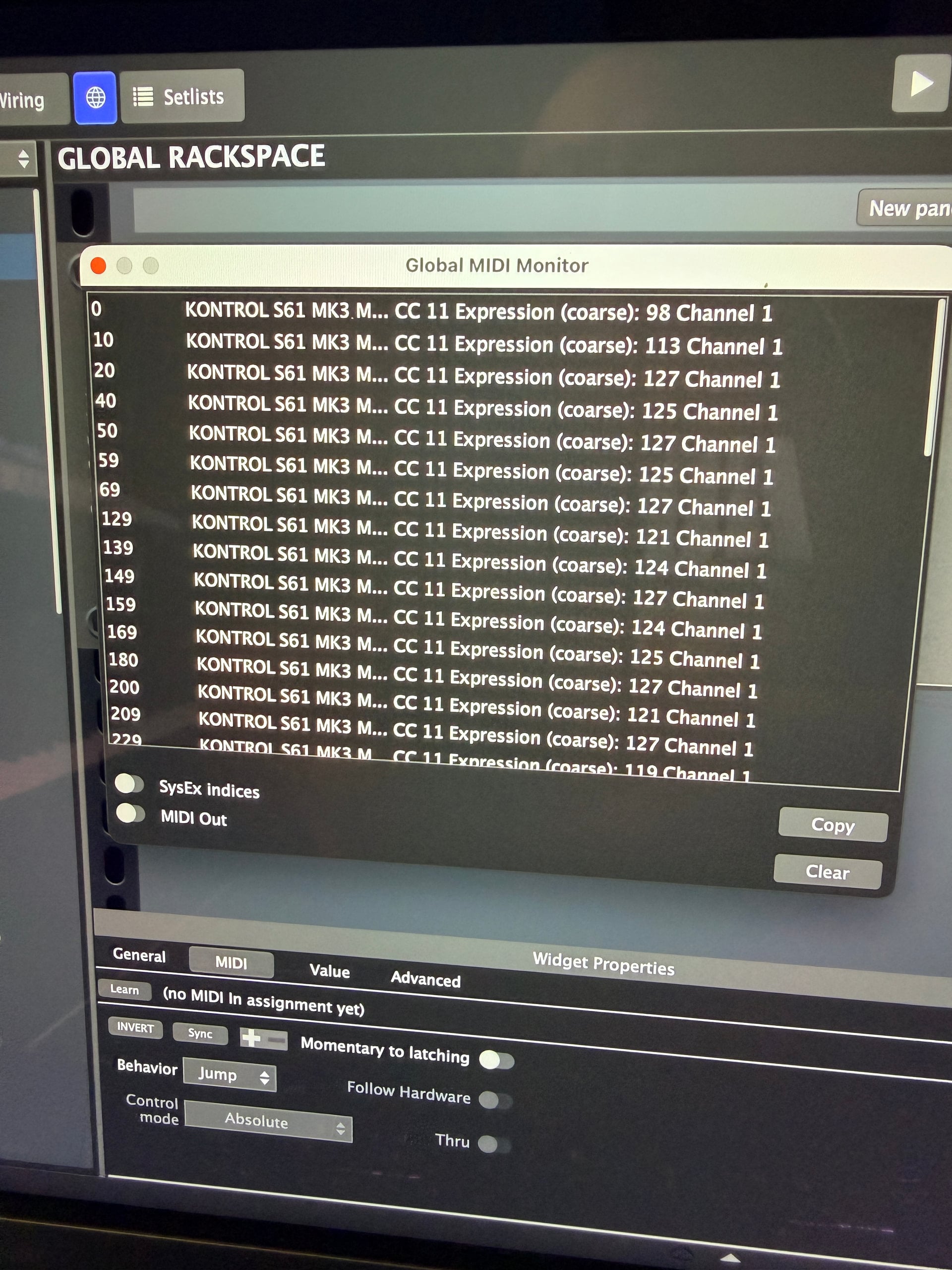
Are you sure that the pedal is plugged into the sustain input and not the expression input? It should be sending CC64 instead of CC11 MIDI signals.

Sustain is CC64. Your controller is sending CC11, so that’s why your plugins have no sustain when you press the pedal.

Here is some relevant information for your controller about configuring sustain. Hopefully you find something useful.

https://support.native-instruments.com/hc/en-us/articles/115005166305-How-to-Configure-Sustain-Expression-Pedals-on-Kontrol-Keyboards

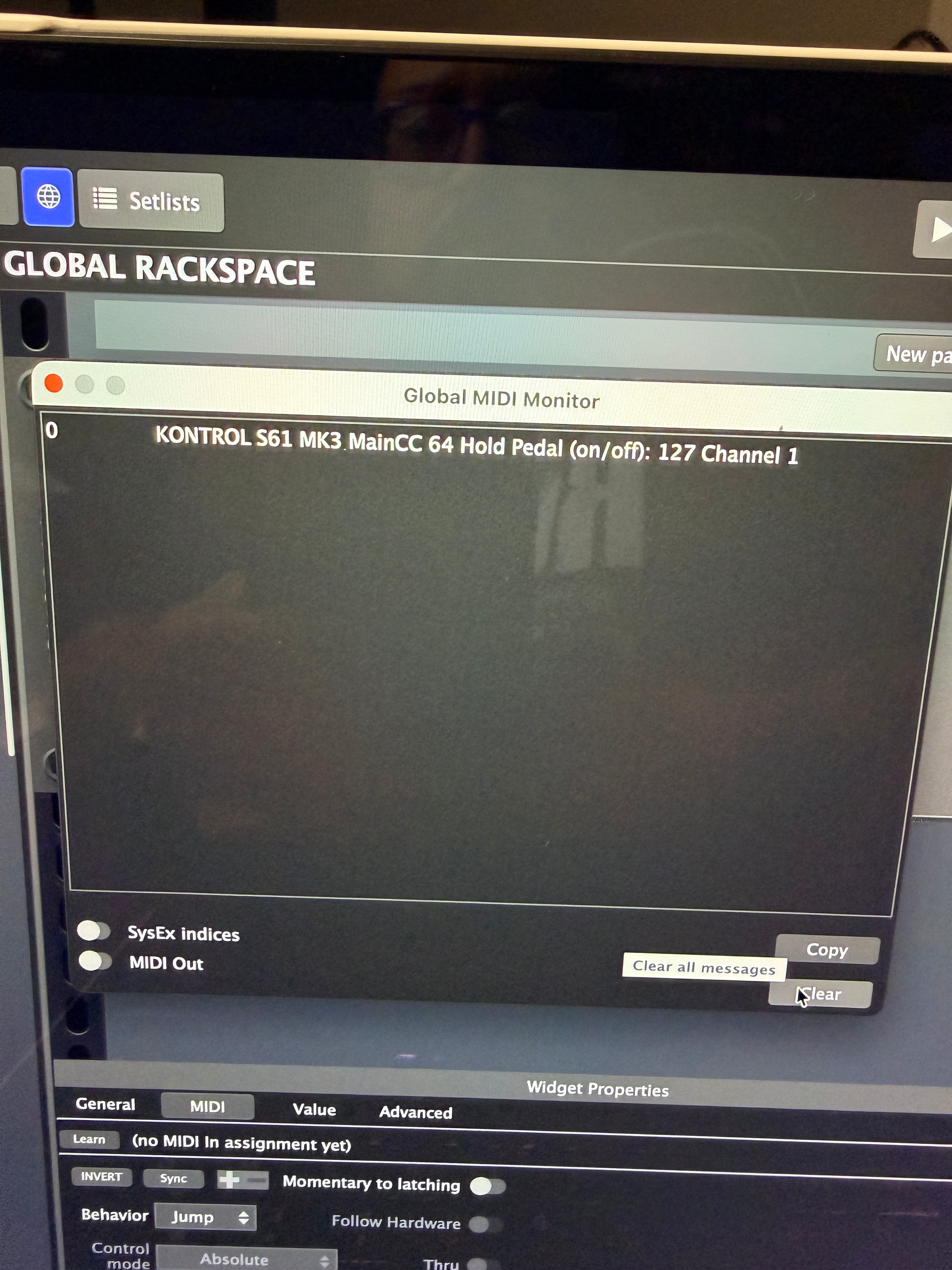
So I fixed some setting in the controller where it now says CC64. But it’s still not sustaining the sounds

Can you try with this gig file? It uses one of the plugins included with GP.

sustain.gig (18.3 KB)

I resolved issue. Thank you all for the help! It was my settings in this crazy controller.

2 Likes

Could you provide details of how you fixed it so that others can benefit in the future?

1 Like

Yes! So in the Midi menu of the Komplete Kontrol S61, if you scroll over to the pedal menu, hold down shift then press the rotary knob, you can access the deeper menus for the pedal. There are different parameters like midi channel, etc. I just checked every single parameter until it started working. I believe I had a midi channel wrong